Laptop?
Yes.
 𝚂𝚑𝚊𝚢𝚊𝚗

 𝚂𝚑𝚊𝚢𝚊𝚗
Wow. Congratulations. I always had problems w/ FreeBSD on dual gpu laptop
It is possible now. thanks to nvidia-hybrid-graphics driver
𝚂𝚑𝚊𝚢𝚊𝚗
anybody compiled DXVK on FreeBSD?
 kub-kun
Now freebsd can be even good os for laptops
 ɴꙩᴍᴀᴅ
ɴꙩᴍᴀᴅ
hi, when trying to "ssh-copy-id" to remote server - just hanging up in console
Any more info you can provide, maybe someone can help then (:
Anonymous
hi, when trying to "ssh-copy-id" to remote server - just hanging up in console
guessing the remote is refusing to accept your keys.
Ihor
guessing the remote is refusing to accept your keys.
Could not open a connection to your authentication agent.
no keys found
Ihor
Loginning on server is clear, but the copy is "unsucessfull"
Ihor
Already resolved with such form for command: ssh-copy-id -p 2212 -i /root/.ssh/id_rsa.pub root@192.168.0.1
Anonymous
Hi guys
In Mac OS, can you enter tty like Linux?
Or changed the runlevel and switched to text mode?
Can anyone guide me?
ɴꙩᴍᴀᴅ
Hi guys
In Mac OS, can you enter tty like Linux?
Or changed the runlevel and switched to text mode?
Can anyone guide me?
This is OT, please move the conversation over @freebsd_offtopics
X
Hi! I know that this is maybe a stupid question but I'm a little confused about the FBSD scheming name(release, current, stable). Please correct me, from my understanding STABLE means stable version; RELEASE means a beta version and CURRENT means a dev version?
 Candy
Candy
Hi! I know that this is maybe a stupid question but I'm a little confused about the FBSD scheming name(release, current, stable). Please correct me, from my understanding STABLE means stable version; RELEASE means a beta version and CURRENT means a dev version?
"Release" is the version most people should be using. It gets regular updates with security and bug fixes. Currently this is 13.0.
"Stable" is an in-development pre-release channel for whatever's going to be in the next minor release. So currently, this would be what will soon be released as 13.1
"Current" is an in-development pre-release channel for the next major release. This is currently what will end up in 14.0
X
@CandyGumdrop: thank you!
Jakob
"Release" is the version most people should be using. It gets regular updates with security and bug fixes. Currently this is 13.0.
"Stable" is an in-development pre-release channel for whatever's going to be in the next minor release. So currently, this would be what will soon be released as 13.1
"Current" is an in-development pre-release channel for the next major release. This is currently what will end up in 14.0
Could you point to the Docs where this is clarified? I just searched for 5 to 10 Minutes and was about to spout opposing (most certainly wrong) claims (Current = dev, Release = the version to use, stable = tried and tested to no ends but old).
I will forget your listing, and i will want to look it up.
That you should generally use release, and that current is a development version is obvious in the freebsd.org/where page, bur what stable means i couldnt find.
Though i have to admit i am on mobile
Candy
Could you point to the Docs where this is clarified? I just searched for 5 to 10 Minutes and was about to spout opposing (most certainly wrong) claims (Current = dev, Release = the version to use, stable = tried and tested to no ends but old).
I will forget your listing, and i will want to look it up.
That you should generally use release, and that current is a development version is obvious in the freebsd.org/where page, bur what stable means i couldnt find.
Though i have to admit i am on mobile
https://people.freebsd.org/~trhodes/doc/handbook/current-stable.html
X
Could you point to the Docs where this is clarified? I just searched for 5 to 10 Minutes and was about to spout opposing (most certainly wrong) claims (Current = dev, Release = the version to use, stable = tried and tested to no ends but old).
I will forget your listing, and i will want to look it up.
That you should generally use release, and that current is a development version is obvious in the freebsd.org/where page, bur what stable means i couldnt find.
Though i have to admit i am on mobile
I think both Current and Stable are Development Snapshots according to the page you specified (freebsd.org/where/).
X
for me it's clear now: current is a alpha version, stable is a beta version and release is the final version
X
how can i move apps to a different workspace using keyboard?
X
I couldn't find any keyboard shortcut (xfce4)
X
What pdf viewer would you recommend to install ? Thank you,.
K
I use it too, minimal and keyboard shortcuts. Just the way I like it
X
mupdf is very basic but very fast, however I like it
X
I have to say that I started to like alot fbsd
Jakob
X, you can edit your messages. I do that a lot when i realize i only wrote a fraction of what i want to say.
 🇵🇸🍉
🇵🇸🍉
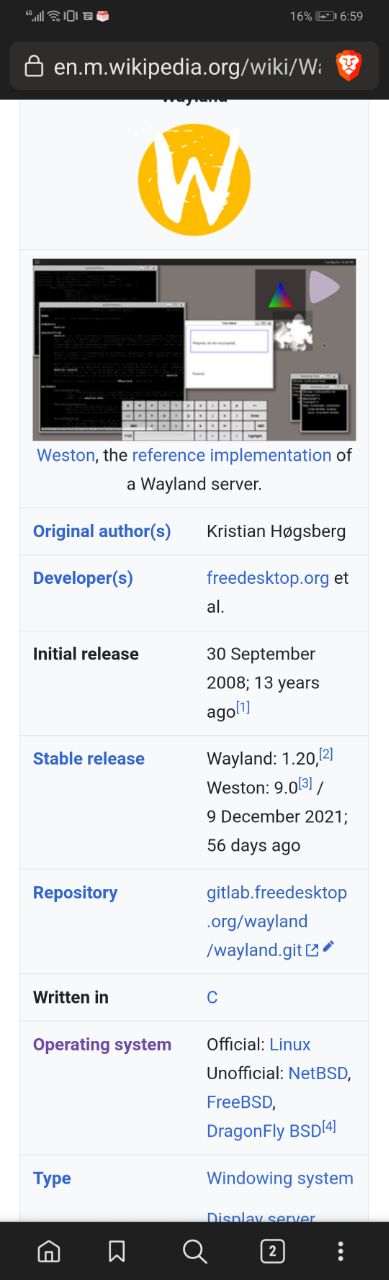
is freebsd support wayland?
🇵🇸🍉
 Anonymous
Xorg: (EE) no screens found
Anonymous
Xorg: (EE) no screens found
I installed nvidia-driver-390, added kld_list="linux nvidia-modeset" to /etc/rc.conf, and installed xorg
Anonymous
So what is the problem
ɴꙩᴍᴀᴅ
I installed nvidia-driver-390, added kld_list="linux nvidia-modeset" to /etc/rc.conf, and installed xorg
Take a look at https://www.youtube.com/watch?v=Q6KxMUY2aTU
And perhaps to this too https://t.me/FreeBSD1/26724
Kaan deyil🤨🤨🤨
hi how can i burn freebsd disc iso to usb? can i burn into usb with rufus?
Anonymous
hi how can i burn freebsd disc iso to usb? can i burn into usb with rufus?
take a look at ventoy. it will allow you to boot various distro iso-s from there you may install.
Kaan deyil🤨🤨🤨
take a look at ventoy. it will allow you to boot various distro iso-s from there you may install.
im on windows and i am not sure freebsd will work with ventoy
Kaan deyil🤨🤨🤨
in handbook it said win32 usb writer but i think it doesnt burn iso images
Kaan deyil🤨🤨🤨
it only burn img s
ɴꙩᴍᴀᴅ
Use Rufus
Anonymous
actually ventoy will boot iso-s me» ghost, star & kali
Anonymous
set up from windows.
.......
What hyperwizor work on Sparc64?
.......
Does bhyve support it?
Anonymous
Anonymous
Also take a look at this https://t.me/FreeBSD1/28229
No, the console's resolition is bad too
Anonymous
Which hardware, and which OS version?
Dell Inspiron, FreeBSD 13.0
Nvidia GT 525M & Intel HD Graphics 3000
ɴꙩᴍᴀᴅ
Dell Inspiron, FreeBSD 13.0
Nvidia GT 525M & Intel HD Graphics 3000
That's an hybrid system. I have my doubts on using nvidia as the default is going to work at all. Normally the OS goes with the integrated gpu chip, and on the X environment, you select the programs you want to use with the dedicated gpu
 Me
Me
hello
Me
i am very new to BSD but a long time linux user
Me
I would like to install freeBSD next to gentoo and arch
Me
could somebody help we with this?
Me
I would really like to learn FreeBSD :)
Candy
not sure what you mean by this. Both Linux and FreeBSD have modular kernels and there are proprietary drivers that exist for both.
Me
yeah, id like that, but ther realyy isnt much info on that. Biggest problem is installing FreeBSD on a partition
Candy
I would like to install freeBSD next to gentoo and arch
I'd recommend you go the approach of using UEFI with GPT partitions. FreeBSD has a UEFI loader which can be chain-loaded from something like rEFInd, which can provide the menu for switching between your various distros + FreeBSD
Me
I'd recommend you go the approach of using UEFI with GPT partitions. FreeBSD has a UEFI loader which can be chain-loaded from something like rEFInd, which can provide the menu for switching between your various distros + FreeBSD
the thing is i have this situation: sda 8:0 0 3.6T 0 disk
├─sda1 8:1 0 1.5T 0 part /steam
├─sda2 8:2 0 1.5T 0 part /home
├─sda3 8:3 0 200G 0 part
├─sda4 8:4 0 200G 0 part
└─sda5 8:5 0 254G 0 part
nvme0n1 259:0 0 931.5G 0 disk
├─nvme0n1p1 259:1 0 5G 0 part /boot
└─nvme0n1p2 259:2 0 926.5G 0 part /
nvme1n1 259:3 0 953.9G 0 disk
Me
so i want to install FreeBSD only to sda4
Me
ik thats rll hard for some reason
Me
i boot from /dev/nvme0n1p1
Me
but also sda is already used by home on sda2, steam sda1 ans gentoo on sda5, so i cant reformat
Me
my bootloader is limine btw, if that helps
Me
oh, nvme1n1 is another OS, CurtainOS, my own distro.
Me
but i could move CurtainOS to /dev/sda4
Me
so if i install feebsd on nvme1n1 it should work?
Me
lol i dont, but thats how i learned linux so lets go XD
Me
btw, two bsd questions: why doesnt lsblk work?
Me
and is there another special place for drivers? my eth0 slot( i think u guys call it up)(ethernet anyways) doesnt work and a OS without ethernet is pretty useless