 haenno


Had an external usb 3.0 hdd. Was too Slow for me.
haenno
But it worked real well. I now got an new internal ssd. Currrently trying other OS‘es
 D.M
D.M
That's a bit outdated I guess. Are you running 13? If so I suggest you to install libdrm drm-fbsd13.0-kmod, and then setup according to drm-kmod
What configuration are you talking about regarding drm-kmod?
 ɴꙩᴍᴀᴅ
ɴꙩᴍᴀᴅ
What configuration are you talking about regarding drm-kmod?
Adding the user to required groups (video) and reading the post-install package message from drm-fbsd13-kmod as it contains important information about kld_list
D.M
Adding the user to required groups (video) and reading the post-install package message from drm-fbsd13-kmod as it contains important information about kld_list
Okay. You mean that each user must add to their /boot/loader.conf?
ɴꙩᴍᴀᴅ
Okay. You mean that each user must add to their /boot/loader.conf?
No, just add the users you want to access drmkms to the "video" group
D.M
No, just add the users you want to access drmkms to the "video" group
Just with that? Do not add kld_list = "i915kms"
ɴꙩᴍᴀᴅ
Just with that? Do not add kld_list = "i915kms"
Both, but the /etc/rc.conf is shared between users iirc
 Neruq
Neruq
Adding the user to required groups (video) and reading the post-install package message from drm-fbsd13-kmod as it contains important information about kld_list
The driver module on my laptop, I remember it was like i915kms.
ɴꙩᴍᴀᴅ
The driver module on my laptop, I remember it was like i915kms.
For intel graphics it's the right one yep
Neruq
For intel graphics it's the right one yep
Why the internal temperature of the laptop was like an oven from 52. C upwards without doing anything? In linux, the temperature is 32. C
D.M
 D.M
D.M
@n0madcoder
D.M
@n0madcoder
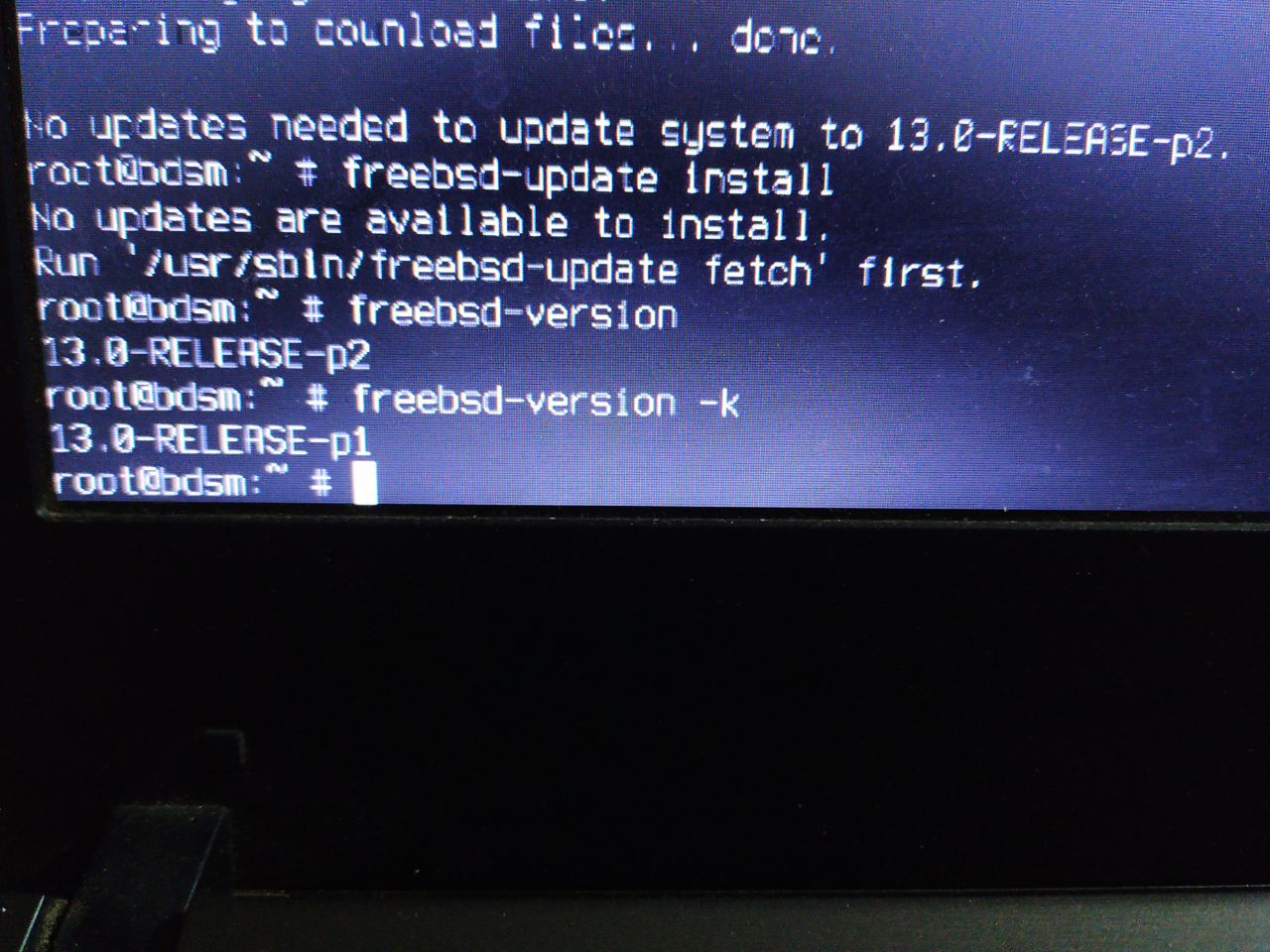
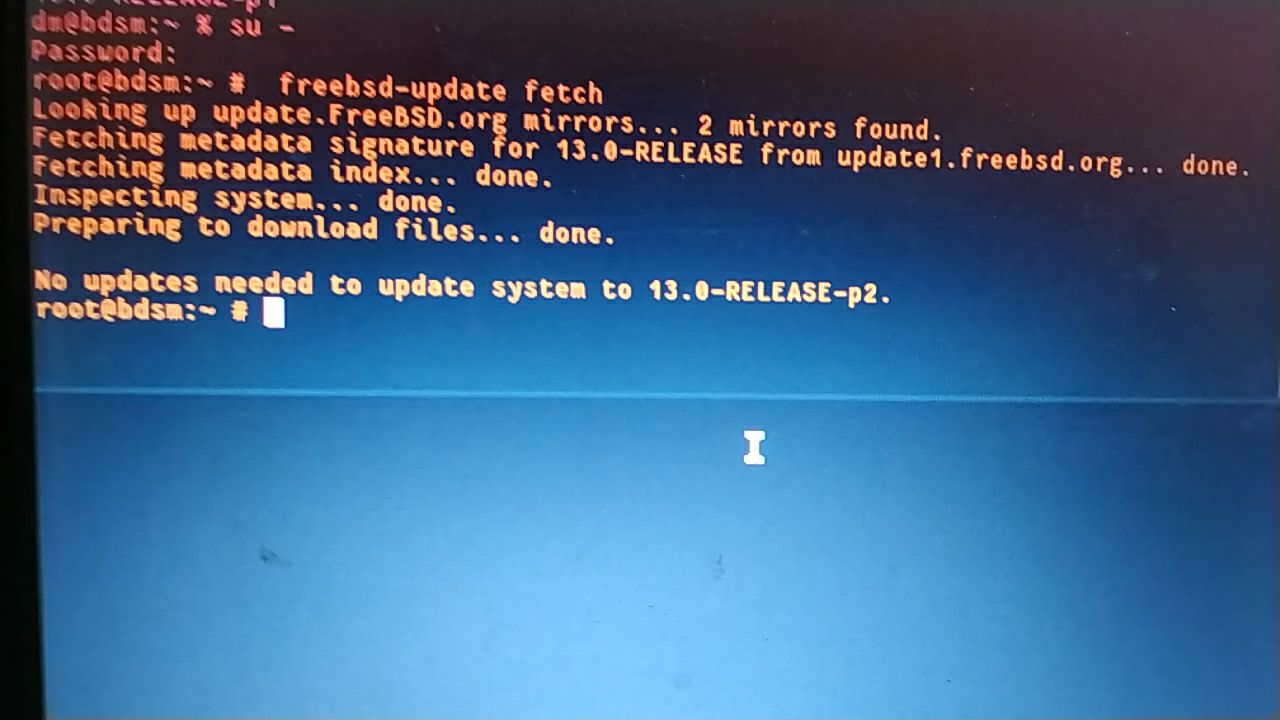
Why do I get different versions?
 kub-kun
 ɴꙩᴍᴀᴅ
ɴꙩᴍᴀᴅ
Why the internal temperature of the laptop was like an oven from 52. C upwards without doing anything? In linux, the temperature is 32. C
That's where I think something was misconfigured in your powerdxx. I have around 36.0C in idle on an old L460 intel HD graphics
ɴꙩᴍᴀᴅ
Neruq
That's where I think something was misconfigured in your powerdxx. I have around 36.0C in idle on an old L460 intel HD graphics
Up to 40. C should be normal, but 52 is an oven. I will try to install again freebsd and so help me to solve the temperature?
Anonymous
i installed xfce and the ui is horribly slow
Anonymous
how to enable 3d accelaration
Anonymous
is it coz of hw acceleration
Anonymous
but still its slow
Anonymous
apps are normal speed
Neruq
The laptop suffers when rebooting the system, sometimes it hangs at the bios cursor.
ɴꙩᴍᴀᴅ
but still its slow
hmmm I never used any DE inside FreeBSD so I have no solid ground on them. Just X11 with window managers and everything is smooth.
Users normally say that kde works well inside FreeBSD, but again, I haven't tried it
Anonymous
I use DWM but always have xfce incase i screw up my wms
Neruq
ɴꙩᴍᴀᴅ
Which window manager do you use?
I've tried cwm, dwm and bspwm. I'm currently happy with bspwm and have little time to test others hehe
Neruq
I liked Xfce, because it displays everything including devices and android, and it's not a headache like window managers, it doesn't show anything without being able to configure or customize like Jwm.
ɴꙩᴍᴀᴅ
First time I tried *nix like systems was with a Debian machine with Xfce4, and it was cool. Classic menus and everything easy to find
ɴꙩᴍᴀᴅ
But for me at least, once I discovered window managers I never looked back again
ɴꙩᴍᴀᴅ
It's a good exercise to start using commands an cli tools
Neruq
It's a good exercise to start using commands an cli tools
In linux there are by default customized and configured window managers like jwm, icewm, fluxbox, openbox, I like jwm better.
 Pouria
In linux there are by default customized and configured window managers like jwm, icewm, fluxbox, openbox, I like jwm better.
Default configurations in FreeBSD exists too.
/usr/local/share/icewm/
/usr/share/icewm/
Pouria
Default configurations in FreeBSD exists too.
/usr/local/share/icewm/
/usr/share/icewm/
Check on of the above directories.
Neruq
First time I tried *nix like systems was with a Debian machine with Xfce4, and it was cool. Classic menus and everything easy to find
In freebsd I tried to configure and customize jwm and fluxbok, but I could not, despite the handbook and other guides on the Internet, it did not show the devices and other configurations that generated errors in the configuration editor, it was a headache.
ɴꙩᴍᴀᴅ
In freebsd I tried to configure and customize jwm and fluxbok, but I could not, despite the handbook and other guides on the Internet, it did not show the devices and other configurations that generated errors in the configuration editor, it was a headache.
From what I read (correct me if I'm wrong) seems like you really tried to use and like FreeBSD but it didn't fit that well in your workflow. isn't it? (no offense)
ɴꙩᴍᴀᴅ
https://imgur.com/a/F6HDi
Jwm seems quite configurable. This looks cool
Neruq
From what I read (correct me if I'm wrong) seems like you really tried to use and like FreeBSD but it didn't fit that well in your workflow. isn't it? (no offense)
Lack of freebsd support for the hardware, and as this laptop is old, the temperature without doing anything is above 50. C inside the laptop.
ɴꙩᴍᴀᴅ
Lack of freebsd support for the hardware, and as this laptop is old, the temperature without doing anything is above 50. C inside the laptop.
I see. Which laptop is it? (Just curious)
Neruq
I have clear the installation of freebsd with graphical desktop, either manually or automatically, maybe something related to power and many more things like configuration and customize I'm missing, I quite like freebsd, I would like it to be my main system.
ɴꙩᴍᴀᴅ
I have clear the installation of freebsd with graphical desktop, either manually or automatically, maybe something related to power and many more things like configuration and customize I'm missing, I quite like freebsd, I would like it to be my main system.
Well, let me know if you try again, and we'll se if we can fix some issues (:
ɴꙩᴍᴀᴅ
Or at least, some similar model?
Anonymous
be sure to do upgrades.. since it's release .. more than 3GB .. a lot of changes.
Anonymous
btw: this is a HP 2000 notebook model 1854? w/ 2gb ram dual core running in vmware. kde,gnome,mate&xfce on here all work fine. sddm is used. xorg working don't know how !!
ɴꙩᴍᴀᴅ
btw: this is a HP 2000 notebook model 1854? w/ 2gb ram dual core running in vmware. kde,gnome,mate&xfce on here all work fine. sddm is used. xorg working don't know how !!
Len Maybe you can compare conf files and see what could be missing
ɴꙩᴍᴀᴅ
btw: this is a HP 2000 notebook model 1854? w/ 2gb ram dual core running in vmware. kde,gnome,mate&xfce on here all work fine. sddm is used. xorg working don't know how !!
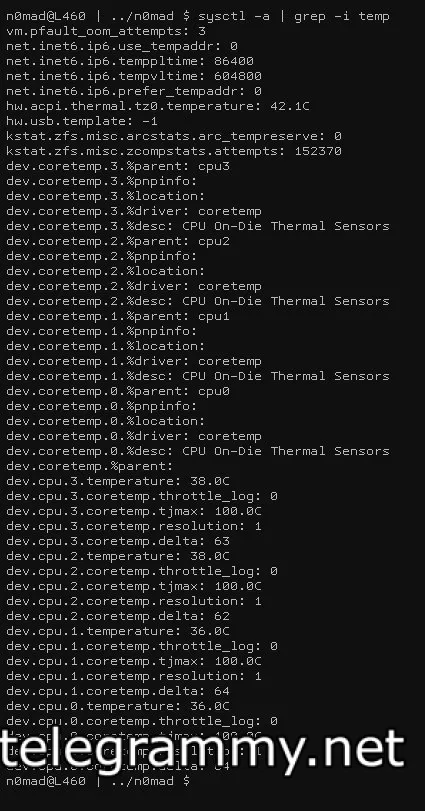
Just curious, what's your output for:
% sysctl hw.acpi.thermal.tz0.temperature
Anonymous
sysctl: unknown oid 'hw.acpi.thermal.tz0.temperature'
Anonymous
from hwinfo from windows cpu temp 137 F
ɴꙩᴍᴀᴅ
My bad, wrong paste:
$ sysctl -a | grep -i temp
Anonymous
got nothing
ɴꙩᴍᴀᴅ
Thanks for trying anyway (:
Anonymous
no problem
Anonymous
sysctl -a | grep -i temp
vm.pfault_oom_attempts: 3
vfs.autofs.retry_attempts: 3
net.inet6.ip6.use_tempaddr: 0
net.inet6.ip6.temppltime: 86400
net.inet6.ip6.tempvltime: 604800
net.inet6.ip6.prefer_tempaddr: 0
hw.usb.template: -1
WTF ??
ɴꙩᴍᴀᴅ
 ɴꙩᴍᴀᴅ
Anonymous
ɴꙩᴍᴀᴅ
Anonymous
is there a kld load for that ?
Anonymous
loaded coretemp.ko no change
ɴꙩᴍᴀᴅ
seems like there's no acpi module loaded, nor coretemp
for intel:
$ doas kldload coretemp
for amd:
$ doas kldload amdtemp
Neruq
$ sysctl hw.acpi.thermal.tz0.temperature
hw.acpi.thermal.tz0.temperature: 52.1C
$
Pouria
$ sysctl hw.acpi.thermal.tz0.temperature
hw.acpi.thermal.tz0.temperature: 52.1C
$
This is for battery?
ɴꙩᴍᴀᴅ
is there a kld load for that ?
And for the acpi, choose your flavor:
/boot/kernel/acpi_asus_wmi.ko
/boot/kernel/acpi_asus.ko
/boot/kernel/acpi_dock.ko
/boot/kernel/acpi_fujitsu.ko
/boot/kernel/acpi_hp.ko
/boot/kernel/acpi_ibm.ko
/boot/kernel/acpi_panasonic.ko
/boot/kernel/acpi_sony.ko
/boot/kernel/acpi_toshiba.ko
/boot/kernel/acpi_video.ko
/boot/kernel/acpi_wmi.ko
ɴꙩᴍᴀᴅ
just
$ doas kldload acpi_brand
Pouria