Check that /etc/fstab has no mentions of root mount and /boot/loader.conf has no vfs.root.mountpoint. Then I guess try booting.
Uhm I am still in a live cd
 ./pascal.sh


 Krond
Krond
Well, if you haven't put that anywhere it should just work.
./pascal.sh
Ok
./pascal.sh
Nothing changed :(
./pascal.sh
 Krond
Krond
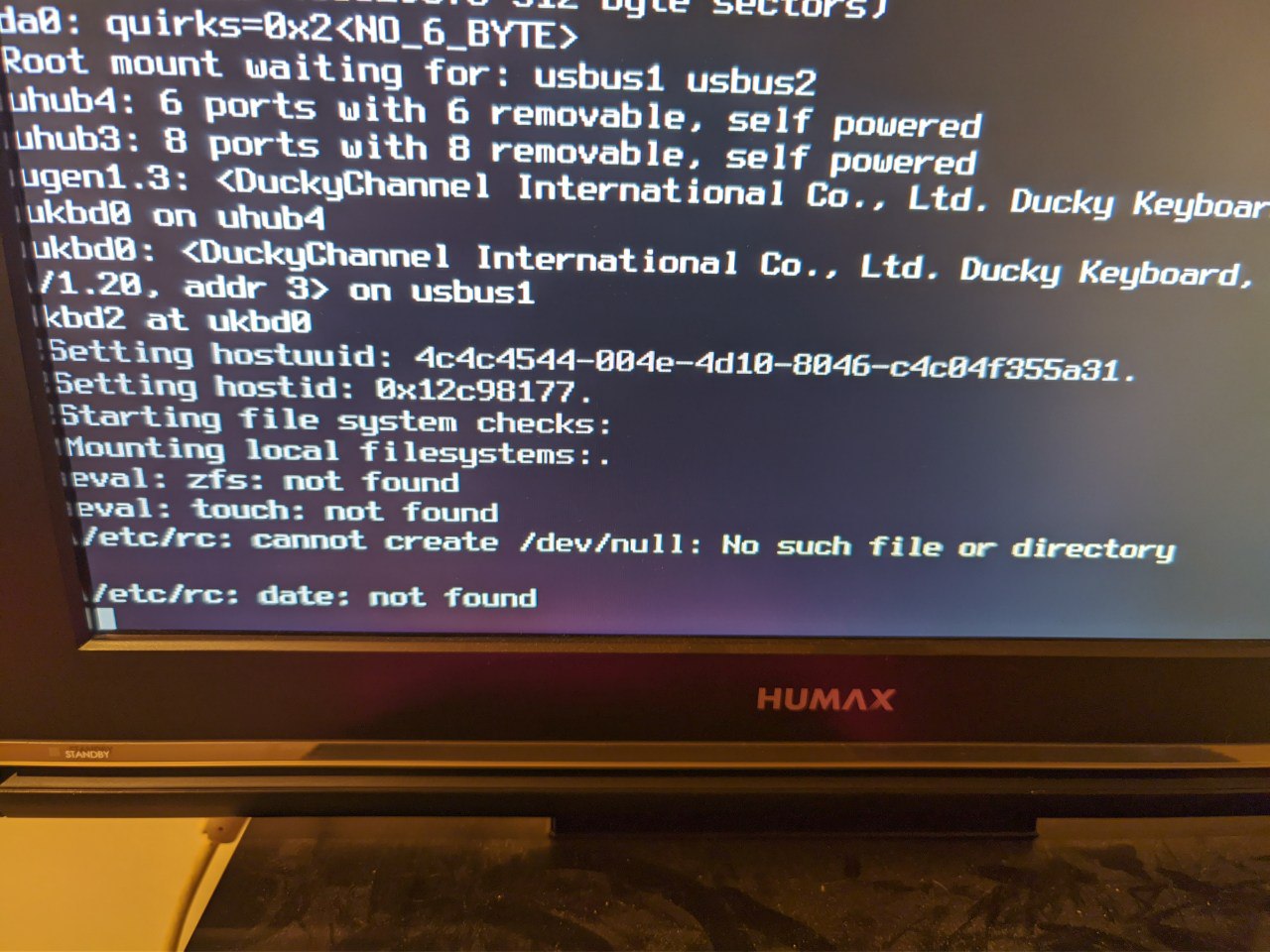
It obviously fails after Mounting local filesystems:.…
Krond
And zfs and date should be on root mount.
./pascal.sh
Yes the root partition can't be mounted
./pascal.sh
By I don't understand why
Krond
I guess it's not "can't be mounted" it's "something mounted on top of it".
Krond
Everything works well before mountcritlocal phase.
./pascal.sh
What would be the easiest way to solve this issue ?
I don't really want to reinstall the whole system but I would almost do it
./pascal.sh
I guess it's not "can't be mounted" it's "something mounted on top of it".
Yes I did zfs set mountpoint / for my data hdd accidentally
Since then I have these issues
Krond
Can you change mountpoint for your data hdd?
Krond
Yes, we can't go anywhere now when most system is not accessible.
./pascal.sh
Yes that's right
I thought I could maybe do it through btx
But I haven't seen the btx screen anymore
I don't know why I always miss that , maybe I have set the timeout too low
./pascal.sh
I just did zpool import nas -f
Now nothing works anymore
I think i mounted my data hdd to /
Krond
Yeah, if you need to import pool without mounting anything:
1. Use -R /newroot, everything would be mounted relative to that path.
2. Use -N to prevent automount.
Krond
-N is extremely useful if you need to recreate filesystem as is, because you would need to mount vfs.root.mountpoint manually before all other mounts happen.
./pascal.sh
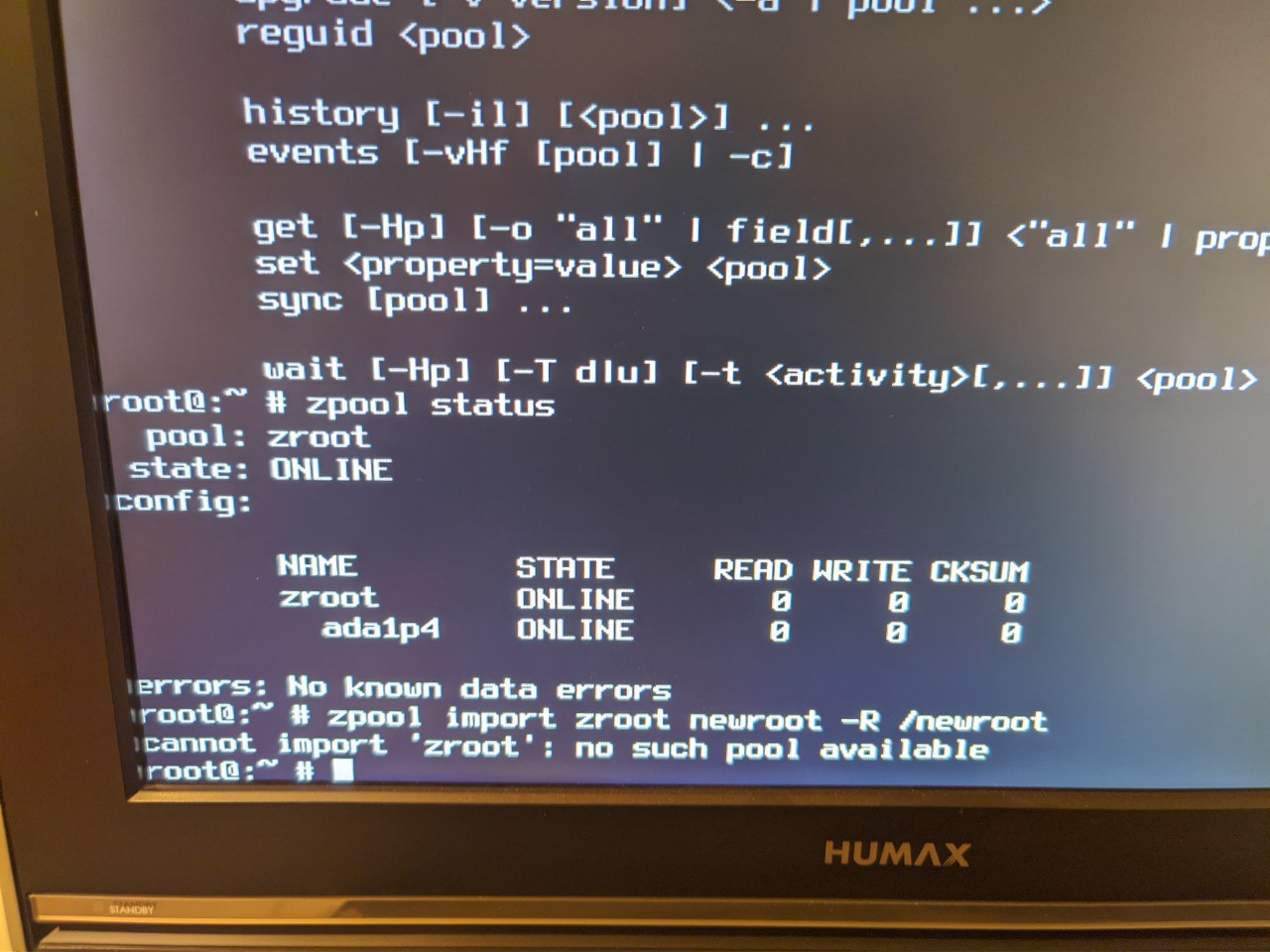 Krond
Krond
zpool status shows imported pools.
./pascal.sh
Oh
./pascal.sh
Why can't I mount it then ?
Krond
mount -t zfs zpool/path /fs/path
Krond
The pool isn't mountable, filesystems are.
./pascal.sh
Oh my
./pascal.sh
I did it
./pascal.sh
It was mount -f zfs zroot/ROOT/default /newroot
./pascal.sh
Ok how can I fix the mounting now ?
Krond
Actually there's no need to mount any fs from zpool to change settings.
./pascal.sh
I need to unset the mountpoint for /nasfs1 somehow and set the mountpoint for zroot/ROOT/default to /
Krond
Have you imported nas?
Krond
Ok, can you import it under different -R?
./pascal.sh
I just mounted my zroot to /newroot now
./pascal.sh
I just did
zpool import -f nas -F /newroot/nas/
But in /newroot /nas now are a few folders that should not be there
nas tmp usr var zroot
./pascal.sh
Under /newroot/nas/nas
Is the directory that should be in /newroot/nas
Krond
They take negligible amount of space, you can just skip it.
Krond
Can you fix mountpoints for nas now?
./pascal.sh
How ?
Krond
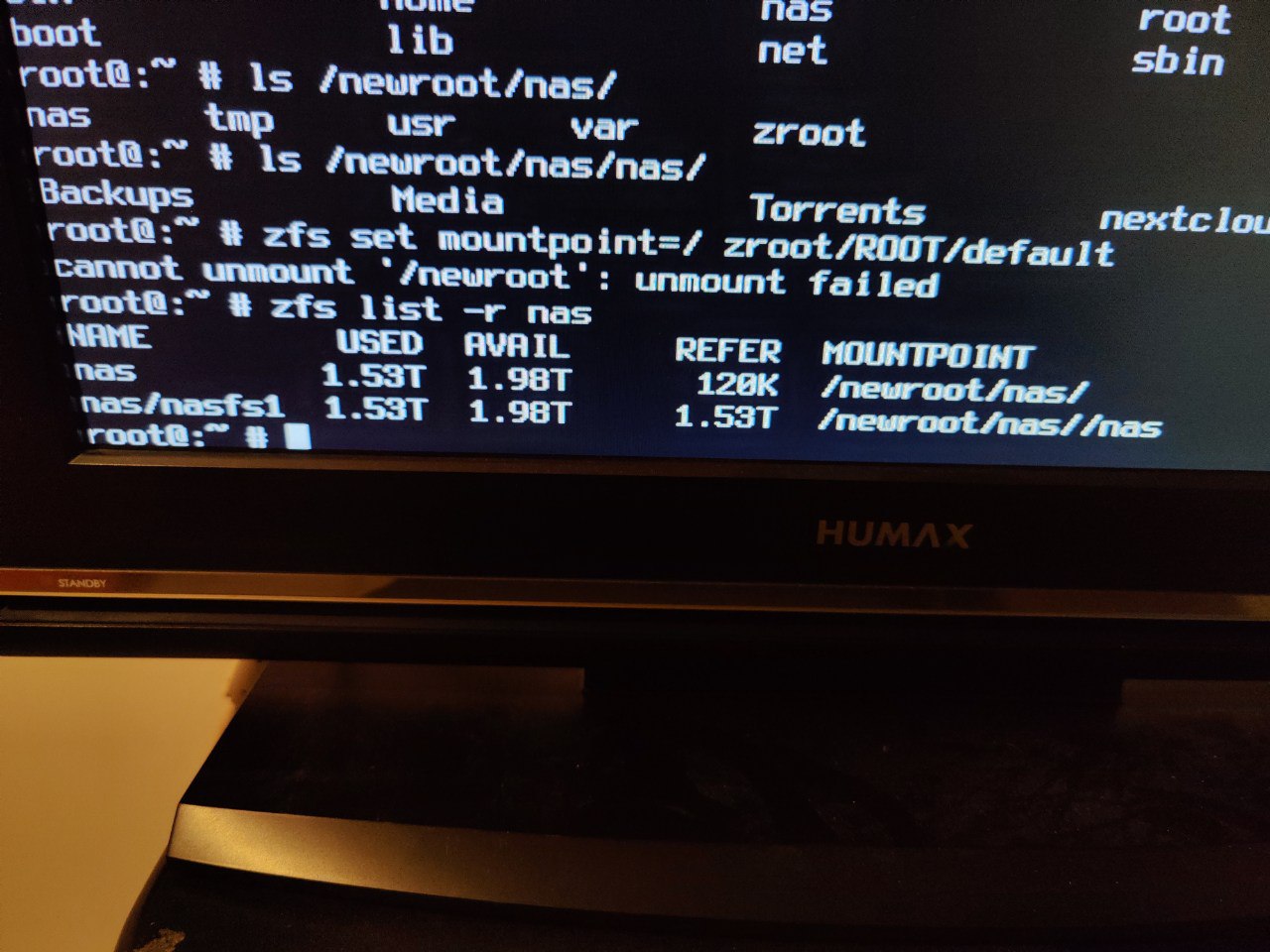
Ok, show zfs list -r nas.
./pascal.sh
 Krond
Krond
Ok, we have 2 fs, first would be mounted under /, and second one under //nas.
./pascal.sh
Ok, we have 2 fs, first would be mounted under /, and second one under //nas.
Yes that's not correct 😅
Krond
Set mountpoint for the first one to none and I guess you can leave the second one as is.
Krond
The first one is almost empty - only 120K.
./pascal.sh
Set mountpoint for the first one to none and I guess you can leave the second one as is.
No then it gets mounted to /nas/nas
But I want it to mount to /nas
Krond
When it's imported without -R (normal operation) mountpoints are relative to /, right now they are related to /newroot/nas/.
./pascal.sh
I mounted with -R
Krond
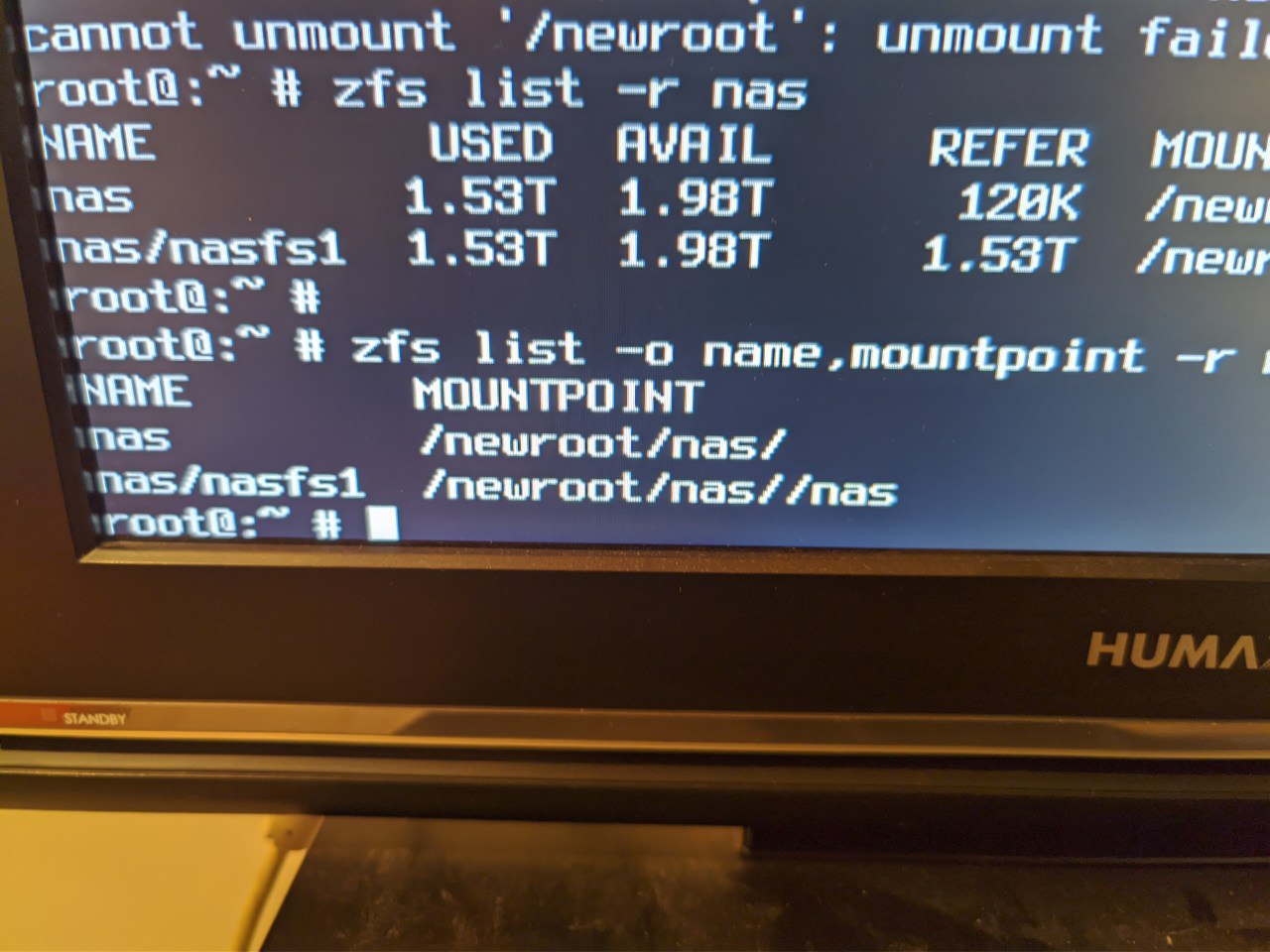
Ok, zfs list -o name,mountpoint -r nas will show real settings.
./pascal.sh
Ok
Krond
By default all pool are imported with -R /, you can override this setting when importing manually to split hierarchy.
./pascal.sh
 ./pascal.sh
nas/nasfs1 should be mounted to /newroot/nas
Krond
Well, you said you did: zpool import -f nas -F /newroot/nas/
./pascal.sh
Yes
Krond
This means nasfs1 had mountpoint //nas.
Krond
Or /nas.
./pascal.sh
That's where I want it to be /nas 🤔
Krond
I guess our problem is root FS on nas pool, which has a mountpoint set to /.
Krond
If it's mounted right now then it means it has mountpoint set to be mounted automatically, so when system mounts "all other" zfs filesystems it is mounted on top of root and it's empty.
./pascal.sh
Yes
Krond
So can you do zfs set mountpoint=none nas?
./pascal.sh
And my nasfs1 is mounted to /newroot/nas/nas
And in /newroot/nas are folders that should not be there
Krond
And my nasfs1 is mounted to /newroot/nas/nas
And in /newroot/nas are folders that should not be there
Because they were created during zfs mount -a at mountcritlocal.
./pascal.sh
/newroot/nas: device busy
Mh I can't unmount it
./pascal.sh
I added -f
Now it's unmounted
Krond
unmount /newroot/nas/nas and cd /
./pascal.sh
Ok I have set the mountpoint to none now
Krond
Good. zfs list -r nas and if it's ok we are ready to reboot.
./pascal.sh
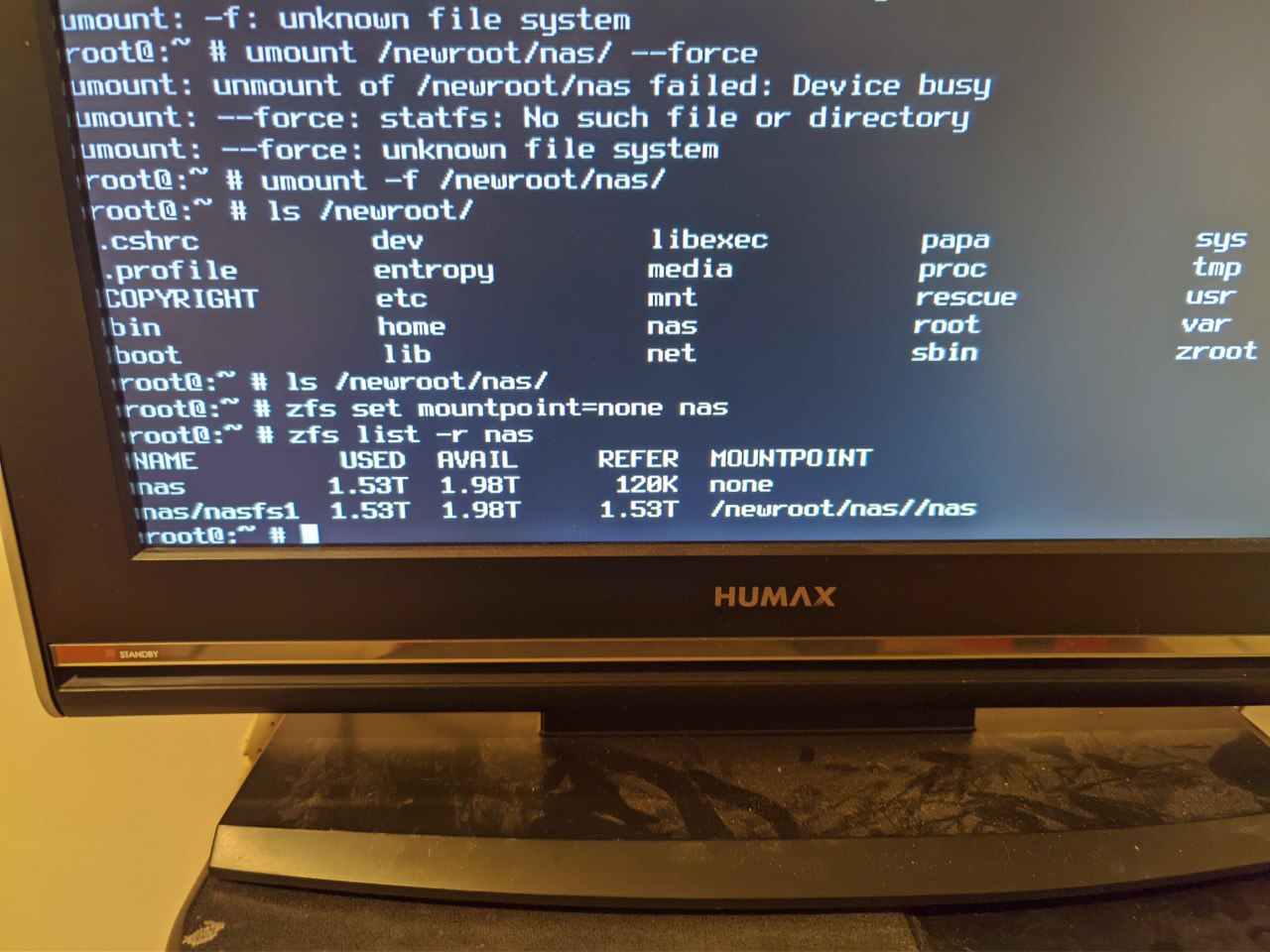 Krond
Krond
Let's try booting first, one step at a time.
./pascal.sh
Alright 👍
./pascal.sh
And zfs saves all that without editing any config or changing root ?
I was not aware of that
Krond
It's in the pool.
./pascal.sh
Ok
./pascal.sh
Oh wow it's back from the dead 😀