 G
G


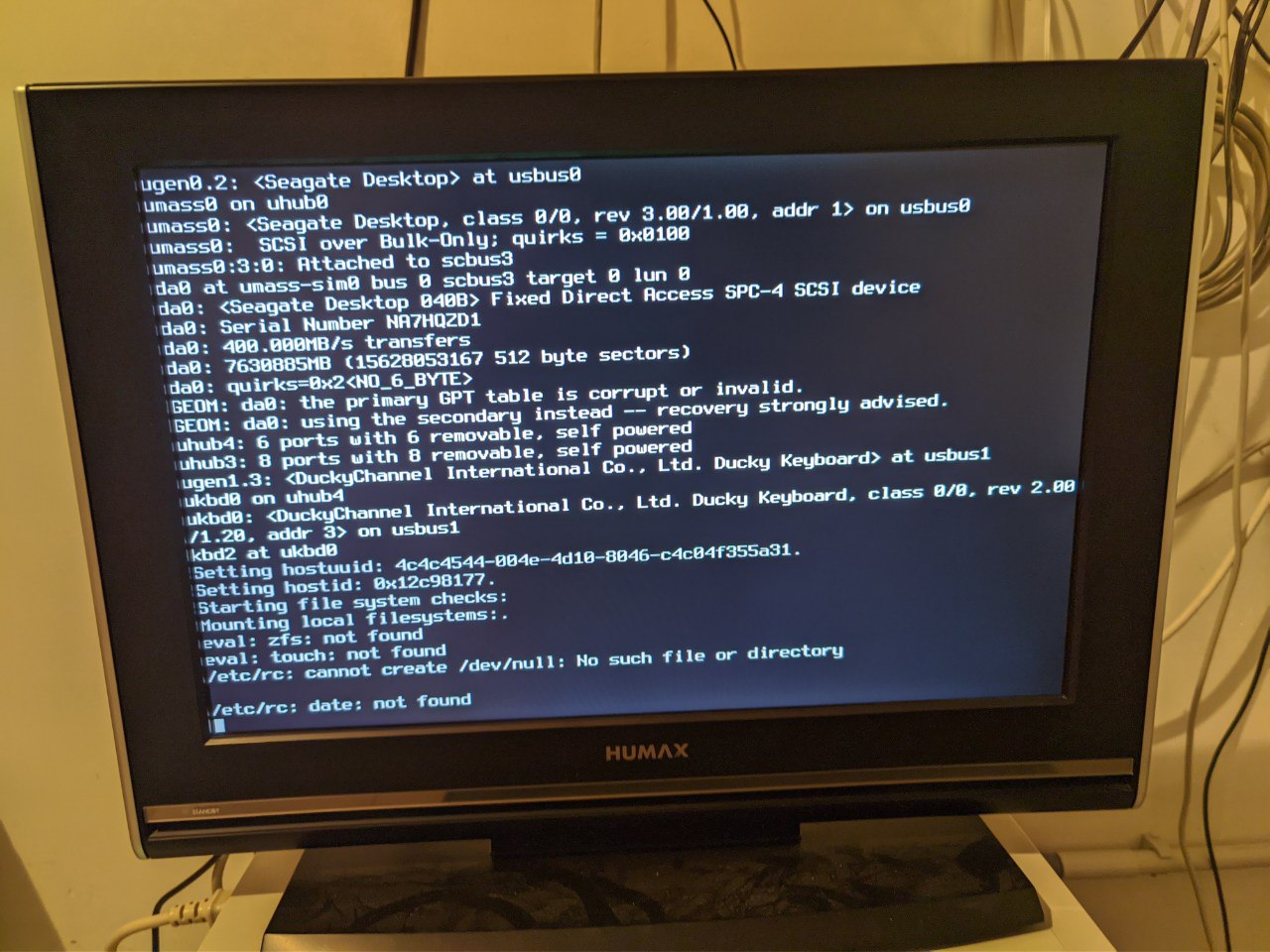
what's that ?
 ./pascal.sh
 ./pascal.sh
Looks like something wrong with root
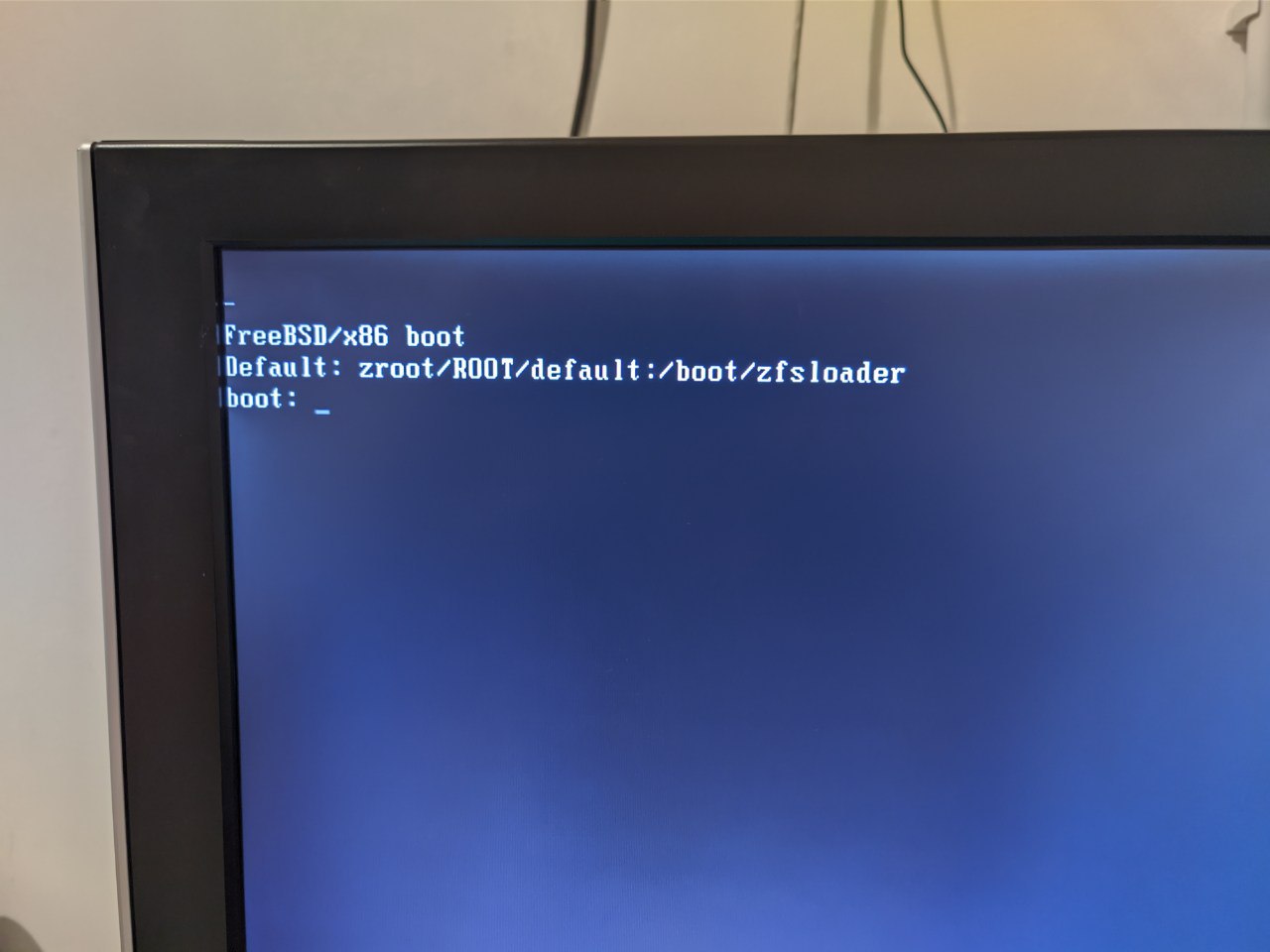
I thought maybe is something wrong with the bootloader
But I don't even see the btx screen, the machine directly boots once I get a screen
./pascal.sh
Does FreeBSD support chroot like Linux does for maintenance?
./pascal.sh
Single user boot?
But how? I did not see the btx loader screen, it just directly booted the kernel :(
 ɴꙩᴍᴀᴅ
ɴꙩᴍᴀᴅ
In an initial state disks are readonly. If we detect and know what's going wrong we can mount the desired parition as read-write.
If the disk is ZFS partitioned:
$ zfs set readonly=off zroot
./pascal.sh
ɴꙩᴍᴀᴅ
But how? I did not see the btx loader screen, it just directly booted the kernel :(
Oh, I didn't pay attention to that. I'm going to ddgo a bit an check. In the mean time maybe someone here knows how to proceed
./pascal.sh
Oh, I didn't pay attention to that. I'm going to ddgo a bit an check. In the mean time maybe someone here knows how to proceed
Thank you very much for your help
I'm dying inside right now because this is my main sever with all my data on it 😥
Andriy
But how? I did not see the btx loader screen, it just directly booted the kernel :(
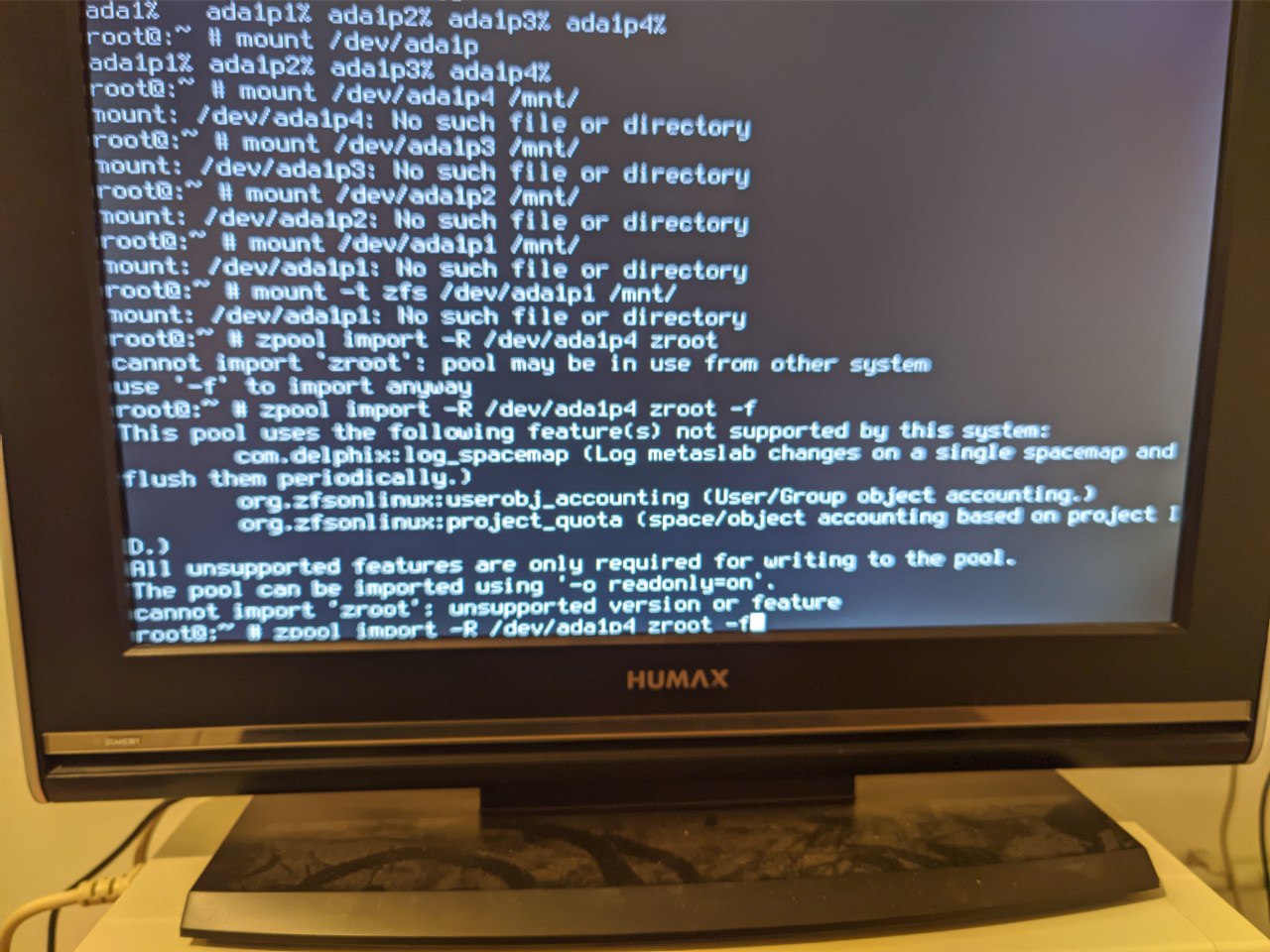
Have you upgraded zpool?
Andriy
Andriy
After running zpool upgrade there is a message with warning to do that.
./pascal.sh
Oh no
./pascal.sh
Ok how do I get into a shell now ?
./pascal.sh
On Linux I would just get into a chroot 🤔
Andriy
I think now you have to use recovery media
Andriy
Boot from installation usb and run to recovery
./pascal.sh
Uhm FreeBSD supports chroot
I think i can just boot into the FreeBSD installer usb
Then I can just mount my ssd and chroot into it I guess
./pascal.sh
 Andriy
For such scenarios its a good idea to use bectl and checkpoint, did you make checkpoint?
./pascal.sh
Andriy
Do you have a spare disk?
./pascal.sh
No
./pascal.sh
Sadly not
./pascal.sh
I am booting the FreeBSD live cd now
./pascal.sh
Ok I got to a shell
Andriy
Is it bios or UEFI?
./pascal.sh
 Andriy
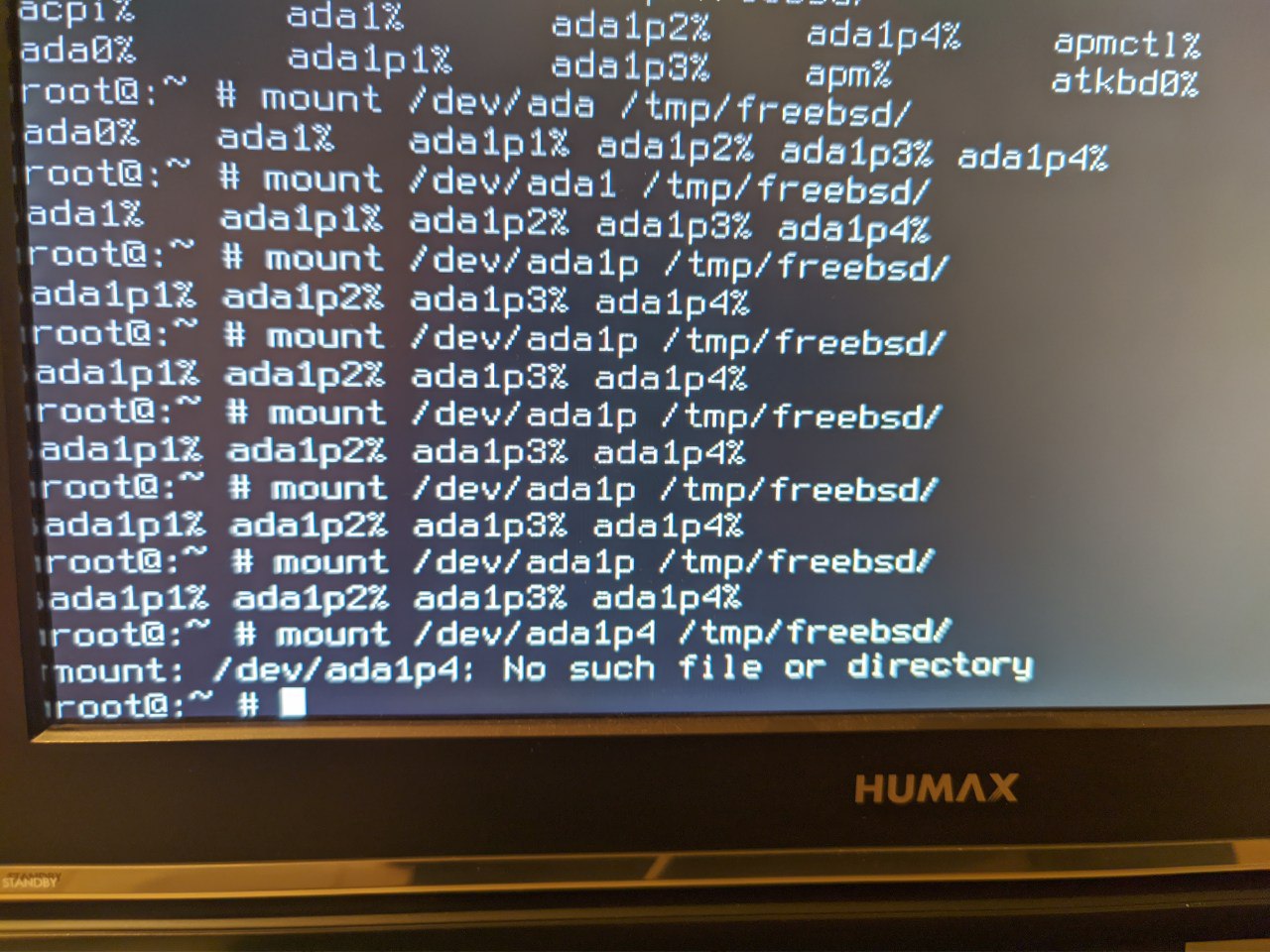
zpool status, what are you trying to mount?
./pascal.sh
 ./pascal.sh
Ok I will have to download an iso quick
Andriy
I could be wrong, but i think you don't even have to mount something, just check partitions with gpart show and write new bootloader to boot disk with "gpart bootcode -b /boot/pmbr -p /boot/gptzfsboot -i 1 <bootdisk>
./pascal.sh
I could be wrong, but i think you don't even have to mount something, just check partitions with gpart show and write new bootloader to boot disk with "gpart bootcode -b /boot/pmbr -p /boot/gptzfsboot -i 1 <bootdisk>
oh that's it ?
i am not even sure why the machine is not booting anymore
./pascal.sh
i am writing the image of freebsd 13 to a usb drive now
./pascal.sh
I could be wrong, but i think you don't even have to mount something, just check partitions with gpart show and write new bootloader to boot disk with "gpart bootcode -b /boot/pmbr -p /boot/gptzfsboot -i 1 <bootdisk>
Ok I just did that
Will reboot now and see what happens
./pascal.sh
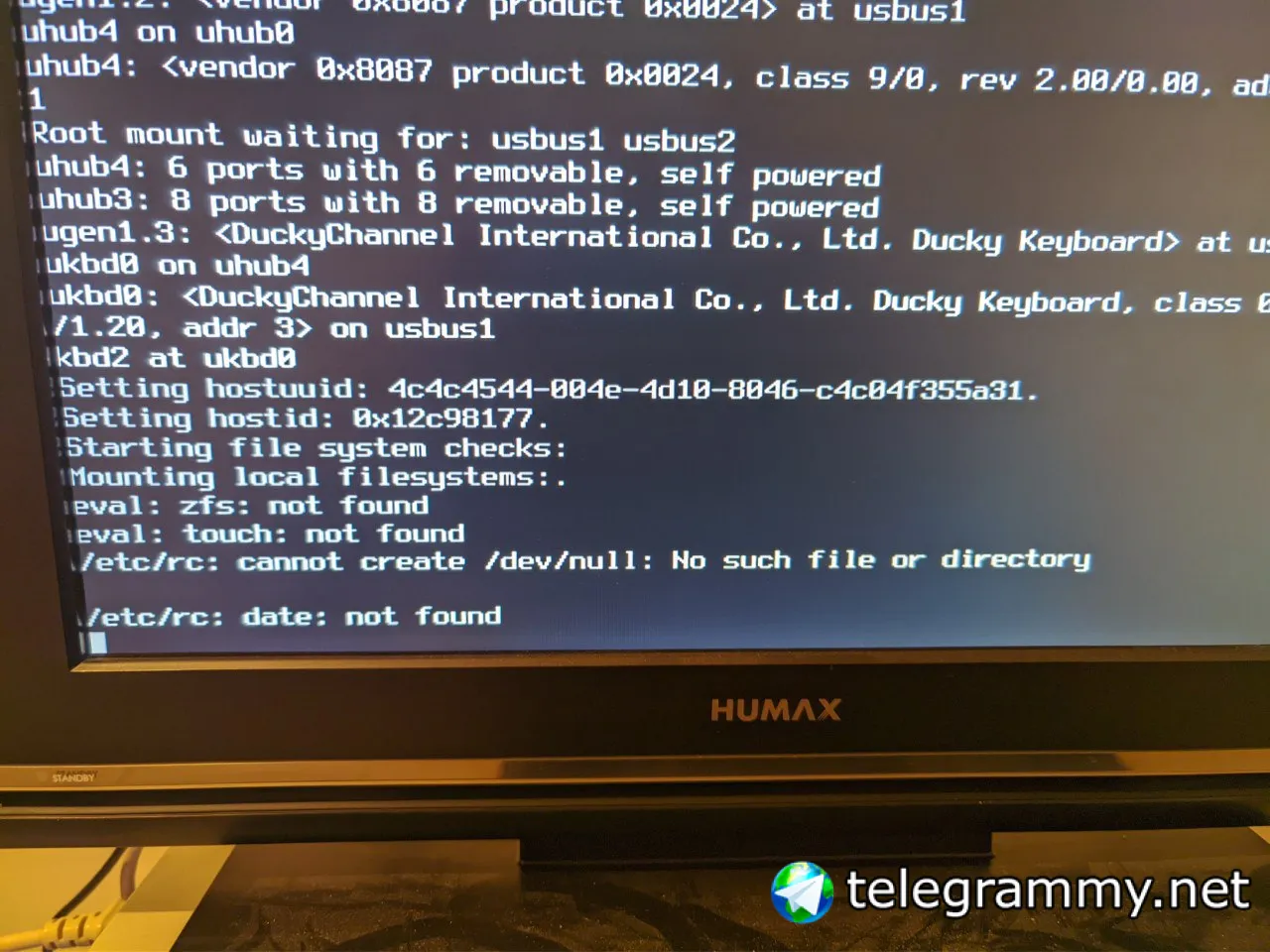 ./pascal.sh
Zfs not found 🤔
./pascal.sh
Should I set the mount point for / again ?
 Krond
Krond
Well, I guess that depends how you are selecting root FS.
Krond
By default pool root FS is selected, but it should have mountpoint set to "legacy"
Krond
You are lucky it doesn't core, at least 12-STABLE drops core when there's no /dev.
./pascal.sh
I tried to mount my root zpool but the directory where I mounted it is empty
XS
https://en.wikipedia.org/wiki/Comparison_of_BSD_operating_systems#/media/File:Bsd_distributions_usage.svg
I've already seen it a little different by the past but I wonder how precise it is and how frequent this graph is updated.
XS
The answer lies in the page changelog I think.
Krond
I tried to mount my root zpool but the directory where I mounted it is empty
Can you show everything mounted on that path?
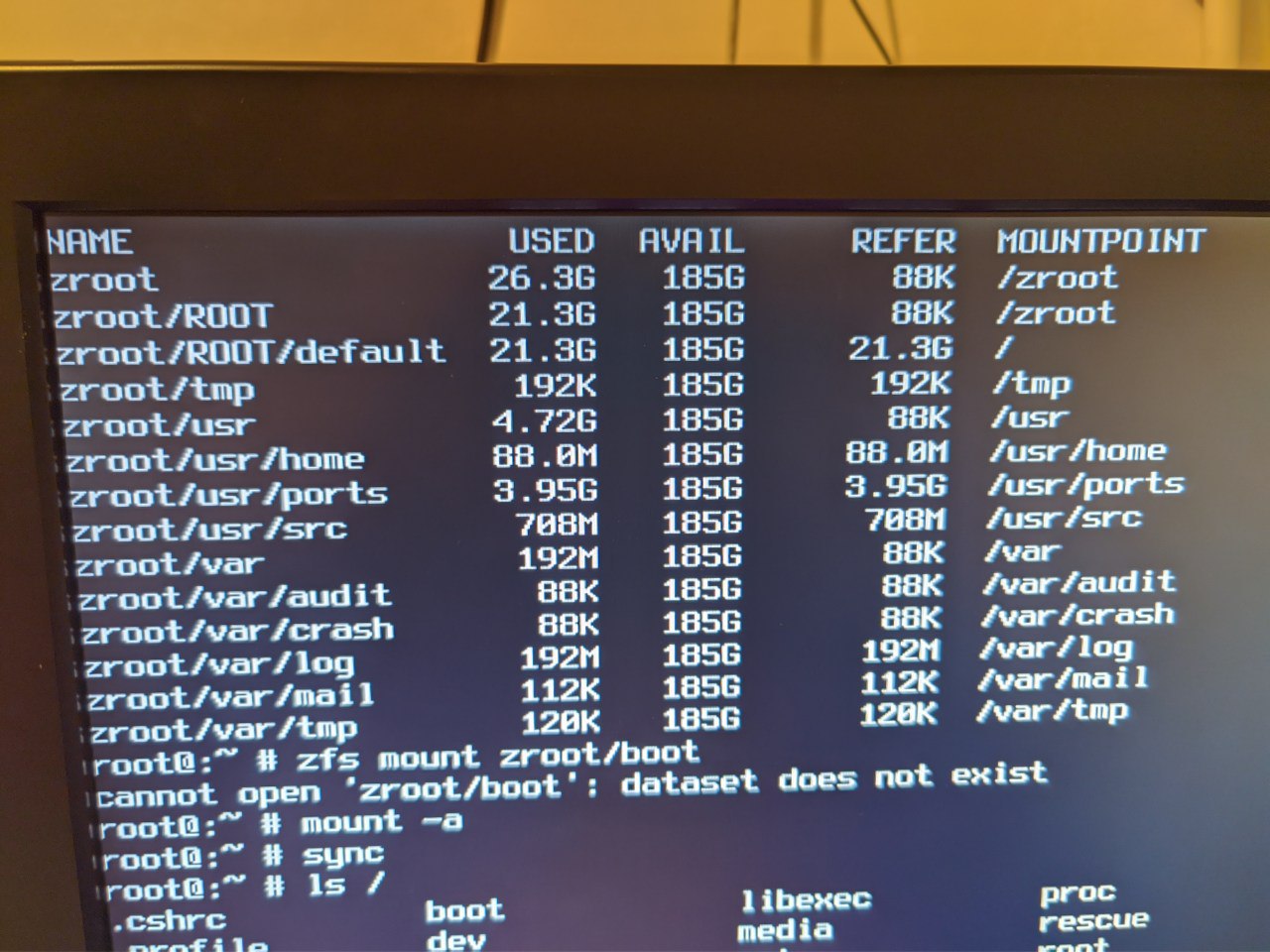 Krond
Krond
No, that's ZFS mountpoints, also I don't think /zroot should be mounted twice, or even mounted at all.
Krond
sec.
Krond
what does zpool get bootfs zroot show?
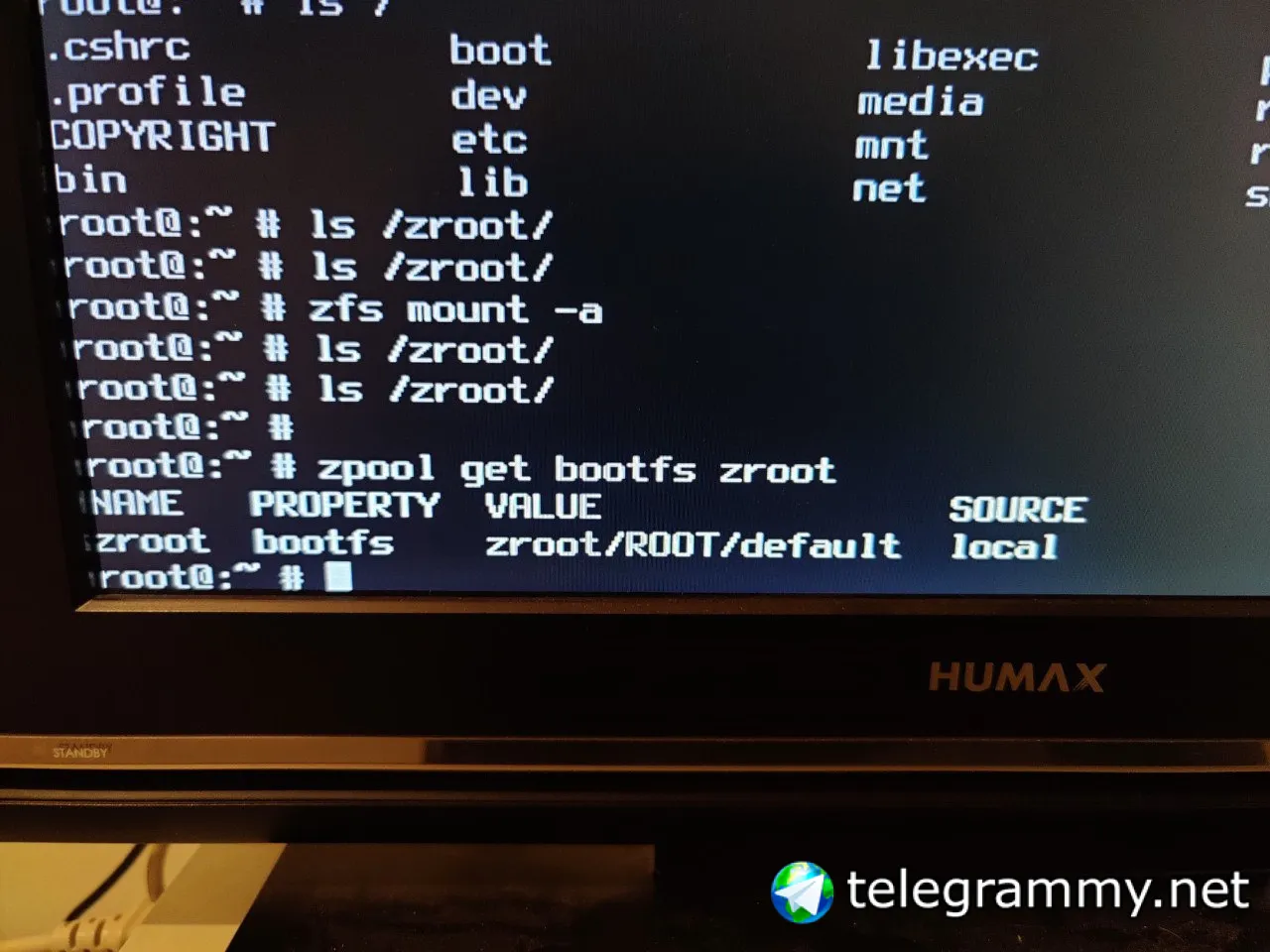 Krond
Krond
Ok, https://wiki.freebsd.org/BootEnvironments:
… It is also a good idea to set mountpoint to none. …
Krond
Strip mountpoints from zroot, zroot/ROOT and zroot/ROOT/default.
Krond
Then bectl list
Krond
echo zroot zroot/ROOT zroot/ROOT/default | xargs -n1 zfs set mountpoint=none
./pascal.sh
./pascal.sh
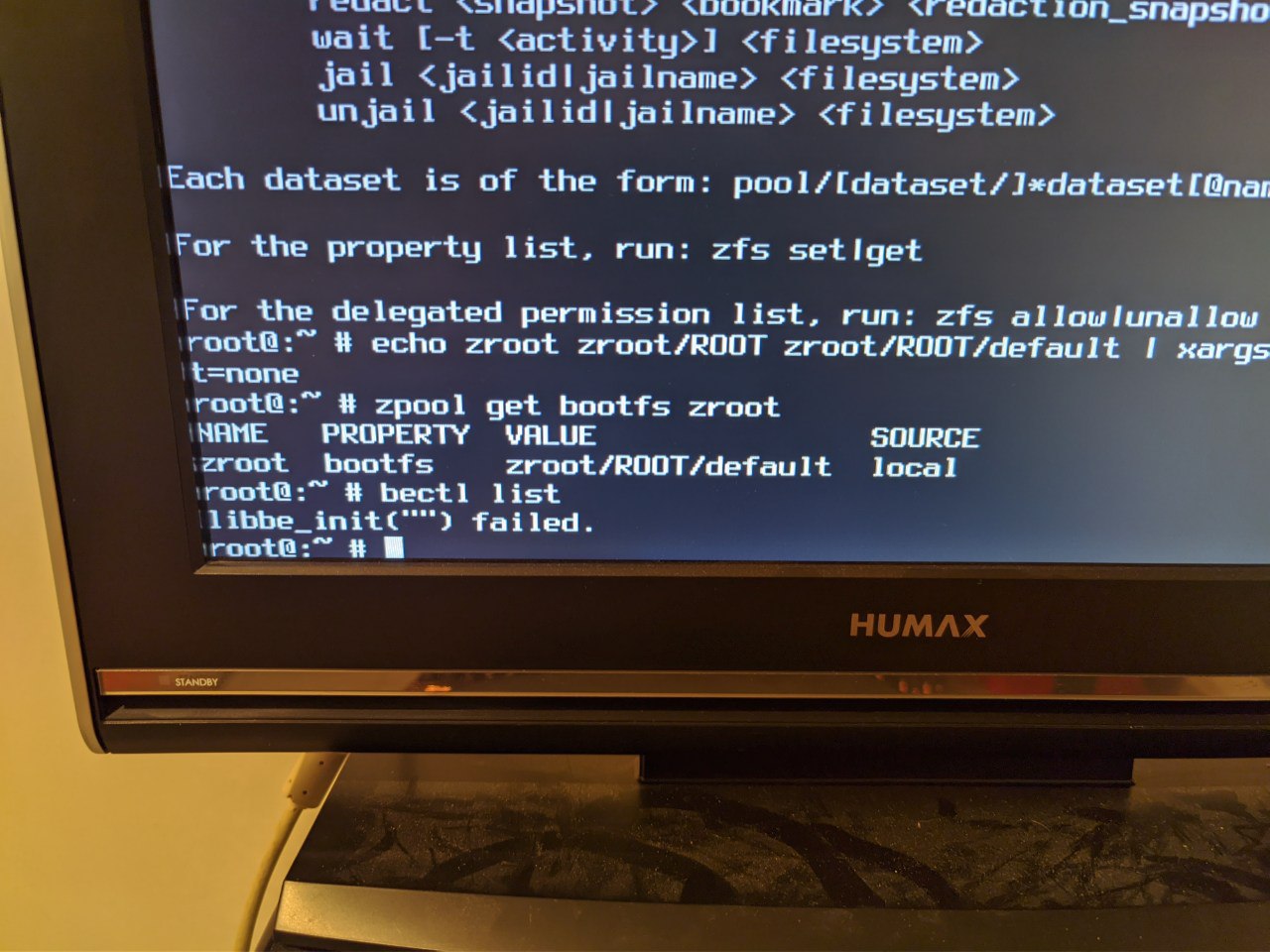 Krond
Krond
Ok, let's "enable" it manually I guess…
Krond
zfs set mountpoint=/ zroot/ROOT/default
zfs set canmount=noauto zroot/ROOT/default
./pascal.sh
zfs set mountpoint=/ zroot/ROOT/default
zfs set canmount=noauto zroot/ROOT/default
Uhm the mountpoint should be /mnt right ?
Krond
No, /. I thought to let bectl handle this, but it doesn't want to...
./pascal.sh
Ok
Krond
Check that /etc/fstab has no mentions of root mount and /boot/loader.conf has no vfs.root.mountpoint. Then I guess try booting.