And switch to latest to be more version match with ports
i already switched to latest a long time ago
 ./pascal.sh


 Mmmm
Mmmm
➜ ~ freebsd-update install
Installing updates...
Completing this upgrade requires removing old shared object files.
Please rebuild all installed 3rd party software (e.g., programs
installed from the ports tree) and then run "/usr/sbin/freebsd-update install"
again to finish installing updates.
uhm, how do i rebuild everything that I installed through ports ?
https://forums.freebsd.org/threads/rebuilding-all-ports-with-portmaster.51210/
Mmmm
Thanks
forums.freebsd.org is one of the best sources if you want to learn more about freebsd.
just google it.
./pascal.sh
forums.freebsd.org is one of the best sources if you want to learn more about freebsd.
just google it.
I know the FreeBSD forums
 ɴꙩᴍᴀᴅ
ɴꙩᴍᴀᴅ

 n
n
no thx
n
I'm good with arch
 Rberto
ɴꙩᴍᴀᴅ
Rberto
ɴꙩᴍᴀᴅ
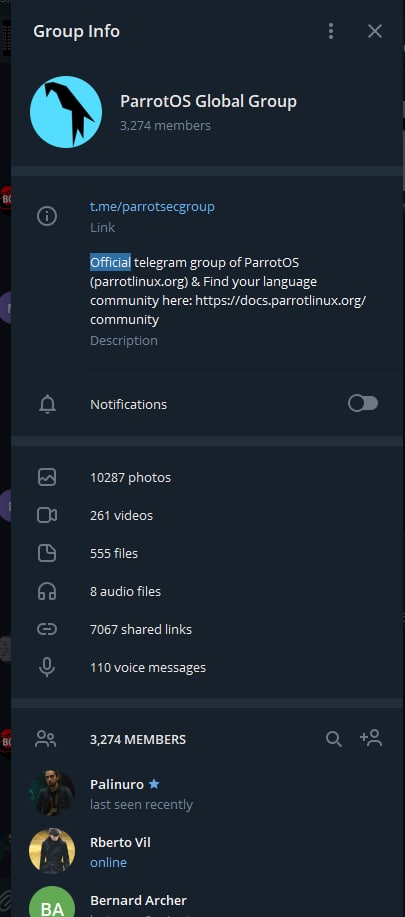
hahhaha that makes me thing that this isn't the official group 🤔🤔🤔🤣🤣🤣
I have no idea why "official" badges are so trendy these days 😁🤣
The most official chat I know for FreeBSD is the IRC one.
This is a nice Telegram community related to FreeBSD.
If you want to verify its integrity, I'd suggest asking the owner (:
Rberto
I have no idea why "official" badges are so trendy these days 😁🤣
The most official chat I know for FreeBSD is the IRC one.
This is a nice Telegram community related to FreeBSD.
If you want to verify its integrity, I'd suggest asking the owner (:
 Rberto
I have no idea why "official" badges are so trendy these days 😁🤣
The most official chat I know for FreeBSD is the IRC one.
This is a nice Telegram community related to FreeBSD.
If you want to verify its integrity, I'd suggest asking the owner (:
But you have the reason, isn't necesary that the group be tagged like "official"
ɴꙩᴍᴀᴅ
ɴꙩᴍᴀᴅ
So y'all coming from Linux, welcome.
Fellow user @neb_1984 made a cool list of Unix related stuff here on Telegram:
https://t.me/worldwidebsd/4
Rberto
Rberto
I've a question, which BSD OS have the largest community?
G
https://en.wikipedia.org/wiki/Comparison_of_BSD_operating_systems#/media/File:Bsd_distributions_usage.svg
Rberto
G
the first historically among these is netbsd
G
which has a afocus on portability correctness and politeness
G
openbsd has more a focus on security and privacy
G
while freebsd has a focus on being stable and supporting a lot of hardware
Rberto
while freebsd has a focus on being stable and supporting a lot of hardware
Ok, I undertand. Thank you so much.
G
yw
Rberto
I feel a lot of curiosity in freebsd for the community and in openbsd for the security, both seems very interesting... 🤔🤔🤔
./pascal.sh
i think if found what i need:
portmaster -adwv
that command checks for outdated ports and updates them
./pascal.sh
so to update all ports this should do it i think:
portsnap fetch update
portmaster -adwv
Andriy
You can use -PP to go pkgs only
 kub-kun
Andriy
kub-kun
Andriy
I use -da or -dai
./pascal.sh
ok
./pascal.sh
oh no
./pascal.sh
why is my mount point of my hdd gone after updating ?
./pascal.sh
i have set that through the zfs command line utility
./pascal.sh
my zpools are still there .... good
but they are not mounted
Andriy
Don't panic
./pascal.sh
zfs mount nas/nasfs1
cannot mount 'nas/nasfs1': filesystem already mounted
Andriy
Finish your update
./pascal.sh
it sais its mounted, but the folder is empty
Andriy
😯
./pascal.sh
the only thing that keeps me calm is the fact that about 2TB are used
Andriy
My nonboot pool was not mounted during update and after finishing update and reboot it became mounted as usual
Andriy
And it was not really cool, because i have nullfs mounts in fstab 😕
./pascal.sh
oh mag god
./pascal.sh
i just did
umount /nas
and
zfs set mountpoint=/nas nas/nasfs1
now the data is there again
phew
./pascal.sh
i just did
umount /nas
and
zfs set mountpoint=/nas nas/nasfs1
now the data is there again
phew
i hope it will still be there after the next reboot
Andriy
Did you check zfs get mountpoint before set it?
./pascal.sh
no
./pascal.sh
NAME PROPERTY VALUE SOURCE
nas mountpoint /nas default
nas/nasfs1 mountpoint /nas local
looks ok i guess
./pascal.sh
pool: nas
state: ONLINE
status: Some supported features are not enabled on the pool. The pool can
still be used, but some features are unavailable.
action: Enable all features using 'zpool upgrade'. Once this is done,
the pool may no longer be accessible by software that does not support
the features. See zpool-features(5) for details.
uhm is it safe to run zpool upgrade ?
Andriy
If you not sure, use checkpoint
Andriy
Really cool feature
./pascal.sh
ok thx
./pascal.sh
i just rebooted and it is unmounted again :(
./pascal.sh
how can i get the mountpoint persistent ?
Andriy
zfs set mountpoint should do the job
./pascal.sh
sadly not
./pascal.sh
although i have zfs_enable="YES" in my /etc/rc.conf
it does not mount my zpool at boot
./pascal.sh
if i do zfs mount -a it still does not mount it
./pascal.sh
➜ ~ zfs get canmount nas/nasfs1
NAME PROPERTY VALUE SOURCE
nas/nasfs1 canmount on default
./pascal.sh
mh
./pascal.sh
i also have zfs_load="YES" in my /boot/loader.conf
./pascal.sh
I have the same problem like this guy
https://www.reddit.com/r/freebsd/comments/mrvv77/zpools_not_automounting_after_upgrade_to_130rel/?utm_medium=android_app&utm_source=share
But I can't seem to solve it
./pascal.sh
If i do
umount /nas
zfs set mountpoint=/nas nas/nasfs1
My filesystem gets mounted
Very weird
Looks like nothing was mounted to /nas
Because the folder was empty
./pascal.sh
I tried to set the mount point again and then rebootet
Now the machine does not come online again
That's not a good sign
I guess my hdd is now getting mounted to /
How can I fix this ?
Rberto
Rberto
🤣
 Lee
Lee
10 1 0xffffffff82b10000 231c cc_htcp.ko
Lee
who knows how to open tcpbbr
Lee
Does anyone use bbr in freebsd13