After eol no pkgs will be available. Only manually from archives.
I see.
 Anonymous

 Anonymous
 Anonymous
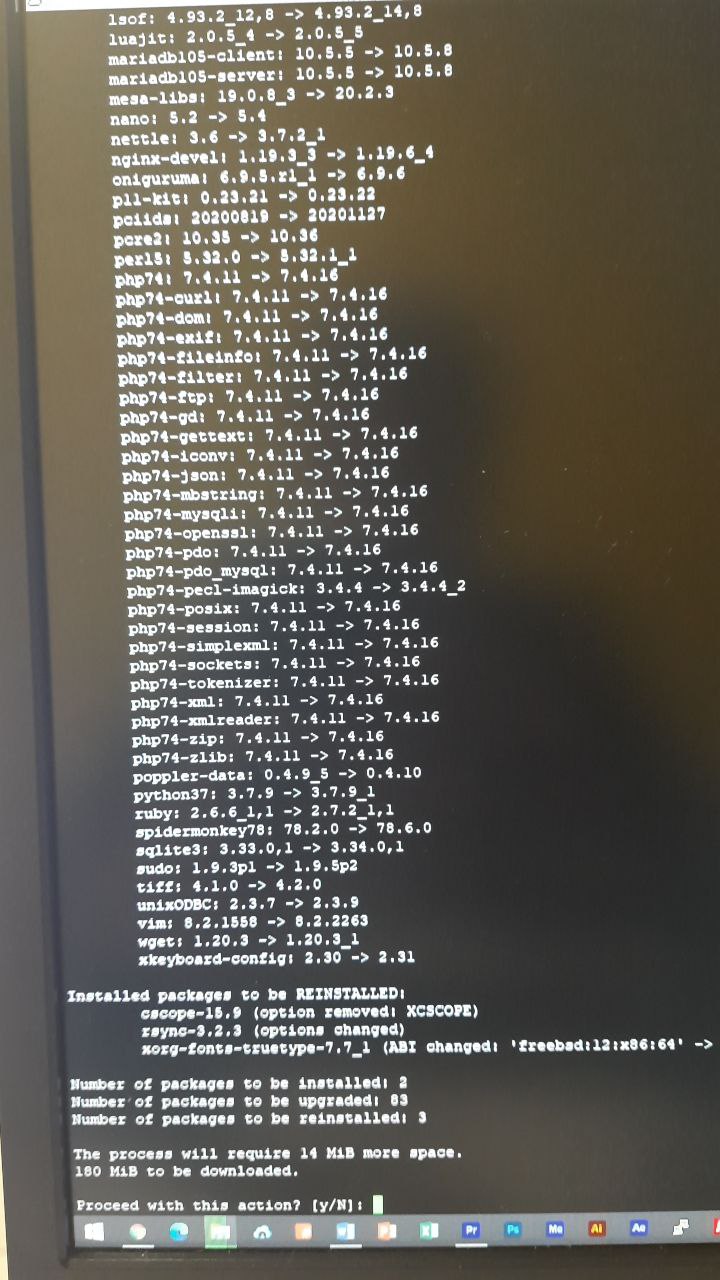
Actually that is what my FreeBSD 12.1 reports issuing pkg upgrade
mrphyber
After eol no pkgs will be available. Only manually from archives.
in theory I should be able to use packages with freebsd 12.1 right now, the only thing is that I don't have security releases
Anonymous
It is 12.1-RELEASE-p11
mrphyber
but you can still upgrade packages as the abi is the same
mrphyber
as I said
mrphyber
you should upgrade asap to 12.2 though
mrphyber
in theory (tm) it shouldn't
Anonymous
A very heavy WordPress (Nginx, PHP, MariaDB) running on the server.
mrphyber
if you are using zfs you could use checkpoints
Anonymous
it is the latest and will be the last as 12.1 is eol
It now seems there's 12.1-RELEASE-p13
Anonymous
Executed freebsd-update fetch
mrphyber
you could
zfs checkpoint
, do the upgrade and if it's all good discard the checkpoint, otherwise rollback
mrphyber
a checkpoint is a pool-wide snapshot made to assist big upgrades
Anonymous
The manpage says: "While a pool has a checkpoint, certain operations are not allowed." so it's A MUST to destroy checkpoint afterwards?
Anonymous
(Discard)
mrphyber
if it all goes well you have to discard it
Anonymous
I see.. should I start upgrading process AFTER zpool checkpoint pool && zpool export pool, but before zpool import --rewind-to-checkpoint pool, right?
mrphyber
zpool checkpoint, then update
mrphyber
if all goes well zpool discard
mrphyber
otherwise zpool import --rewind
mrphyber
(not the exact commands but still)
 ɴꙩᴍᴀᴅ
ɴꙩᴍᴀᴅ
https://download.freebsd.org/ftp/releases/amd64/amd64/ISO-IMAGES/13.0/
13.0 RELEASE img / iso available to download
mrphyber
wonderful
Anonymous
 cem
cem
Hi guys, should we reinstall with the new iso or upgrading from 13.0-rc5 is enough?
ɴꙩᴍᴀᴅ
cem
okey thanks
cem
i have an ssd and sometimes while installing packages, computer freezes. what could cause this happening, any idea?
cem
for example, unpacking icon themes etc. freezes the pc
Anonymous
Just upgrade
Great to read, because I'm in the midst of building KDE (ugh) and I wasn't looking forward to having to start again 😅
cem
Great to read, because I'm in the midst of building KDE (ugh) and I wasn't looking forward to having to start again 😅
i found the kde, most complete and working great for me.
Andriy
i have an ssd and sometimes while installing packages, computer freezes. what could cause this happening, any idea?
Dying ssd, overheating cpu, broken ram, low power/broken psu ...
cem
Dying ssd, overheating cpu, broken ram, low power/broken psu ...
i checked ssd health and looking great. this doesnt happen in linux, thats why i asked :D
Andriy
i checked ssd health and looking great. this doesnt happen in linux, thats why i asked :D
On healthy hardware there is almost none can cause such behavior.
Anonymous
i checked ssd health and looking great. this doesnt happen in linux, thats why i asked :D
How much RAM and swap?
Mmmm
Back in November https://www.freebsd.org/releases/12.2R/errata/#late-news
[2020-11-11] Due to slight changes to the ABI and KBI between FreeBSD 12.1 and FreeBSD 12.2, it is important to note that certain third-party kernel modules may need to be rebuilt locally, until FreeBSD 12.1 reaches end of life.
That affects i915kms. Anyway, remove it from your system and reinstall using ports
i915kms.ko is not loaded during booting. Need to load manually. I have added kld_list="/boot/modules/i915kms.ko" to rc.conf
ɴꙩᴍᴀᴅ
Mmmm
I have removed i915kms from /boot/defaults/loader.conf
ɴꙩᴍᴀᴅ
So there is no way to load it when boot process
Check intel example here:
https://wiki.freebsd.org/Graphics
Mmmm
Is your user in the video group?
Yes. I add kld_list="${kld_list} /boot/modules/i915kms.ko"
And it load automatically now. No idea what is the different from without ${kld_list}
Andriy
 Jack
Jack
Hello guys, newbie here
Jack
Is there any group rules? Like we can just talk about FreeBSD or something like that
Andriy
Mmmm
Than use kld_list="/boot/modules/i915kms.ko"
I did, but it wont load on boot. I need to load module manually after boot.
Andriy
I did, but it wont load on boot. I need to load module manually after boot.
Have you
cd /usr/ports/graphics/drm-kmod/ && make install clean
Jack
FBSD related
Ah. I'm building my distro and it uses Sysvinit so I thought maybe FreeBSD community can help me :')
Mmmm
Have you
cd /usr/ports/graphics/drm-kmod/ && make install clean
I use only drm-fbsd12.0-kmod. Should i use also drm-kmod?
Andriy
I use only drm-fbsd12.0-kmod. Should i use also drm-kmod?
Its a meta-port that will make what is right for you
Andriy
Than double check typing in rc.conf and check if /boot/modules/i915kms.ko existing in it's place
ɴꙩᴍᴀᴅ
Ah. I'm building my distro and it uses Sysvinit so I thought maybe FreeBSD community can help me :')
That's cool, maybe a Slackware community can help better I guess.
You can check freebsd man about rc tho. https://www.freebsd.org/cgi/man.cgi?query=rc&sektion=8
Di you have a project repo? Just curious
Anonymous
I did:
zpool checkpoint zroot,
then updated my OS and packages, it seems all went smooth. However, when I want to rollback to previous state (revert all my changes, just to test) with:
zpool import --rewind-to-checkpoint zroot, I get:
Anonymous
"cannot import 'zroot': a pool with that name is already Created/Imported
Anonymous
And no additional pools with that name were found"
Anonymous
Any idea?
Anonymous
Also "trying zpool export zroot" gives:
Cannot unmount '/var/log': Device busy
 Pouria
 The Uncle
Jack
The Uncle
Jack
That's cool, maybe a Slackware community can help better I guess.
You can check freebsd man about rc tho. https://www.freebsd.org/cgi/man.cgi?query=rc&sektion=8
Di you have a project repo? Just curious
Nah, I didn't upload it till now. I literally forget to upload it on github lol. By the way, I build by forking a LFS project and right now I'm using arch package manager, pacman and it's repos. Maybe in future I find a better way to manage the packages.
ɴꙩᴍᴀᴅ
Nah, I didn't upload it till now. I literally forget to upload it on github lol. By the way, I build by forking a LFS project and right now I'm using arch package manager, pacman and it's repos. Maybe in future I find a better way to manage the packages.
Alright. Just give me a shot if you upload it. I'm not an expert in OS development, but it's always cool to see devs create them
ɴꙩᴍᴀᴅ
George Neville-Neil, great speaker (: