 bittin-


https://imgur.com/a/sfSpCns only thing you get contributing to FOSS/Open Source too many t-shirt 😄
 X
X
An AnandTech Farewell
https://www.anandtech.com/show/21542/end-of-the-road-an-anandtech-farewell
John
You could strip out the word "tech" from "the market for written tech journalism is not what it once was".
Flan
Flan
There's even distros which are based around not having systemd
bittin-
https://www.bsdnow.tv/574
 Maxim
Maxim
Maxim
Maxim
the mainstream has switched to systemd
.
Ok, in your opinion, what would be the best approach to deal with Rust?
1. Put compiler in world.
2. Leave eveything Rust outside of world.
3. Split and customize world so that parts of it could be compiled with extra software installed from ports/packages.
I would leave everything Rust including the compiler itself optional and only bring it to the system as a dependency once the user implicitly chooses something that needs it.
I would keep my base program wise as original as possible and make old programs interchangeable with newer ones.
That way all users win and can enjoy their systems the way they want.
There might be a greater development effort in the beginning when you bring in something new and you need to maintain more source code that does effectively the same thing.
However the big win is you keep yourself free from a lock-in further down the road, because you have ample choice and can fall back to a viable, working and up-to-date candidate that is still there to choose from.
.
There's even distros which are based around not having systemd
The burden of keeping everything free of systemd falls to the user in my experience. I still have some Gentoo installs and maintaining them so they stay systemd free is really bothersome and because of choices I made no longer supported.
I think that is not what you want for your users. They should be able to enjoy their systems the way they want and choose the software on it they want to use.
 Krond
Krond
I would leave everything Rust including the compiler itself optional and only bring it to the system as a dependency once the user implicitly chooses something that needs it.
I would keep my base program wise as original as possible and make old programs interchangeable with newer ones.
That way all users win and can enjoy their systems the way they want.
There might be a greater development effort in the beginning when you bring in something new and you need to maintain more source code that does effectively the same thing.
However the big win is you keep yourself free from a lock-in further down the road, because you have ample choice and can fall back to a viable, working and up-to-date candidate that is still there to choose from.
Well, we already have LLVM in the base, and this gives us a modern C++ compiler to work with. And to build the world with. Now imagine FreeBSD is now installing some Rust daemon, but to compile it you have to install Rust from ports first.
Maxim
there's no place for Rust in the base system
Maxim
in the ports, it's very welcome (and it's already there)
Maxim
not in the base system, no
Maxim
it's too bloated and cumbersome at this point, and it prevents the project from keeping the base system compact
.
Exactly and my point is that you should want to leave the choice of using something with the user whenever possible. To do that you keep your base install as stable and lean as possible and give users ample choice to build what they want from there.
Krond
So you are fine with OS setup installing binaries you can't build with src?
Maxim
So you are fine with OS setup installing binaries you can't build with src?
stop talking to the voices in your head, please
Maxim
not only is it confusing, but also not exactly healthy
Flan
Well, we already have LLVM in the base, and this gives us a modern C++ compiler to work with. And to build the world with. Now imagine FreeBSD is now installing some Rust daemon, but to compile it you have to install Rust from ports first.
But... Isn't the rust compiler written for llvm?
Krond
stop talking to the voices in your head, please
But time flows by and I still don't see any viable option how to use Rust in the base without bringing in whole compiler.
Maxim
But time flows by and I still don't see any viable option how to use Rust in the base without bringing in whole compiler.
don't use it in the base system, then
Krond
But... Isn't the rust compiler written for llvm?
Techincally yes but it's still a ton of code and tools, that should be build (longer world build times), included in src (more huge stuff in src) and also require someone to maintaine a proper scaffolding to include and use this stuff during buildworld (more work hours).
Krond
And making this huge impactful change just for the case we probably will be using some Rust in the future just doesn't have much pros to have a go.
Hermaeus Mora
Hi. At my first pkg update it says "error fetching, consider changing packagesite". The connection is on.
Hermaeus Mora
What can I do?
.
You can check if your DNS is resolving correctly and if so you should check if the mirror you use is working. Maybe you need to change the mirror site.
See:
https://docs.freebsd.org/en/books/handbook/mirrors/#mirrors
https://man.freebsd.org/cgi/man.cgi?query=pkg.conf&sektion=5&format=html
Hermaeus Mora
Thank you.
 accelerat0r 🇮🇱 🇮🇱 🇮🇱
Hi everyone.. I'm curious to know if someone use hyprland. I would like to have some feedback.
That works fine . I dont know if I would stay with that long term
accelerat0r 🇮🇱 🇮🇱 🇮🇱
For me sway is a better solution
accelerat0r 🇮🇱 🇮🇱 🇮🇱
Still hyperland seems to be more active in its develoment ao maybe bug fixing is actually better
 Gábor
Gábor
 #danielf
Caos
#danielf
Caos
Thank you all
 Abhi
Abhi
Hey guys, i installed freebsd first time on my laptop.
I not able to use nvidia
I use dwm.
on my xinit.rc i have exec dwm
It used to work when i didn't installed nvidia driver.
I installed via-
pkg install nvidia-driver
I checked my 1650ti is supported here.
My xorg config
/usr/local/etc/X11/xorg.conf.d/20-nvidia.conf
Section "Device"
Identifier "Card0"
Driver "nvidia"
EndSection
My xorg.0.log-
https://0x0.st/Xw8v.0.log
Also i have to manually load driver via kldload nvidia-modeset
I did I did with sysrc kld_list+=nvidia-modese
But this doesn't seem load for some reason after reboot.
Abhi
Manually loading works as i get result with 'nvidia-smi '
Abhi
My laptop is using ryzen cpu and nvidia gpu.
It is an Optimus laptop.
Am i missing something or any log i should give?
Krond
Does it work after kldload nvidia-modeset?
Abhi
Krond
I sent the log file. But i get this
Sorry, I mean have you checked why kernel module isn't loading during reboot?
Abhi
Sorry, I mean have you checked why kernel module isn't loading during reboot?
No, i wanted to fix it first.
It loads when doing manually... I installed fedora now i wanted to get some work done.
Thanks for you help..
bittin-
https://www.bsdnow.tv/575 listening to this weeks BSD Now before its time to wash clothes here
Me
I am using raspberry pi 4 with FreeBSD and I would like to virtualise Gentoo via bhyve or qemu, but I am missing the vmm.ko kernel module, can anyone tell me if there is a way to enable virtualisation? Have you encountered this problem in the past?
 Jekyll
I am using raspberry pi 4 with FreeBSD and I would like to virtualise Gentoo via bhyve or qemu, but I am missing the vmm.ko kernel module, can anyone tell me if there is a way to enable virtualisation? Have you encountered this problem in the past?
From vmm(4): An Intel CPU with VT-x/EPT or AMD CPU with SVM support is required.
Me
 Krond
Krond
Not like "required" required — qemu can work without any virtualization support using software virtualization.
John
The vmm module for ARM is in CURRENT but not any release. I don't know if it works on Pi 4.
bittin-
https://www.bsdnow.tv/577
Eric
FreeBSD 13.4 released Sep 17 2024 https://freebsd.org/
Asssassin
 abhishek
 UDENIX
https://freebsdfoundation.org/blog/why-laptop-support-why-now-freebsds-strategic-move-toward-broader-adoption/
.
https://freebsdfoundation.org/blog/why-laptop-support-why-now-freebsds-strategic-move-toward-broader-adoption/
Great strategic move. Hopefully it will get done in such a way it doesn’t undermine the the wonderful and rock solid thing that FreeBSD already is! ❤️👍🏻
Asssassin
https://repo.or.cz/tinycc.git/blob/3d963aebcd533da278f086a3e559d24b961e8c31:/RELICENSING
Tiny C Compiler is relicensing to MIT license
 ɴꙩᴍᴀᴅ
ɴꙩᴍᴀᴅ
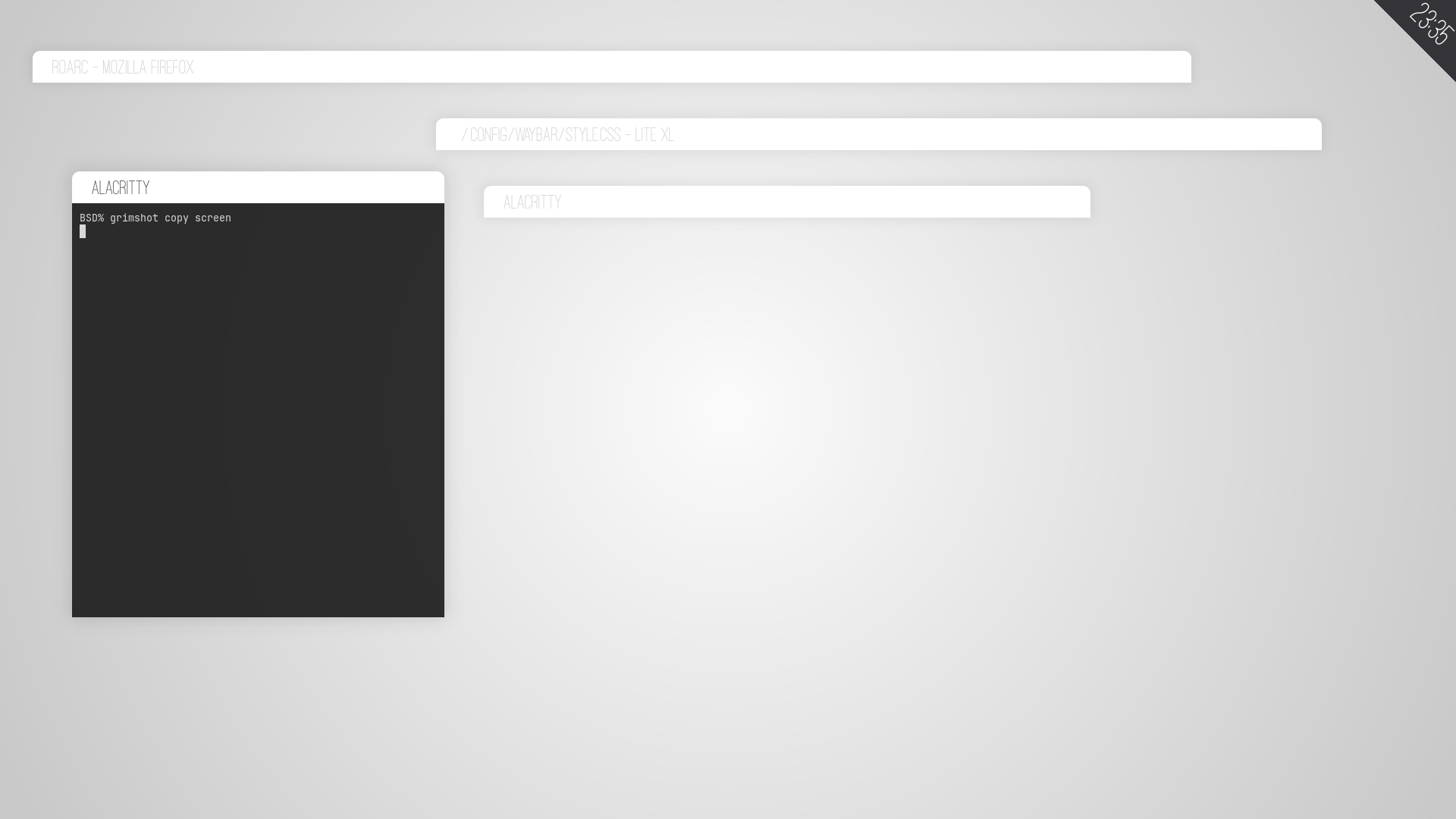
some wallpapers I did on a coffee, in case someone finds them useful (:
ɴꙩᴍᴀᴅ
 ɴꙩᴍᴀᴅ
ɴꙩᴍᴀᴅ
 ɴꙩᴍᴀᴅ
ɴꙩᴍᴀᴅ
 ɴꙩᴍᴀᴅ
ɴꙩᴍᴀᴅ

 theronard
 Makaba
 Makaba
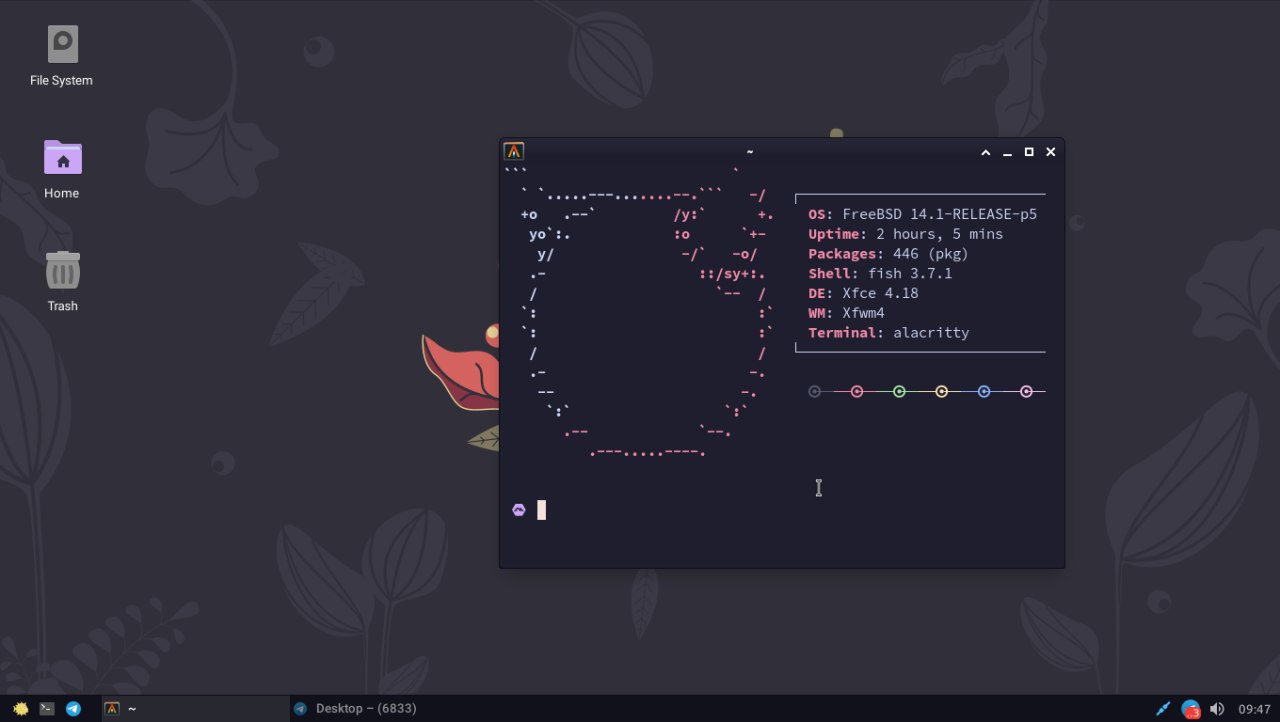
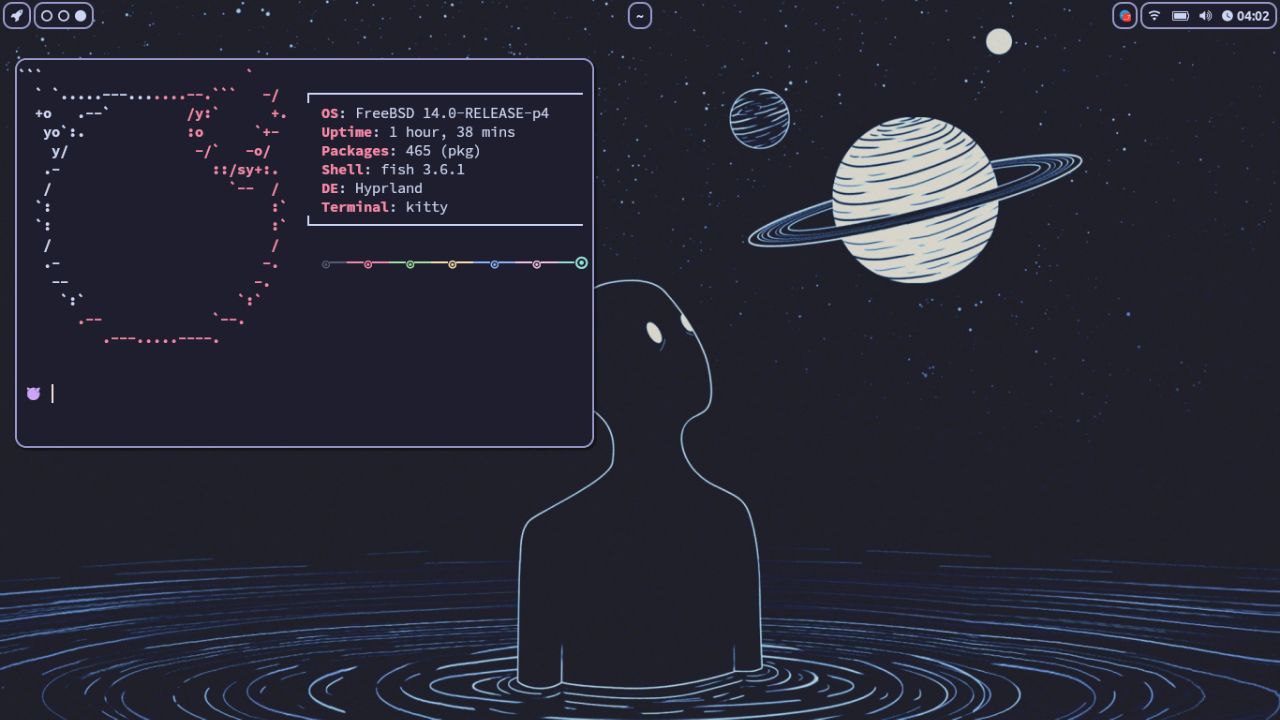
My Freebsd Wayland Desktop
 harmony5 🇺🇳 ⌤
Makaba
harmony5 🇺🇳 ⌤
Makaba
no wm but compositor. Labwc
theronard
theronard
 theronard
Hello, good people, is it possible to shrink ufs?
 polyduekes
Hello, good people, is it possible to shrink ufs?
wdym by shrink ufs, you want to shrink the freebsd root system volume?
theronard
wdym by shrink ufs, you want to shrink the freebsd root system volume?
I want to make it smaller, i want to dualboot something, but i dont want to reformat my entire drive for this
.
I want to make it smaller, i want to dualboot something, but i dont want to reformat my entire drive for this
https://unix.stackexchange.com/questions/324308/resizing-ufs-root-partition-on-freebsd
According to this answer is should be possible. I didn’t try it myself though. Be sure you have a fresh backup and a working (tested) restore plan.
theronard
.
Single user mode it would be enough i guess
https://docs.freebsd.org/en/books/handbook/disks/#disks-growing
I would follow the handbook on this and follow its advice:
“There is risk of data loss when modifying the partition table of a mounted file system. It is best to perform the following steps on an unmounted file system while running from a live CD-ROM or USB device.”
theronard
https://docs.freebsd.org/en/books/handbook/disks/#disks-growing
I would follow the handbook on this and follow its advice:
“There is risk of data loss when modifying the partition table of a mounted file system. It is best to perform the following steps on an unmounted file system while running from a live CD-ROM or USB device.”
Good handbook. Thanks. I ll check it later