 XS
XS


But that's all you need to do dhcp
 Tyler
Tyler
So your VMS are in the public switch If they are configured correctly, however no idea for your em0
Thats my running interface has access to the net
Tyler
Well a dhcp server must be reachable, this is what you need if you want dhcp, else you configure static IPS in your guests
Ok. And how to make reachable for vm switch? I dont use any pf or ipwf
XS
So configure your guest with a static IP on your network and ping the gateway (which is also the dhcp server for ISP boxes)
Tyler
I though this will be done in the background when i vm init and create the switch
XS
You'll quickly see if packets goes trough em0 or not
XS
I though this will be done in the background when i vm init and create the switch
VM does not handle the network in guests, and won't do. If they have no dhcp client running automatically, then you won't get any dhcp lease, as well.
Tyler
But if i do service netif restart i will get DHCP thats why i am confused
XS
In a guest ?
XS
why would you need to do that ?
XS
You already have network interfaces configured before running VMS on bridges
XS
Otherwise, won't work
Tyler
So i have to configure dhcp in the guest?
XS
The client, yes
XS
Most systems start a dhcp client by default thus, depends the os
Tyler
The client, yes
I tried kubuntu as guest and during install i was choosing no network because of this DHCP issue. Then after installation finished i was unable to boot as the boot was hanging up with some network manager error ...
XS
This is likely that packets does not goes through your interface, and not a dhcp issue
Tyler
This is likely that packets does not goes through your interface, and not a dhcp issue
I did package forwarding also set 1 in sysctl....
XS
I don't need this for my case
XS
yes
XS
already shown you my config, it has not changed since
Tyler
already shown you my config, it has not changed since
Really? Where? I havent see it. 🙄
XS
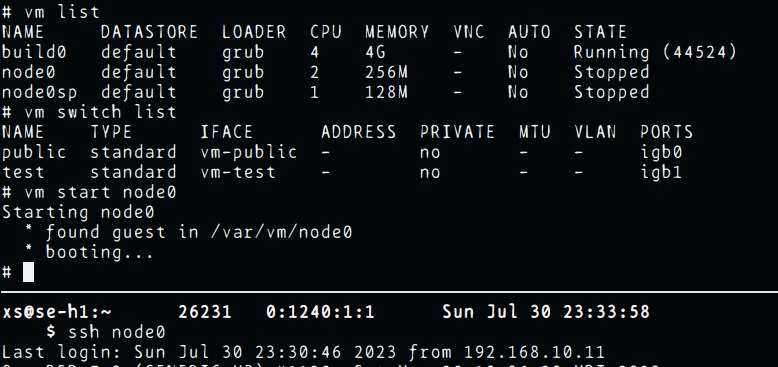 XS
XS
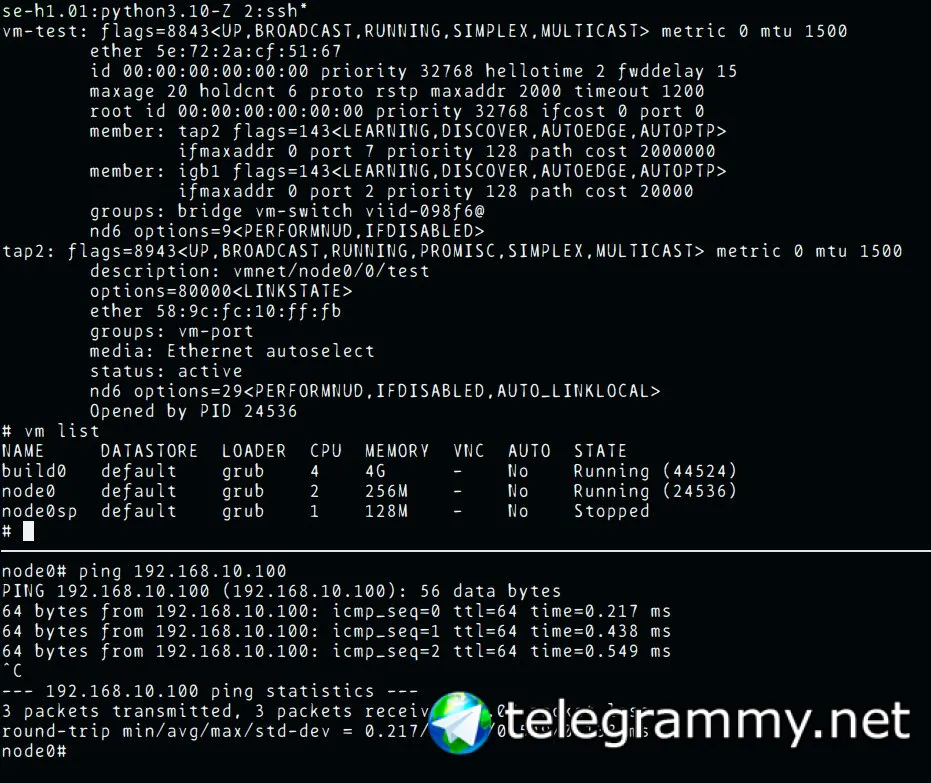 XS
XS
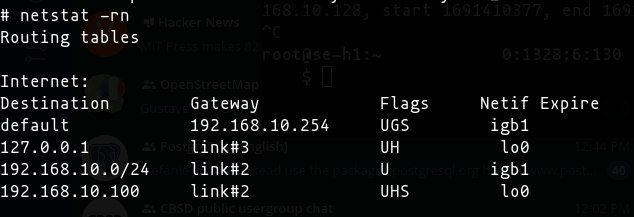
this was a test iface
Tyler
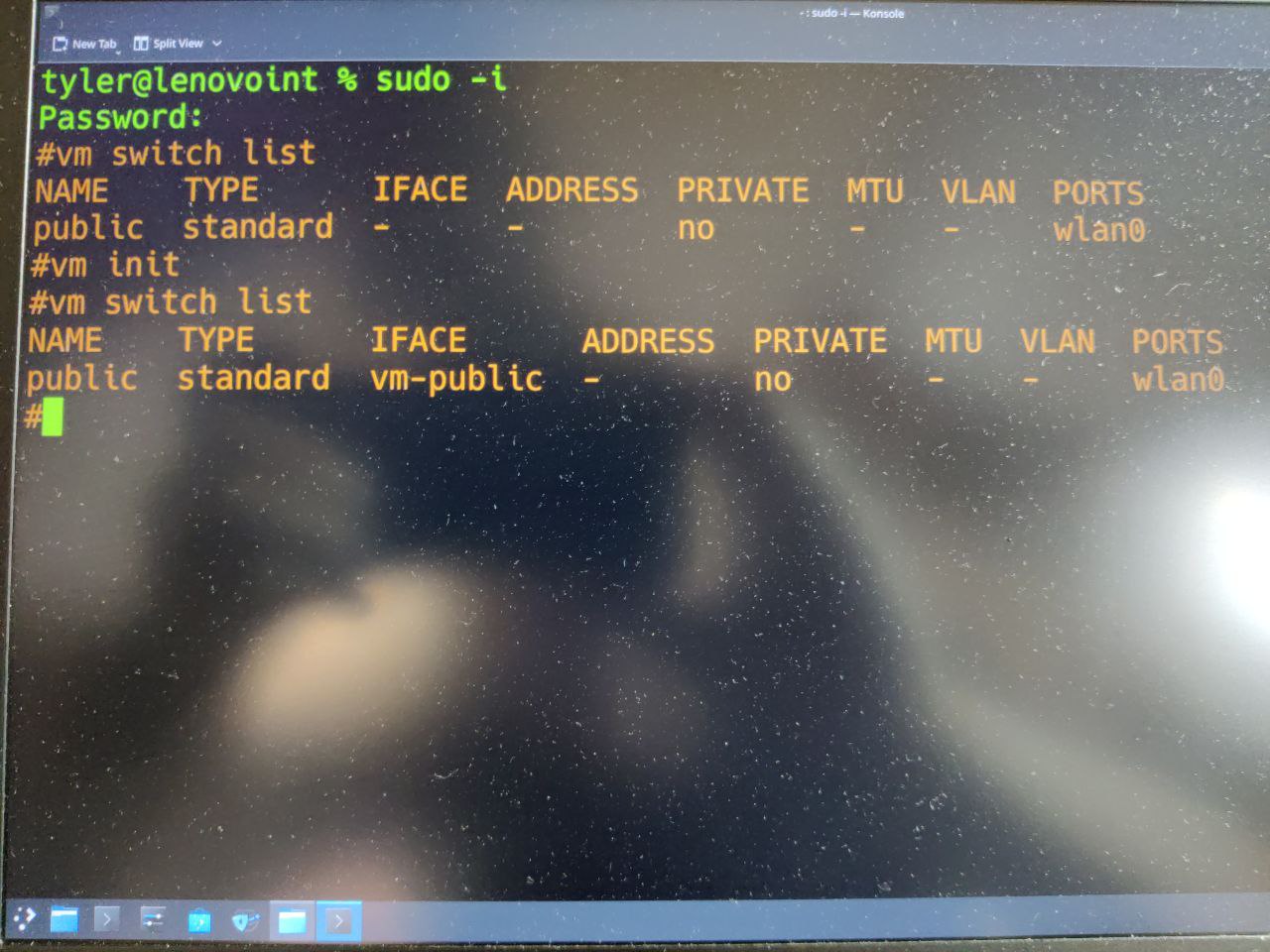
My one looks same
XS
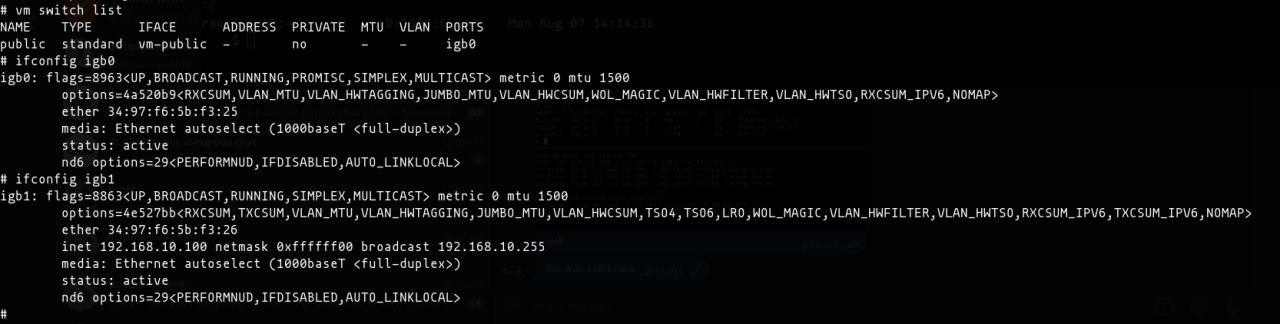
 XS
XS
 XS
XS
you talk me about em0, but here I see wlan0
XS
and I unfortunately wont have the time to fix your network, as I need to work actually ^^'
XS
but good luck, hope you'll find the solution
Tyler
you talk me about em0, but here I see wlan0
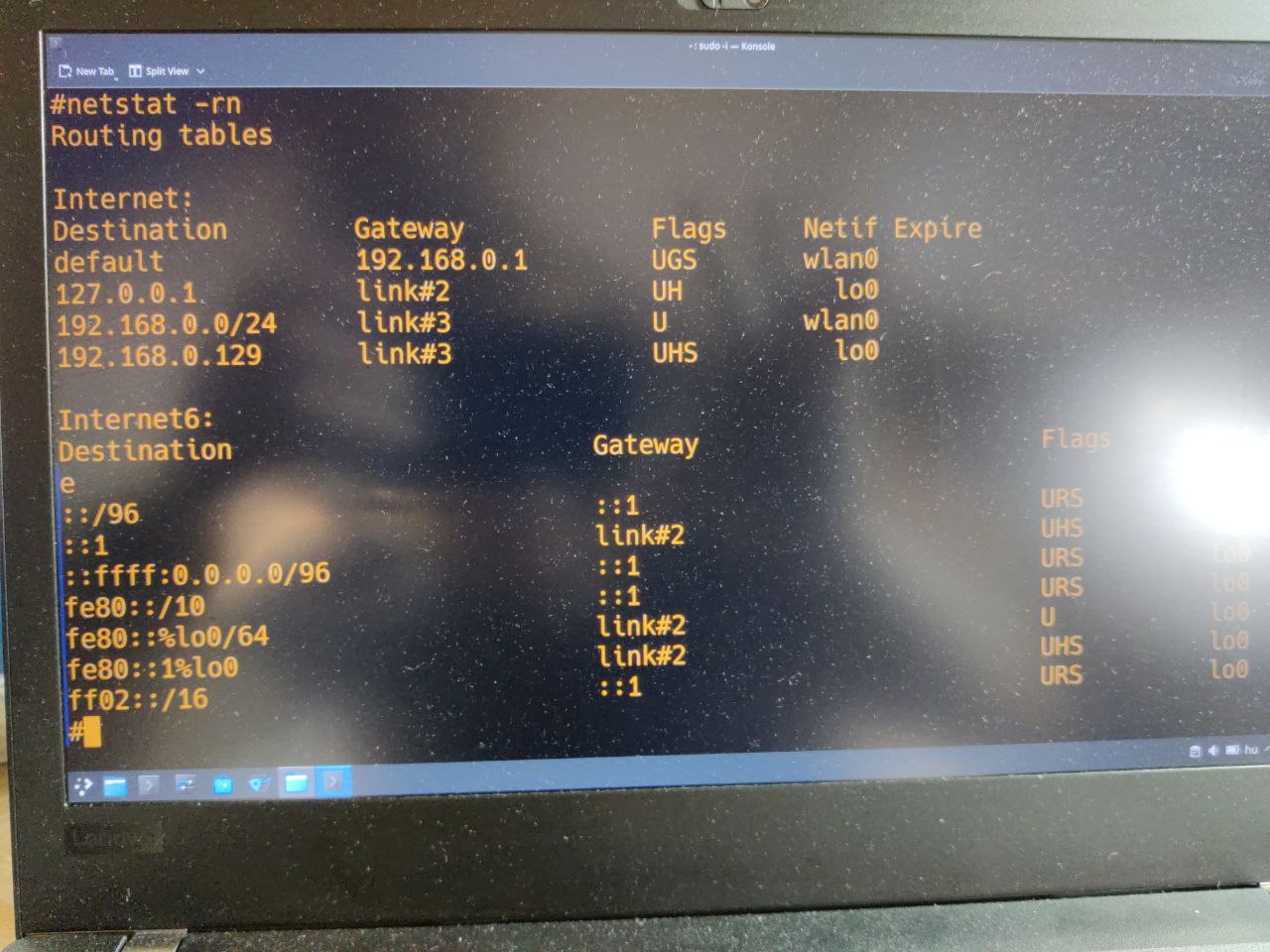
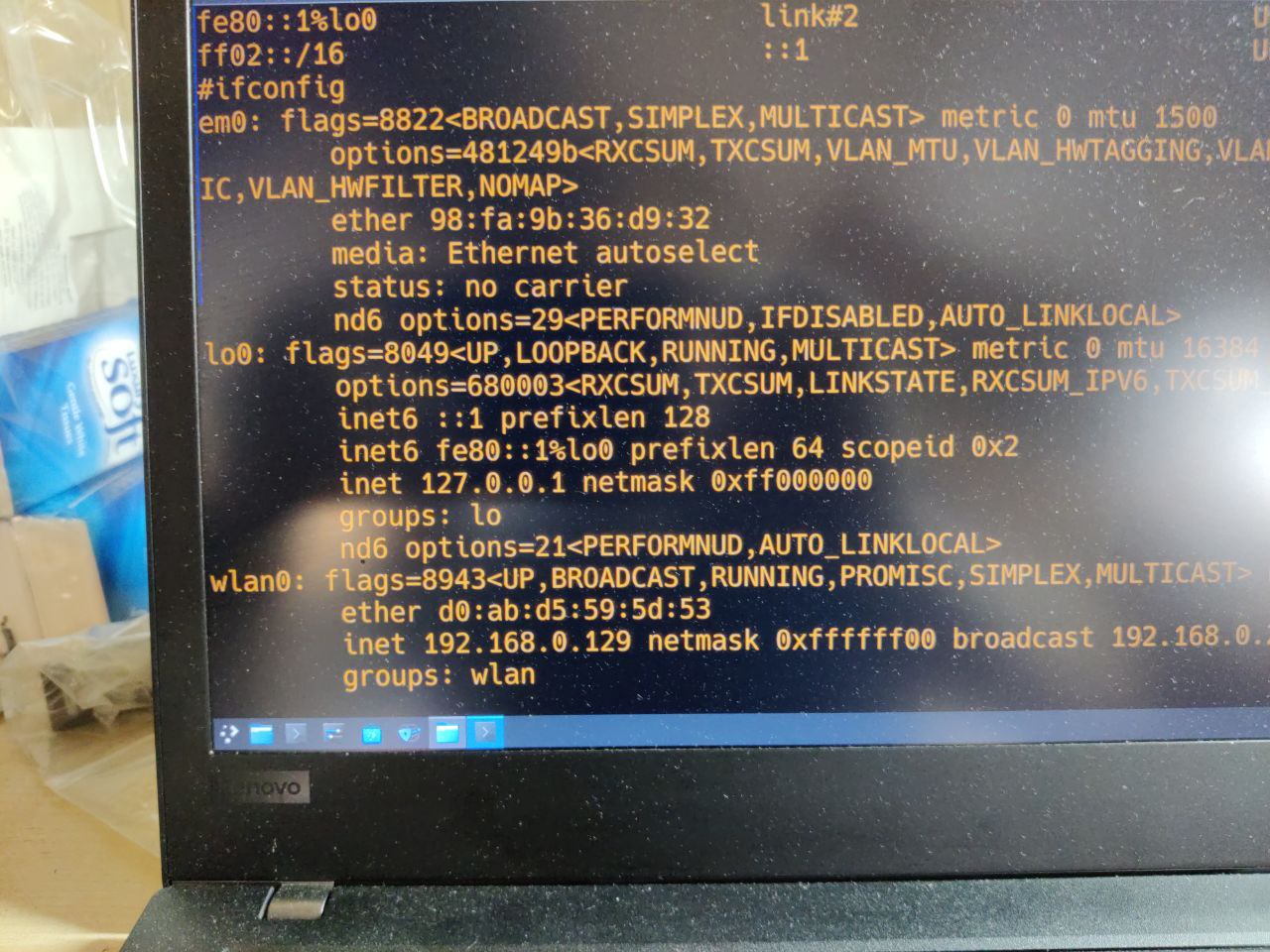
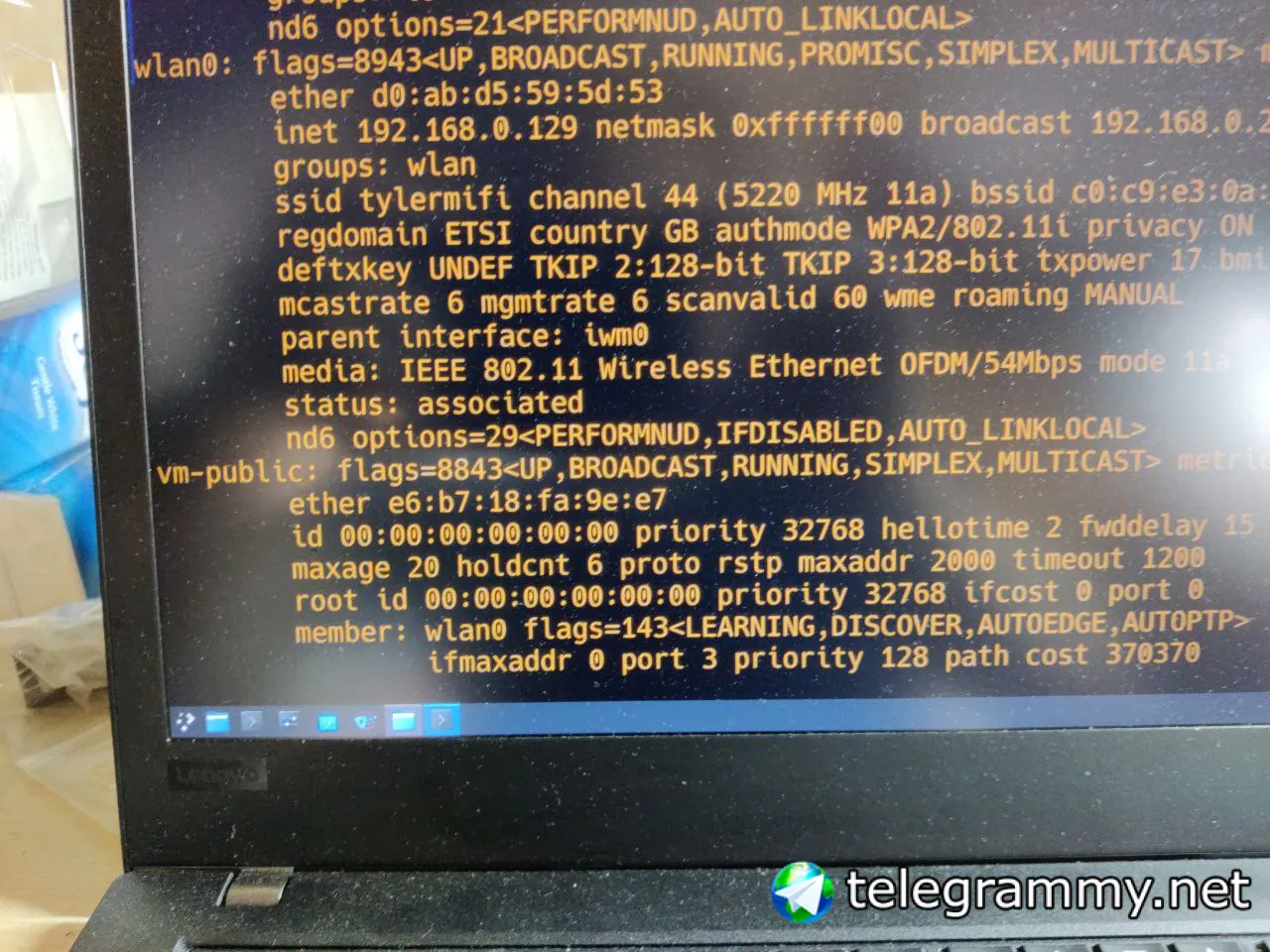
Sorry. My bad. I was trying with ethernet yesterday. I set back to wlan0. Thats my default. Wifi.
Tyler
 Tyler
Tyler
 Tyler
Tyler
 XS
XS
dit it ever worked ? did you ever got any network trough wlan0 ? because as told you the last time, a secure box probably won't let you to do what you are doing
XS
because the src mac addr changes (guest mac) and those packets are not authenticated by the hostapd (wifi access point) on the box
Tyler
dit it ever worked ? did you ever got any network trough wlan0 ? because as told you the last time, a secure box probably won't let you to do what you are doing
I donno wdym exactly. Never worked to get network on the guest. Vnc does work.
XS
yah last time I told you that I would be surprised if it work
Tyler
XS
because basically what you are doing is just adding non-authenticated hosts behind the box (ISP router)
XS
wifi requires an authentication
XS
but the VNC interface runs on your hypervisor's IP
XS
that's why you can reach it because the ip and the macaddr is authenticated on the wifi network
XS
of accessible locally
XS
wifi is not for hosting hypervisors btw
XS
you can hack this but that is not intended to be used like that
Tyler
because basically what you are doing is just adding non-authenticated hosts behind the box (ISP router)
I see. I dont have router....i use tp-link M7650 mobile wifi adapter. When i used ethernet cable yesterday i did set my router into bridge mode. So the router was connecting to the wifi adapter and sending the signal via ethernet cable to the host. But my wifi adapter does support DHCP.
XS
your wifi adapter don't support DHCP he don't cares about DHCP
XS
that's only in the OS that is happenning
Tyler
you can hack this but that is not intended to be used like that
Ok. But i would hack it. Just for trying how does work
XS
so hack it then ;)
XS
(slowmode in those channels are really hurting me for typing and sending informations, makes me loose so much time...)
Tyler
wifi is not for hosting hypervisors btw
So shall i try via ethernet only? Wifi will not work because of authentication issue? This is new for me. I have never got any issue like this on KVM. 🙄
XS
As the source address is different from VM's the wifi AP is rejecting everything that does not come explicitely from your authenticated interface with the good hwaddr. The easy thing you can do is to use a wired interface connected to the LAN, alternatively you'll need to resort to a nat gateway locally, or maybe ip aliases. Or using a filtering bridge that modifies HW addresses on the fly like this: https://wiki.debian.org/BridgeNetworkConnections#Bridging_with_a_wireless_NIC however, I'm not sure how to implement this latter on FreeBSD yet.
Tyler
As the source address is different from VM's the wifi AP is rejecting everything that does not come explicitely from your authenticated interface with the good hwaddr. The easy thing you can do is to use a wired interface connected to the LAN, alternatively you'll need to resort to a nat gateway locally, or maybe ip aliases. Or using a filtering bridge that modifies HW addresses on the fly like this: https://wiki.debian.org/BridgeNetworkConnections#Bridging_with_a_wireless_NIC however, I'm not sure how to implement this latter on FreeBSD yet.
Noice one. Many thanks for ur help. 👍🙏🙏
XS
So shall i try via ethernet only? Wifi will not work because of authentication issue? This is new for me. I have never got any issue like this on KVM. 🙄
so I guess hope for someone having a solution for your cae
XS
qemu over kvm does not this by default
Tyler
Do u think will fail with CBSD also?
XS
all depends if you do natting or not
XS
which does natting and provides a local dhcpd service, that is why it works
 Мих
Мих
Hi there! Does anyone know, how to setup kernel multipath routing in Freebsd 13?
Tyler
I see....🤔
XS
but your VM are not really on your wifi network
XS
they are just in a nested subnetwork, that you won't reach from outside without port forwardings
XS
or ip redirects / bridges configured manually
XS
which does natting and provides a local dhcpd service, that is why it works
so nothing prevent you for providing natting and a dhcp service for your VMs from the hypervisor
XS
This will be indeed simpler that trying to authenticate your guests to your wifi network
Tyler
so nothing prevent you for providing natting and a dhcp service for your VMs from the hypervisor
U mean netgraph bridge?
XS
no, just forwarding and natting from subnet to yr home network
XS
that's a basic gateway setup
Tyler
no, just forwarding and natting from subnet to yr home network
Ok. But how to set that? In vm switch ? Or ifconfig? I dont have much networking experience. 😔 if u could send me a link with guide would be appreciated.