 Krond
Krond


Yes, so the problem is actually due to client running out of ways to authenticate and giving up. My guess is that password auth is not tried because it's not enabled.
 Riyad
Krond
Riyad
Krond
Or might be on server side if server is refusing requested password authentication options.
Riyad
Or might be on server side if server is refusing requested password authentication options.
Maybe in the server, because i can login to another one with ssh
Riyad
root@WH-Server:~ $ ssh 192.168.10.77 -v
OpenSSH_7.9p1, OpenSSL 1.1.1k-freebsd 25 Mar 2021
debug1: Reading configuration data /etc/ssh/ssh_config
debug1: Connecting to 192.168.10.77 [192.168.10.77] port 22.
debug1: Connection established.
debug1: identity file /home/root/.ssh/id_rsa type -1
debug1: identity file /home/root/.ssh/id_rsa-cert type -1
debug1: identity file /home/root/.ssh/id_dsa type -1
debug1: identity file /home/root/.ssh/id_dsa-cert type -1
debug1: identity file /home/root/.ssh/id_ecdsa type -1
debug1: identity file /home/root/.ssh/id_ecdsa-cert type -1
debug1: identity file /home/root/.ssh/id_ed25519 type -1
debug1: identity file /home/root/.ssh/id_ed25519-cert type -1
debug1: identity file /home/root/.ssh/id_xmss type -1
debug1: identity file /home/root/.ssh/id_xmss-cert type -1
debug1: Local version string SSH-2.0-OpenSSH_7.9 FreeBSD-20200214
debug1: Remote protocol version 2.0, remote software version OpenSSH_7.9 FreeBSD-20200214
debug1: match: OpenSSH_7.9 FreeBSD-20200214 pat OpenSSH* compat 0x04000000
debug1: Authenticating to 192.168.10.77:22 as 'root'
debug1: SSH2_MSG_KEXINIT sent
debug1: SSH2_MSG_KEXINIT received
debug1: kex: algorithm: curve25519-sha256
debug1: kex: host key algorithm: ecdsa-sha2-nistp256
debug1: kex: server->client cipher: chacha20-poly1305@openssh.com MAC: <implicit> compression: none
debug1: kex: client->server cipher: chacha20-poly1305@openssh.com MAC: <implicit> compression: none
debug1: expecting SSH2_MSG_KEX_ECDH_REPLY
debug1: Server host key: ecdsa-sha2-nistp256 SHA256:3IDArIwmsz38cSdrk4D4pQdsds5WRK19iGMrCxMLnWbqGc
debug1: skipped DNS lookup for numerical hostname
debug1: Host '192.168.10.77' is known and matches the ECDSA host key.
debug1: Found key in /home/root/.ssh/known_hosts:1
debug1: rekey after 134217728 blocks
debug1: SSH2_MSG_NEWKEYS sent
debug1: expecting SSH2_MSG_NEWKEYS
debug1: SSH2_MSG_NEWKEYS received
debug1: rekey after 134217728 blocks
debug1: Will attempt key: /home/root/.ssh/id_rsa
debug1: Will attempt key: /home/root/.ssh/id_dsa
debug1: Will attempt key: /home/root/.ssh/id_ecdsa
debug1: Will attempt key: /home/root/.ssh/id_ed25519
debug1: Will attempt key: /home/root/.ssh/id_xmss
debug1: SSH2_MSG_EXT_INFO received
debug1: Fssh_kex_input_ext_info: server-sig-algs=<ssh-ed25519,ssh-rsa,rsa-sha2-256,rsa-sha2-512,ssh-dss,ecdsa-sha2-nistp256,ecdsa-sha2-nistp384,ecdsa-sha2-nistp521>
debug1: SSH2_MSG_SERVICE_ACCEPT received
debug1: Authentications that can continue: publickey,keyboard-interactive
debug1: Next authentication method: publickey
debug1: Trying private key: /home/root/.ssh/id_rsa
debug1: Trying private key: /home/root/.ssh/id_dsa
debug1: Trying private key: /home/root/.ssh/id_ecdsa
debug1: Trying private key: /home/root/.ssh/id_ed25519
debug1: Trying private key: /home/root/.ssh/id_xmss
debug1: Next authentication method: keyboard-interactive
Password for root@WHWest:
Riyad
 Jeff
Jeff
client and server can't negotiate how to auth. look for something weird in the server's config.
 Julia
Julia
Are you administrator of the server? Do you want password auth? Does someone want you to have a key? Then you should create a pair and present the public key to them
Julia
If you are and want password auth, simply change that to yes in the servers /etc/ssh/sshd_config
Riyad
Are you administrator of the server? Do you want password auth? Does someone want you to have a key? Then you should create a pair and present the public key to them
Yes, i'm administrator of the server and i create this VM in a remotly server and I think I can't login to them
Julia
To neither the remote server nor the vm? How did you create it?
Riyad
To neither the remote server nor the vm? How did you create it?
I created by virsh because the server running with Linux and the VM with FreeBSD
Riyad
I can access to the main server and see that the Freebsd VM running but can't login to them
Julia
Don't know unfortunately if you can edit the files of that easily and I am busy now. Hopefully someone else does. Sorry
Riyad
Don't know unfortunately if you can edit the files of that easily and I am busy now. Hopefully someone else does. Sorry
Thanks for your support and time 🙏🎩
Riyad
Problem solved after restart the VM by (virsh destroy VM-name and virsh start VM-name)
Jeff
I'm working on an installerconfig to use w/ poudriere-image - the preamble works as expected, as does the setup script part, BUT... that script seems to run only while chrooted into the zfs root dataset. I'd like to pull /usr/freebsd-dist/base.txz from the ISO into the root dataset for pre-populating my base jail setup. Any ideas how I can access the ISO's fs?
Krond
Well, you don't have PulseAudio enabled.
Julia
that is weird reasoning
Krond
If you can hear audio this means your sound device is working, you don't need any services for that. Also alsa can work over oss.
 accelerat0r 🇮🇱 🇮🇱 🇮🇱
Oss works fine
Krond
We have virtual sound channels being part of kernel sound system for more then twenty years, pulseaudio is in ports only for compatibility.
Krond
Software compatibility.
Krond
Ok, again. ALSA is not a sound system here, it exists only for compatibility with some software. Looking at ALSA you will only see sound streams from programs that don't use system sound.
Krond
But I might be wrong, if ALSA is only a scheme to access oss it might expose more then just ALSA compatible stuff.
Krond
Oh, sndiod emulates pulse? Need to take a better look at docs.
Riyad
Hello dears,
How can i install old version PHP on FreeBSD??
Julia
Check the ports for it
Krond
For old PHP versions when definitely required I'm creating a separate jail and installing there last available PHP port version available from ports. So inside jail I have running only php-fcgi, and web server is on the main host. This way I have consistent deps for PHP, and all that old packages doesn't spill into main system.
 Константин
Hello.
Anyone running HBSD/FreeBSD Lirc devices? (IR receiver and remote)
It turns out to be configured on HBSD, does it work?
My receiver is not receiving signals.
 Momo
Momo
Anybody here using the Telegram on the FreeBSD desktop?
Krond
Well, I'm on DragonFly and yes.
 radhitya
Константин
radhitya
Константин
Anybody here using the Telegram on the FreeBSD desktop?
yes, web version - https://web.telegram.org
Momo
I am using FreeBSD since 2004 and the website is still as bad. In 20 years nobody came up with the idea of a "Download here" button? All is done so the acceptance can NOT grow. my 2ct of frustration today
Momo
Like: the easy link to RC 13.2
XS
It seems you are looking for the installers in the FreeBSD 13.2-RC6 section of this page https://www.freebsd.org/where/
Krond
Heck, I don't recall how long ago I needed an image for clean install…
Krond
Wait a sec… there's a huge "Download" button in there.
 ian
ian
Is it possible to separate the /boot slice/partition when using UFS & GPT?
Krond
Yes. Actually I'm booting that way on DragonFly - UFS /root and encrypted main partition.
Krond
Before ZFS booting support /boot partition was also the way.
 ɴꙩᴍᴀᴅ
ɴꙩᴍᴀᴅ
https://people.freebsd.org/~kuriyama/www/smp/
Jay
https://people.freebsd.org/~kuriyama/www/smp/
That's before FreeBSD 5.0. I think SMP is enabled in generic
Momo
Wait a sec… there's a huge "Download" button in there.
On the main page, not the menu. I always read what I am going to download first. Eg I am on: https://www.freebsd.org/releases/13.2R/announce/ Read what the release is about. Then go crazy finding a download link on page. Other example: I bookmarked the page: https://www.freebsd.org/ports/. Who knows about that page?
Momo
Like the roadmap page and how you can participate in it. Hidden.
ɴꙩᴍᴀᴅ
 ɴꙩᴍᴀᴅ
ɴꙩᴍᴀᴅ
or https://www.freebsd.org/ -> About menu -> ports (:
ian
¿What do they say about this?
https://arstechnica.com/gadgets/2021/03/buffer-overruns-license-violations-and-bad-code-freebsd-13s-close-call/
ɴꙩᴍᴀᴅ
we should protect HEAD in order to avoid easter eggs like this (:
ian
 ian
ian
 Anonymous
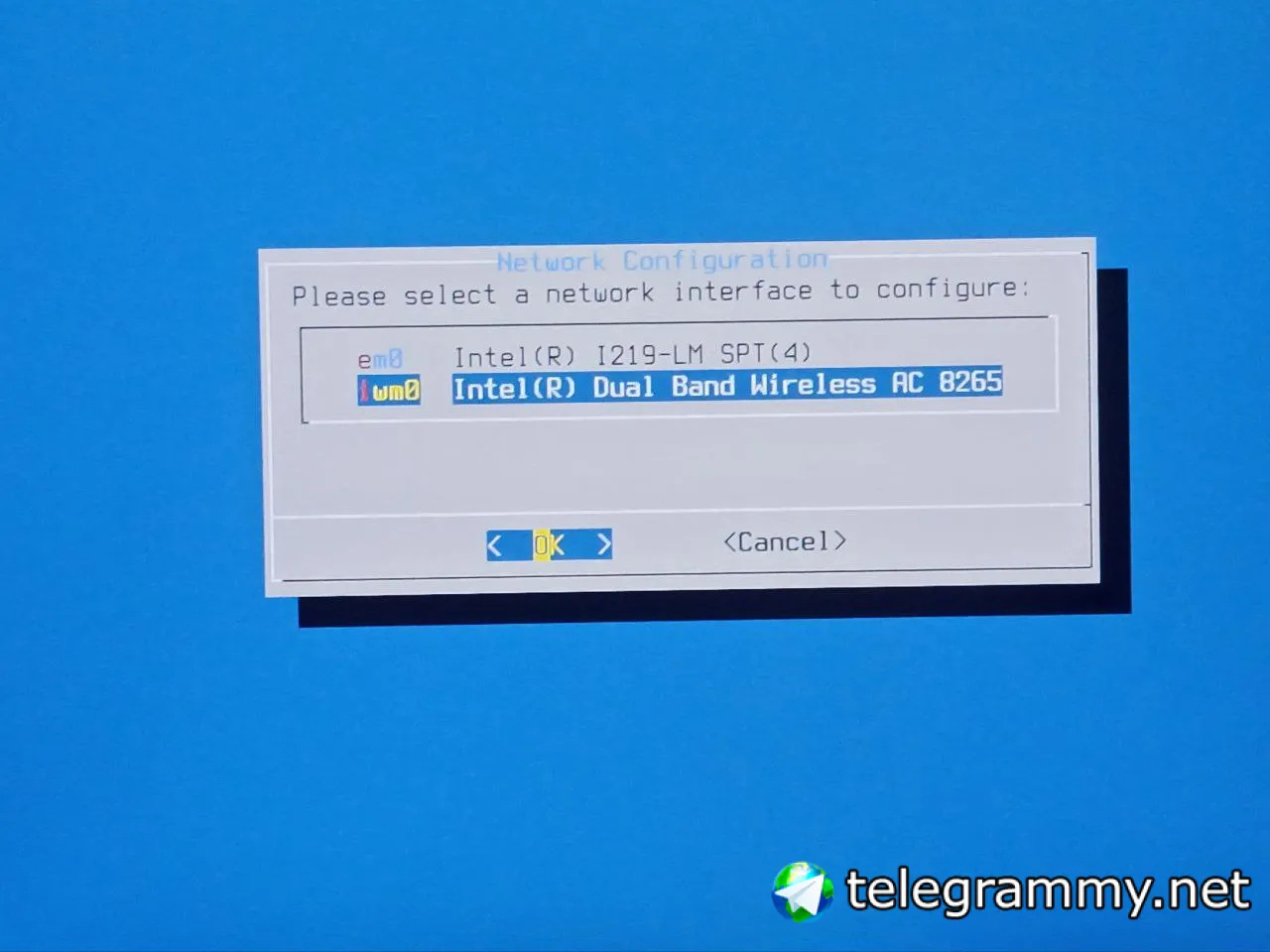
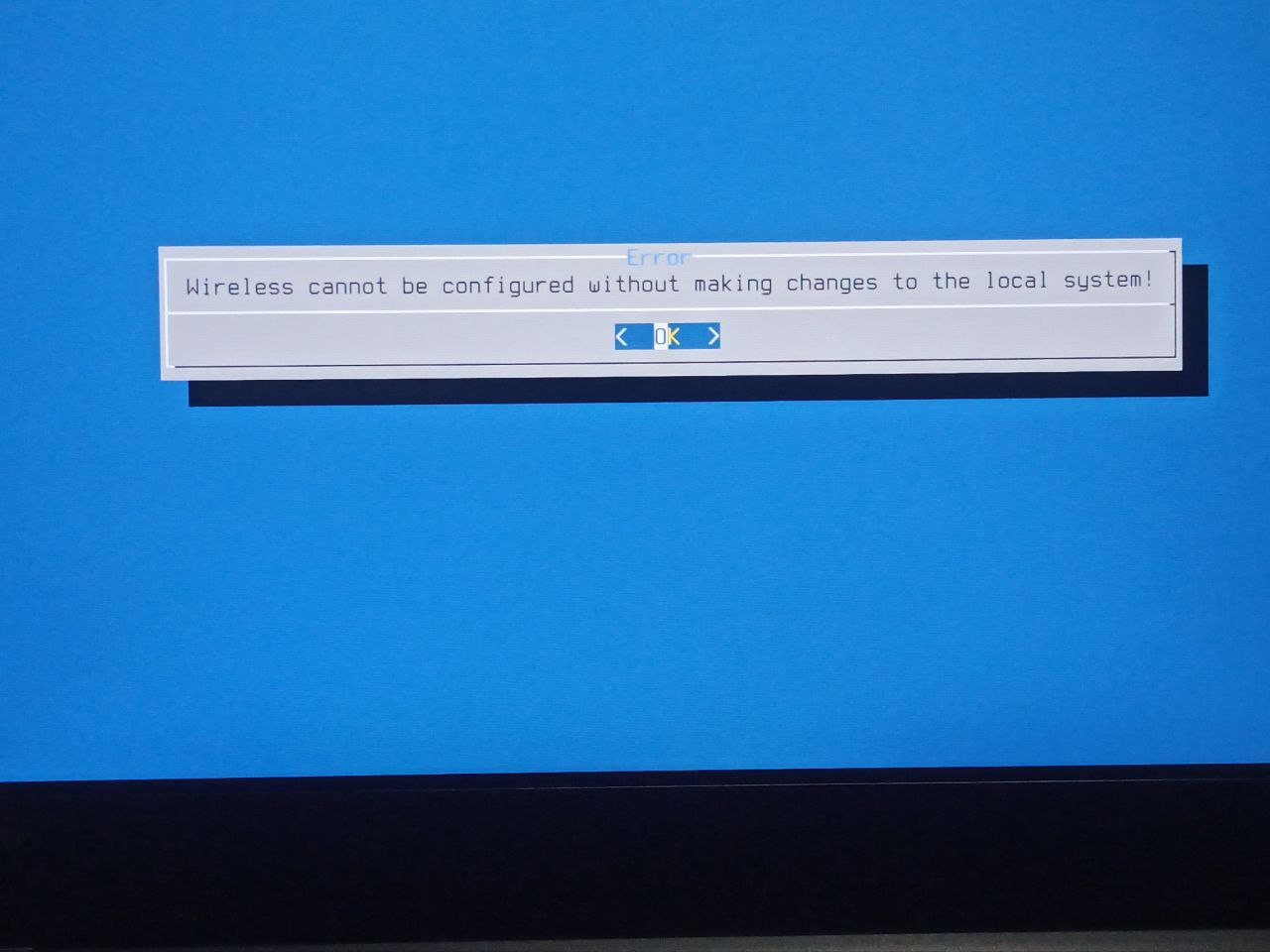
No available Drivers?
ian
In any case, I already configured the network manually
 Neville
Neville
Neville
8265 works fine for me. Did you change the region?
Jaco
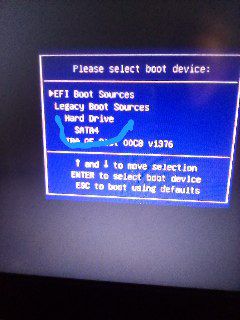
Hi everyone👋😊 I'm kind of stuck. I have 2 different drives in my PC, one with Gentoo and one with FreeBSD. The Gentoo drive broke so I removed it. My FreeBSD drive doesn't want to boot now. Doesn't even show up in efi boot menu, only legacy but doesn't boot
Jaco
 Jaco
Jaco
Thank you. It was on the broken drive😅I suppose there is nothing I can do without a live USB?
 Baron
Baron
Kalei
Is there a powerful application in Freebsd to search for and pair bluetooth devices?
ɴꙩᴍᴀᴅ
ɴꙩᴍᴀᴅ
https://forums.freebsd.org/threads/bluetooth-audio-how-to-connect-and-use-bluetooth-headphones-on-freebsd.82671/
Kalei
hccontrol?
Shit!! I can't find the bluetooth device, and on Linux no problem. It's a bluetooth mouse, any suggestions?
Kalei
A SCT400 bluetooth usb
ɴꙩᴍᴀᴅ
Shit!! I can't find the bluetooth device, and on Linux no problem. It's a bluetooth mouse, any suggestions?
Bluetooth and FreeBSD are not the best friends, although some people say that drivers have improved these last years
Kalei
Really?... Who doesn't work with Bluetooth nowadays?
Kalei
Which bsd distribution has the most up-to-date drivers? NetBSD?
XS
Really?... Who doesn't work with Bluetooth nowadays?
BT stacks are notably crappy and unsecure pieces of code running in the kernel even on linux, paranoïac people would advise you to avoid them. However,
XS
depending your BT setup (bt chip in your pc) you might have to load a specific firmware to it
XS
but it's confusing cause you are talking about bluetooth usb, so I imagine it's a USB dongle, coming with your mouse, in which cases, the chip in the USB dongle is responsible of transmission and data conversion, but if you're in fact talking about a bluetooth mouse (no usb involved), you might then want try configuring the BT chip in your laptop first
Kalei
but it's confusing cause you are talking about bluetooth usb, so I imagine it's a USB dongle, coming with your mouse, in which cases, the chip in the USB dongle is responsible of transmission and data conversion, but if you're in fact talking about a bluetooth mouse (no usb involved), you might then want try configuring the BT chip in your laptop first
The situation is as follows, I have two bluetooth, the one with the computer and a usb dongle. I want it to work with the usb dongle, but when I do a bluetooth scan it doesn't find the mouse, however on Linux the first time...
XS
See https://man.freebsd.org/cgi/man.cgi?query=ubtbcmfw
XS
And https://man.freebsd.org/cgi/man.cgi?query=ng_ubt
Kalei
And https://man.freebsd.org/cgi/man.cgi?query=ng_ubt
I already have this driver loaded in the kernel.
XS
If your dongle's bt chip is not listed here, then it's not supported.
XS
Use the dmesg to figure what's done