 Jekyll


Try pkg version.
 bittin-
ah thanks
 Jackie
Is there a way to downgrade some packages installed from pkg? I figured a few package upgrade messed up X environment.
Anonymous
Is there a way to downgrade some packages installed from pkg? I figured a few package upgrade messed up X environment.
Check your /var/cache/pkg directory.
 ɴꙩᴍᴀᴅ
ɴꙩᴍᴀᴅ
@ghostddos0x05 really interesting stuff, however this fits in @freebsd_offtopics better if you don't mind to move it there (:
Jackie
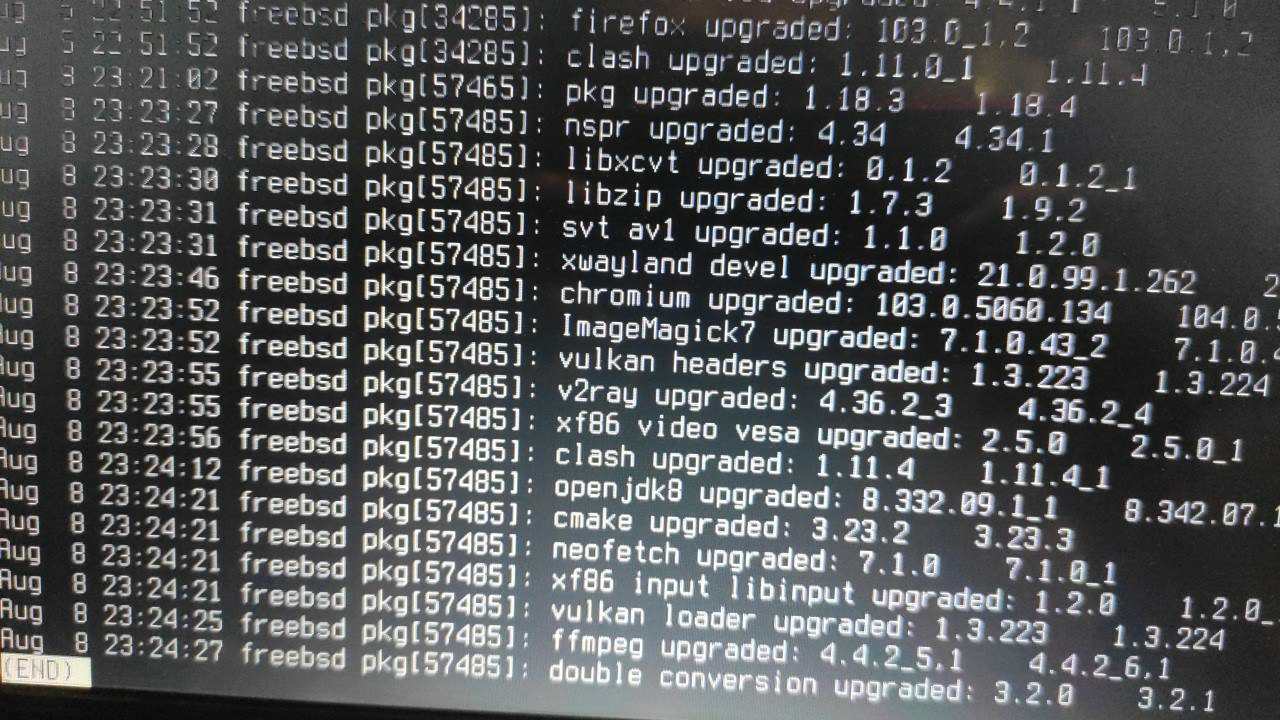 Jackie
The Aug 8 ones, I mean.
Jackie
Thanks. Will a pkg check -as suffice?
Jackie
This is the first time I learn about this command
Jackie
Ok. Running now. may have to wait for somw time before it finishes
Jackie
Thanks. Will a pkg check -as suffice?
Command finished running and didn't report anything, echo $? says 0.
Jackie
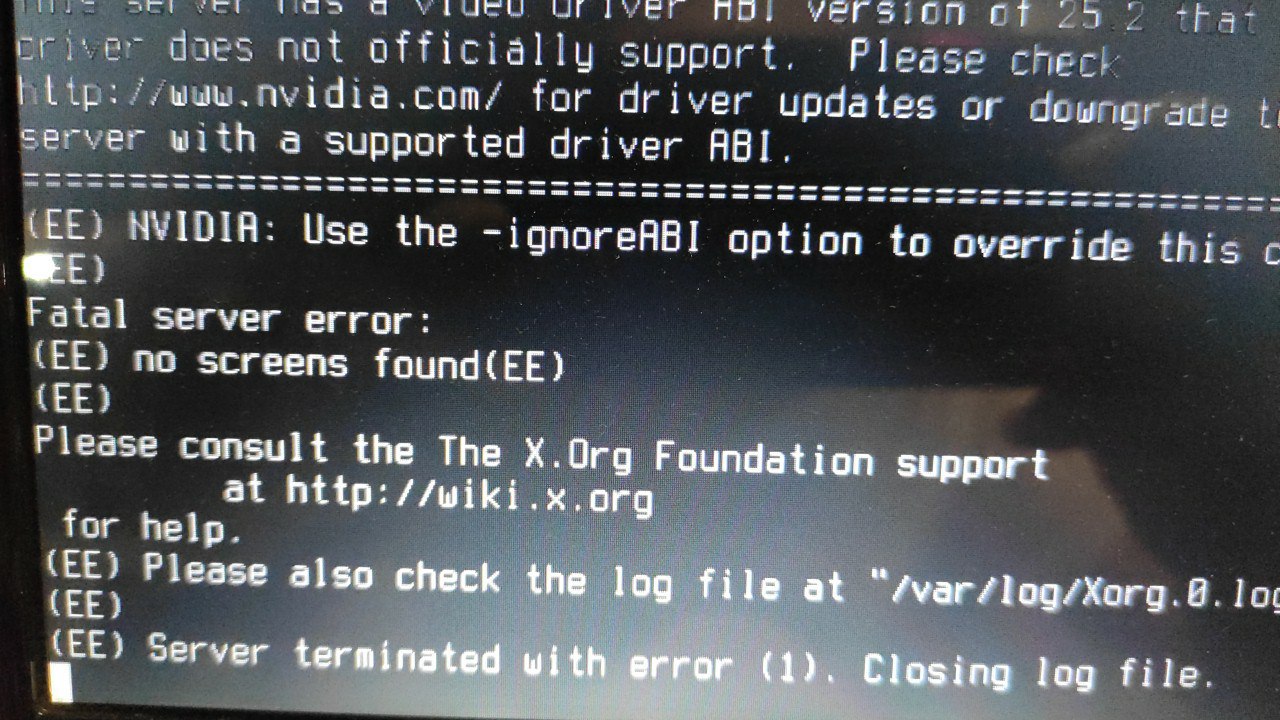 Jackie
X -ignoreABI resulted in a empty grey screen with nothing.
Jackie
What do you suggest?
Jackie
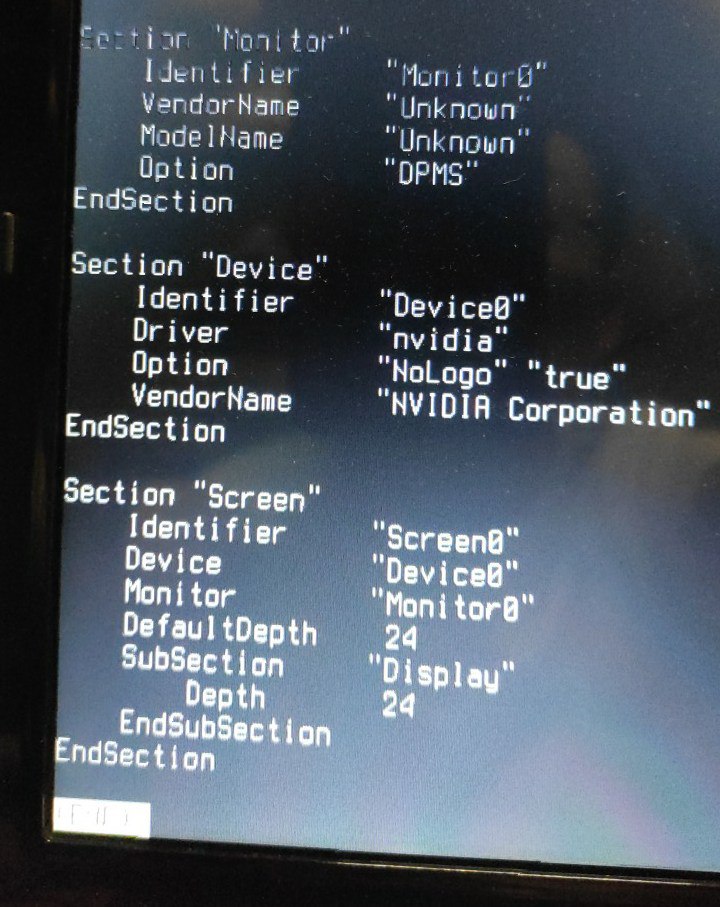 Jackie
This is tĥe part about screen and Nvidia in /etc/X11/xorg.conf
Jackie
nvidia-drivee-340-340.108_3
Jackie
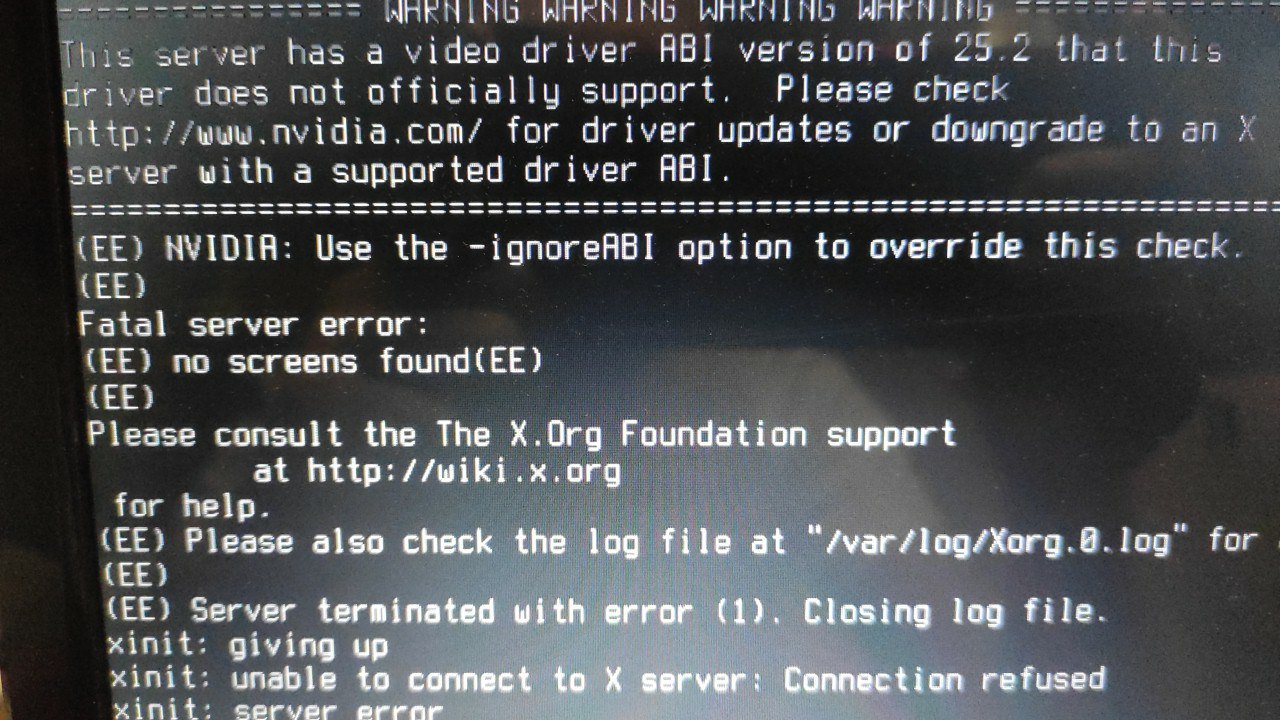 Jackie
I seem to find bug report about this
https://bugs.freebsd.org/bugzilla/show_bug.cgi?id=244421
Jackie
Not the same version of nvidia but error is exactly the same
Jackie
But my X worked without any problems before I upgraded. Didn't seem like a config issue
Jackie
Hey, turns out adding
Section
"ServerFlags" Option "IgnoreABI" "true"
EndSection
to xorg.conf is all I need
Jackie
https://forums.freebsd.org/threads/nvidia-incompatible-abi.86096/
bittin-
any tips for troubleshooting wifi on FreeBSD?
 Krond
Krond
Anyone played with enabling higher power modes for USB?
ɴꙩᴍᴀᴅ
Not at all, only used libusb(3) to get some data, but I'm not sure if that tooling can enable such options
ɴꙩᴍᴀᴅ
There is also libusb20(3) specific for FreeBSD
bittin-
i don't commit wifi stuff also i got it solved
ɴꙩᴍᴀᴅ
Anyone played with enabling higher power modes for USB?
Would be great to know a bit more about the experiment you are trying to achieve
Krond
I have a few phones and I'm connecting them to PC as webcameras or just when sitting around, using PC to charge them is an obvious option, but USB by default only allows 500 mAh charging, which means very long charge times.
ɴꙩᴍᴀᴅ
I have a few phones and I'm connecting them to PC as webcameras or just when sitting around, using PC to charge them is an obvious option, but USB by default only allows 500 mAh charging, which means very long charge times.
Oh, yeah now I get it a bit more. I never tried something similar, but maybe devd or sysctl can modify those usb values
bittin-
What happened, and how you solved it?
@ghostddos0x05 my laptop takes a while to start the usb network card instead of the internal one after a reinstall so just waited for some hours
bittin-
https://bsdnow.tv/468
Anonymous
Hello.
I have installed FreeBSD-13.1-RELEASE.
My system load average is high, I do not know why, even I have not ran Xorg.
Anonymous
When I was searching about my intel wireless I saw something about resource.
 r2g2
r2g2
man systat
Anonymous
When I was searching about my intel wireless I saw something about resource.
But I cannot find the url.
r2g2
inspect your system using the tools that are provided ... systat gives you valuable information, also top
Anonymous
inspect your system using the tools that are provided ... systat gives you valuable information, also top
[idle] and [intr]'s CPU usage is high.
Anonymous
%CPU 701.3 [idle]
%CPU 96.8 [intr]
r2g2
tells us that you get stormed by interrupts
r2g2
what does vmstat -i say?
r2g2
it is probably your wifi I guess
Anonymous
As I said I saw something about resource when I was browsing.
r2g2
whats your chipset?
Anonymous
whats your chipset?
Intel Dualband Wireless-AC 3165 Plus Bluetooth
by pciconf(8).
I use iwm driver.
Anonymous
Output of vmstat -i: https://0x0.st/oLxa.log
r2g2
that hostname does not resolve
r2g2
hm, your trackpad seems to produce a high number of interrupts, maybe try sysutils/iichid or search the bugtracker
Anonymous
hm, your trackpad seems to produce a high number of interrupts, maybe try sysutils/iichid or search the bugtracker
That package/port does not exist.
r2g2
https://larastechlab.blogspot.com/2020/01/i2c-touchpads-on-freebsd-130-current.html
Anonymous
https://larastechlab.blogspot.com/2020/01/i2c-touchpads-on-freebsd-130-current.html
Can I disable Touchpad?
I do not use it.
r2g2
https://wiki.freebsd.org/SynapticsTouchpad
Anonymous
https://wiki.freebsd.org/SynapticsTouchpad
There is no "hw.psm.synaptics.min_pressure".
r2g2
you just need hw.psm.synaptics_support="0" to disable it
Anonymous
you just need hw.psm.synaptics_support="0" to disable it
It was read-only tunable.
Anonymous
And: Tunable values are set in /boot/loader.conf.
Anonymous
I could not use sysrc(8) for adding that option.
Anonymous
I wrote it manually with vi.
r2g2
yes, and tunables in loader.conf need a restart to become effective
Anonymous
yes, and tunables in loader.conf need a restart to become effective
Fine. It's good now.
Thank you.
Krond
https://watchesthatdonttelltime.com/products/devil-duck-watches-that-dont-tell-time
bittin-
https://www.bsdnow.tv/469
Null
#BSDCan 2022
https://www.youtube.com/playlist?list=PLeF8ZihVdpFfttOtsot131byFrDVztt8T
 Neville
stéphane T
Neville
stéphane T
Can you provide a pic of the console output ?