Should i roll back to quarterly ??
I already use latest
Not really
 ɴꙩᴍᴀᴅ
ɴꙩᴍᴀᴅ

 ɴꙩᴍᴀᴅ
ɴꙩᴍᴀᴅ
Let me check how I do it
 Anonymous
Should i roll back to quarterly ??
I already use latest
https://mirrors.ustc.edu.cn/freebsd-pkg/FreeBSD:13:amd64/latest/
 Pouria
I never used camcontrol to detach an usb. Just umount the mount point
Yes.
I heared that.
But it's safer to eject the USB device(I am not sure).
Anonymous
Ok 👍
I could mount it yesterday and ejected it with camcontrol
But i still had access to the files , so i rebooted.
Now i can't mount it
ɴꙩᴍᴀᴅ
Yes.
I heared that.
But it's safer to eject the USB device(I am not sure).
Eject was only meant for CD drives iirc
Pouria
Eject was only meant for CD drives iirc
Well...
I had a USB device, and it was destroyed.
Because i did not eject that.
Anonymous
I could mount it yesterday and ejected it with camcontrol
But i still had access to the files , so i rebooted.
Now i can't mount it
I could fix it with the help of a chinese guy 😅
doas pkg install e2fsprogs
doas fsck.ext2 /dev/da0s1
doas mount -t ext2fs /dev/da0s1
ɴꙩᴍᴀᴅ
Anonymous
https://t.me/FreeBSD1/20663
I installed fuse , i thought "or" means : both of them do the same thing and i can't install both of them (packages conflict , etc.)
ɴꙩᴍᴀᴅ
ɴꙩᴍᴀᴅ
Well...
I had a USB device, and it was destroyed.
Because i did not eject that.
By just unmountig the mount point? Wow, that's not cool ):
Pouria
I forgot that.
ɴꙩᴍᴀᴅ
https://forums.freebsd.org/threads/the-light-on-usb-drive-is-still-on-after-umount.7322/#post-42817
Pouria
https://forums.freebsd.org/threads/the-light-on-usb-drive-is-still-on-after-umount.7322/#post-42817
I will check it after 5/10 minutes.
Anonymous
 Anonymous
Pouria
Pouria
Anonymous
Pouria
Pouria
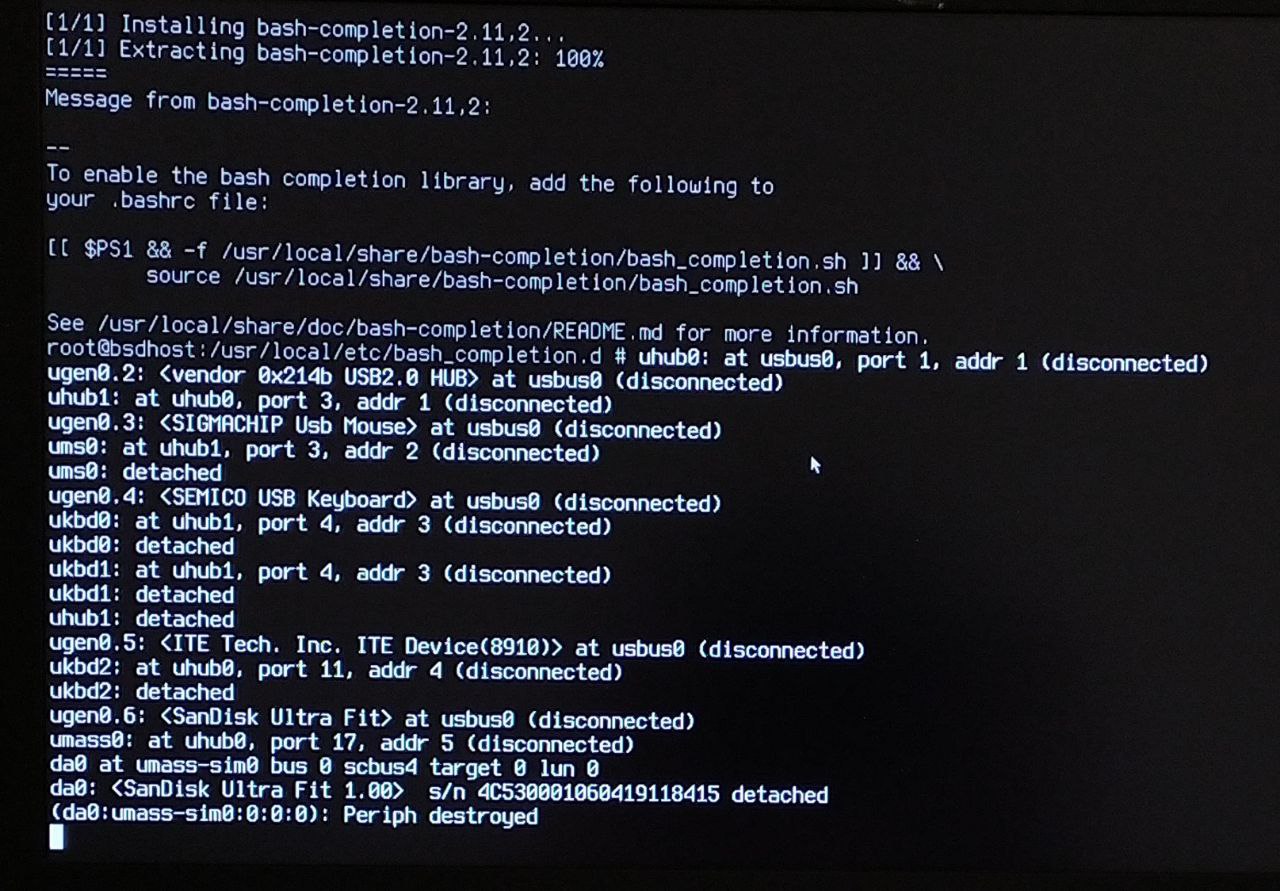
But it is not problem.
It's just a log.
Anonymous
But it is not problem.
It's just a log.
Yes it is, the entire system froze and would not respond
Anonymous
@n0madcoder I wanna move
/entropy
to
/tmp/entropy
Is that gonna be fine?
(Also /tmp gets cleared on every boot)
ɴꙩᴍᴀᴅ
@n0madcoder I wanna move
/entropy
to
/tmp/entropy
Is that gonna be fine?
(Also /tmp gets cleared on every boot)
If you have the line clear_tmp_enable="YES" at your /etc/rc.conf then that's the reason of /tmp clearing on each boot
ɴꙩᴍᴀᴅ
@n0madcoder I wanna move
/entropy
to
/tmp/entropy
Is that gonna be fine?
(Also /tmp gets cleared on every boot)
Isn't /entropy at /boot/entropy?
ɴꙩᴍᴀᴅ
There is, but there is also a /entropy
Oh, didn't noticed it, you're right, there is also /entropy
Why do you want to move it to /tmp?
Anonymous
Oh, didn't noticed it, you're right, there is also /entropy
Why do you want to move it to /tmp?
I don't like files cluttering the root directory
ɴꙩᴍᴀᴅ
I don't like files cluttering the root directory
What does /entropy do exactly? I never knew about it at /root
Anonymous
What does /entropy do exactly? I never knew about it at /root
From what I gathered, it's a file created by
/etc/rc.d/random
Anonymous
You can set where the entropy file is created in
/etc/defaults/rc.conf
ɴꙩᴍᴀᴅ
You can set where the entropy file is created in
/etc/defaults/rc.conf
Oh cool. Didn't know it
Anonymous
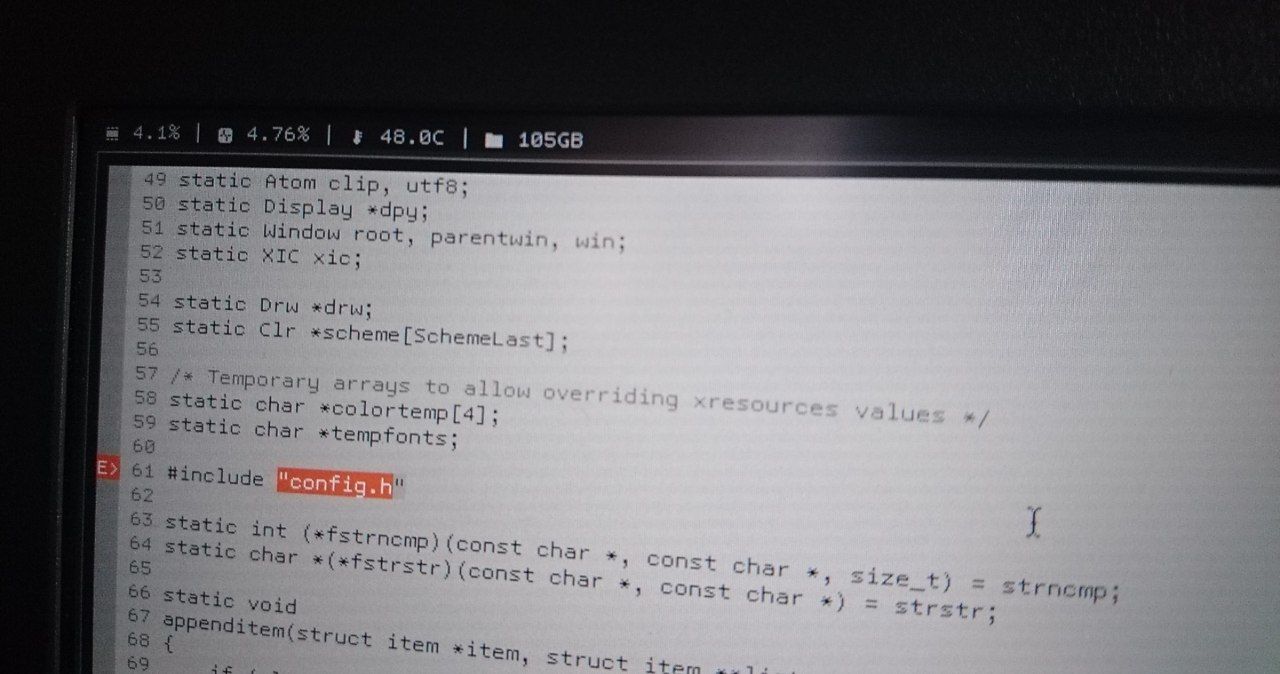
Hey guys , do you know how i can fix the temprature issue ???
My hardware's temperature is high with FreeBSD compared to Linux distributions.
ɴꙩᴍᴀᴅ
ɴꙩᴍᴀᴅ
 Anonymous
How much is high?
It turns off after 2-3 hours , also i can't reboot it because it turns off during the boot process
ɴꙩᴍᴀᴅ
It turns off after 2-3 hours , also i can't reboot it because it turns off during the boot process
That may be an issue then, yep. Have you monitored the temperatures?
Also, have you installed powerdxx?
Anonymous
Anonymous
ɴꙩᴍᴀᴅ
powerdxx ?
Install it as a package and read its man, it can help lowering power consumption a bit and lower down temps
Anonymous
add powerdxx_enable="YES"
to /etc/rc.conf ?
ɴꙩᴍᴀᴅ
add powerdxx_enable="YES"
to /etc/rc.conf ?
Yes. Some other settings below that line can be:
performance_cx_lowest="Cmax"
economy_cx_lowest="Cmax"
And at /boot/loader.conf add
hw.pci.do_power_nodriver=3
ɴꙩᴍᴀᴅ
powerd is enabled by default
Powerdxx is an enhanced version of powerd.
Disable powerd in order to use powerdxx
Anonymous
Yes. Some other settings below that line can be:
performance_cx_lowest="Cmax"
economy_cx_lowest="Cmax"
And at /boot/loader.conf add
hw.pci.do_power_nodriver=3
Does it help if i disable graphics card ?
ɴꙩᴍᴀᴅ
Does it help if i disable graphics card ?
By default the System uses the integrated gpu chip, and you have to force using the dedicated one by flags when launching a program that demands high gpu usage
ɴꙩᴍᴀᴅ
Anonymous
Powerdxx is an enhanced version of powerd.
Disable powerd in order to use powerdxx
It shows 50-60 °C 😅
How i can see my laptop's Fan's rpm ??
ɴꙩᴍᴀᴅ
It shows 50-60 °C 😅
How i can see my laptop's Fan's rpm ??
You can try with sysctl, hw.acpi values maybe, or by using motherboard monitor like mbmon or so. I never did tho
Anonymous
https://bsd-hardware.info/?probe=9a3c3705d0
ɴꙩᴍᴀᴅ
Hello and welcome Abolfazl
Anonymous
Hello and welcome Abolfazl
Do you know how i can check and repair my zfs partition ??
doas fsck -f /dev/ada0 errors.
Cannot find file system superblock
Anonymous
Do you know how i can check and repair my zfs partition ??
doas fsck -f /dev/ada0 errors.
Cannot find file system superblock
Also fsck -t zfs -f /dev/ada0 errors 😢
 Hardcode
Do you know how i can check and repair my zfs partition ??
doas fsck -f /dev/ada0 errors.
Cannot find file system superblock
basically you can't. you can only hope you will get errrors autohealed on a redundant pool
Hardcode
show here zpool status for detail
Anonymous
basically you can't. you can only hope you will get errrors autohealed on a redundant pool
https://bsd-hardware.info/?probe=9a3c3705d0
This is the output of hw-probe command , it says that my hard disk needs to be repaired
Hardcode
its irrelevant
Hardcode
no zpool status there
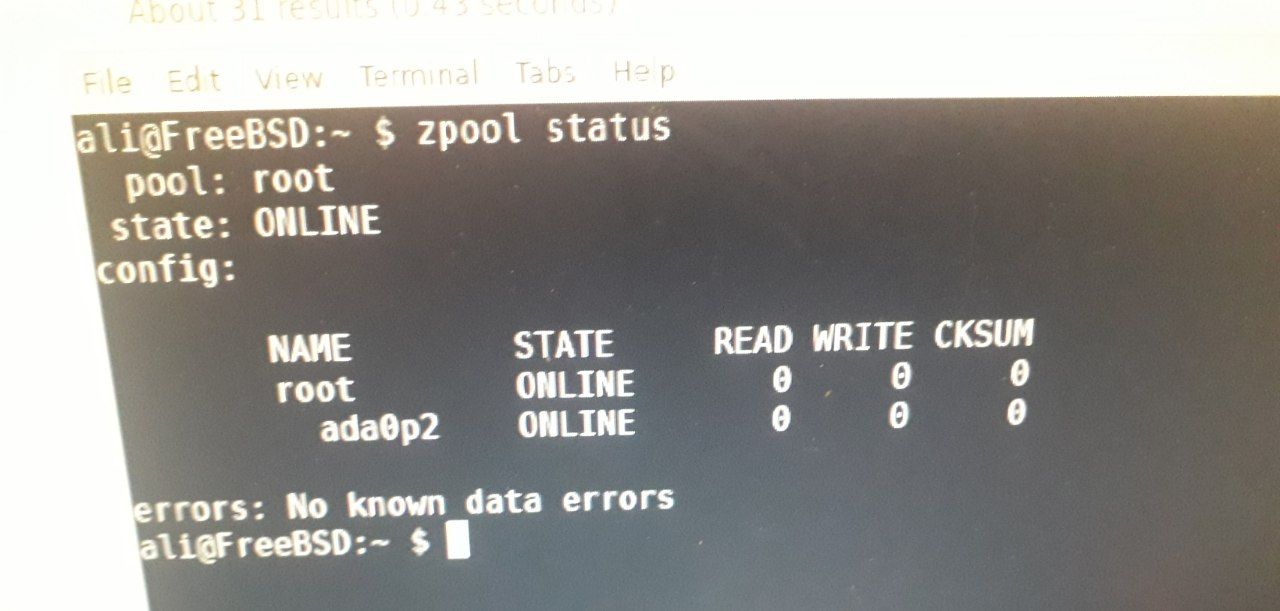 Hardcode
it's healthy
Hardcode
though it's not redundant
Hardcode
you can chack if it's totally healthy by issuing zpool scrub root and waiting til it's done
Anonymous
Hardcode
yup
Hardcode
but what's more important - avoid posting commands into a root console that you don't understand that someone gave you on the internet
Hardcode
like seriously, check it out and read what it does
Hardcode
or one day you will end up wiping your / filesystem
Anonymous
but what's more important - avoid posting commands into a root console that you don't understand that someone gave you on the internet
I usually check the option in man
man zpool
/scrub (/ = search)
zpool-scrub(8)
man zpool-scrub
And then read the essential parts of that man page.