 Anonymous


check if it works
Mark
It still failed
Mark
Unfortunately
 Maitikaonyx
Hello all can we use appimage with Linux emulator?
Thank you for your help
Anonymous
ok i'm in.... warning this is xorg.conf.new in /root. in a VM. xorg is messed, nothing in /etc/X11
Anonymous
Section "ServerLayout"
Identifier "X.org Configured"
Screen 0 "Screen0" 0 0
InputDevice "Mouse0" "CorePointer"
InputDevice "Keyboard0" "CoreKeyboard"
Device "Monitor0"
Device "Card0"
EndSection
Section "Screen" "Default Screen Section" (0)
Identifier "Screen0"
Device "Card0"
Monitor "Monitor0"
DefaultDepth 24
SubSection "Display"
Depth 24
Modes 1280x1240
ViewPort 0 0
EndSubsection
|there more
Anonymous
ection "Files"
ModulePath "/usr/local/lib/xorg/modules"
FontPath "/usr/local/share/fonts/misc/"
FontPath "/usr/local/share/fonts/TTF/"
FontPath "/usr/local/share/fonts/OTF/"
FontPath "/usr/local/share/fonts/Type1/"
FontPath "/usr/local/share/fonts/100dpi/"
FontPath "/usr/local/share/fonts/75dpi/"
FontPath "catalogue:/usr/local/etc/X11/fontpath.d"
EndSection
Section "InputDevice"
Identifier "Keyboard0"
Driver "kbd"
Option "XkbRules" "xorg"
Option "XkbLayout" "us"
EndSection
Anonymous
Section "InputDevice"
Identifier "Mouse0"
Driver "mouse"
Option "Protocol" "auto"
Option "Device" "/dev/sysmouse"
Option "ZAxisMapping" "4 5 6 7"
Option "ChordMiddle"
EndSection
Section "Monitor"
Identifier "Monitor0"
VendorName "Intel HD"
ModelName "Monitor Model"
HorizSync 30-107
VertRefresh 48-120
EndSection
Anonymous
Section "Device"
### Available Driver options are:-
### Values: <i>: integer, <f>: float, <bool>: "True"/"False",
### <string>: "String", <freq>: "<f> Hz/kHz/MHz",
### <percent>: "<f>%"
### [arg]: arg optional
#Option "HWcursor" # [<bool>]
#Option "Xinerama" # [<bool>]
#Option "StaticXinerama" # <str>
#Option "GuiLayout" # <str>
#Option "AddDefaultMode" # [<bool>]
#Option "RenderAccel" # [<bool>]
#Option "DRI" # [<bool>]
#Option "DirectPresents" # [<bool>]
#Option "HWPresents" # [<bool>]
#Option "RenderCheck" # [<bool>]
Identifier "Card0"
Driver "vmware"
BusID "PCI:0:15:0"
Screen 0
EndSection
Anonymous
Section "Screen"
Identifier "Screen0"
Device "Intel Graphics"
Monitor "Monitor0"
SubSection "Display"
Viewport 0 0
Depth 1
EndSubSection
SubSection "Display"
Viewport 0 0
Depth 4
EndSubSection
SubSection "Display"
Viewport 0 0
Depth 8
EndSubSection
SubSection "Display"
Viewport 0 0
Depth 15
EndSubSection
SubSection "Display"
Viewport 0 0
Depth 16
EndSubSection
SubSection "Display"
Viewport 0 0
Depth 24
EndSubSection
Option "metamodes" "CRT: 1280x1240_60 +0+0, CRT: 800x600 +0+0
EndSection
Section "Extensions"
Option "Composite" "enable"
EndSection
Anonymous
this may or may not work for you................ sorry everybody. why does linux NOT have this problem ??
Anonymous
also check to see if you have DISPLAY in env
Mark
What should DISPLAY be set to?
Anonymous
=0.0
Anonymous
fixed ??
Mark
sorry I was delayed
Mark
I'm testing it now
Mark
my laptop kde was getting stuck to fix that created new user profile and I was able to login on my laptop
Mark
didn't work for me unfortunately
 ./pascal.sh
https://youtu.be/PI00wDAvLzg
Andriy
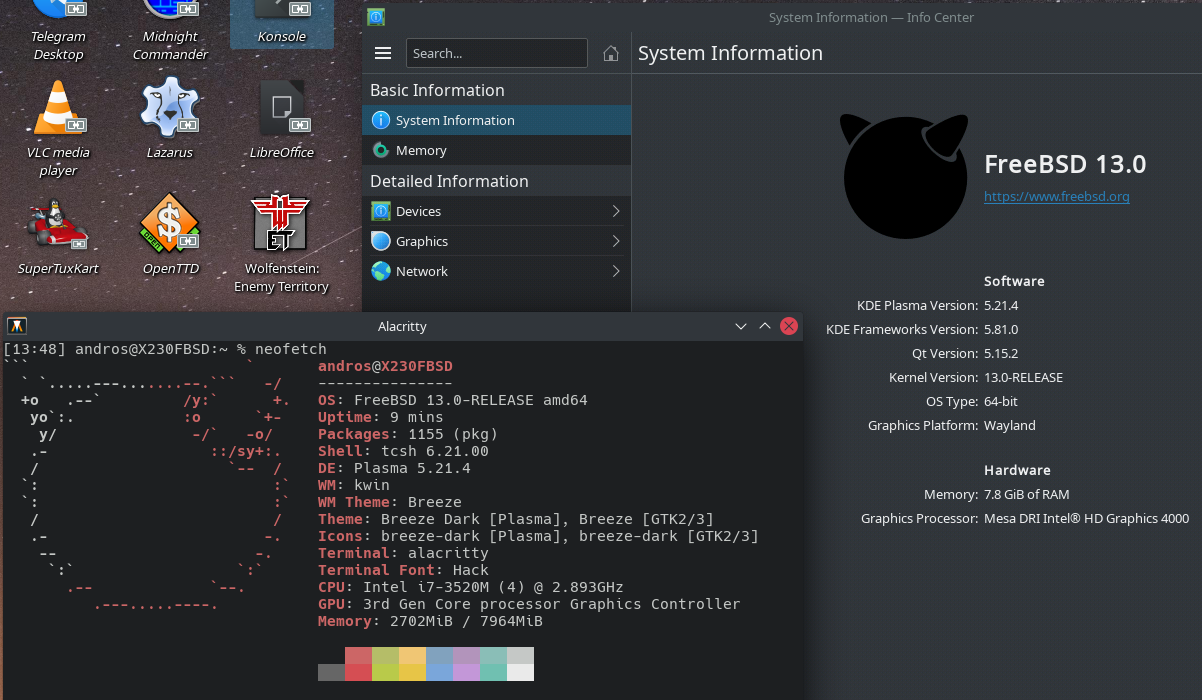
Wayland on FreeBSD with AMDGPU | [bobulate]
https://euroquis.nl/kde/2021/05/01/wayland.html
 Anonymous
has everyone done the upgrade for today ?
Andriy
What should we do for NVIDIA GPU?
Author of the original article replaced it with an amd one.
 Pouria
i seen them(the article i mean).
Mark
I was able to get Raspberry Pi 4 loading Mate desktop using this tutorial
Mark
https://www.youtube.com/watch?v=WuoMPP_178U
Mark
then KDE almost loaded with the following in ~/.xinitrc file
exec ck-launch-session startplasma-x11
Mark
unfortunately KDE Crash Handler loads
Mark
sure
Pouria
i heard when you are installing an OS on Raspberry PI and installation is complete; if you turn off the Raspberry PI and detach the SD Card all of the data's will lost.
Pouria
is it true?
Mark
Your data is on the SD card
Pouria
Thanks man.
Mark
Just tested it ... I pulled the SD card while it was running. System noticed it was gone. Then rebooted and my files are still there.
Mark
not recommended to pull it while its running some risk of data loss
Pouria
Just tested it ... I pulled the SD card while it was running. System noticed it was gone. Then rebooted and my files are still there.
So....
How did you install FreeBSD on Raspberry PI?
with pi-imager tool ?
Mark
Looks like KDE needs to focus some development for it to work on the Raspberry Pi 4 may not have everything needed built for ARM
Mark
for KDE to work
Mark
issue with OpenCV not built for ARM
Mark
the video link I shared he demonstrated multiple desktop tools mate, xfce, icewm, afterstep and said gnome3 might work
Mark
I'm installing gnome3 to see how it goes
Mark
gnome3 goes to a blank screen with a mouse that can move around
Mark
lol
 Joseph
good afternoon group, I wanted to ask if freebsd can be installed on a VIT brand laptop with an intel i5 processor and 8GB RAM
Joseph
ah another question can freebsd keep your systems with ports and binaries together?
Joseph
or you should install ports only and you start that way or binaries if you started installing binaries
Joseph
what do you use with freebsd DE or WM
Joseph
what is CLI, explain to me is it just tty?
Joseph
I want to install kde plasma in freebsd but I'm not sure if freebsd will recognize the hardware
Joseph
right now I'm with gentoo
Anonymous
Hi guys✌🏻anybody use i3 on FREEbsd? I have some user question
Andriy
I want to install kde plasma in freebsd but I'm not sure if freebsd will recognize the hardware
Try it and share your experience with community 😉
Anonymous
Ок
Anonymous
Im noob in bsd, its my first step! Im install bsd on my vm, after that i install i3 and some depends, create new .xinitrc file like a linux, but after startx my machine was blocked 🤷🏼♂️ i dont understand wats prob
Andriy
Im noob in bsd, its my first step! Im install bsd on my vm, after that i install i3 and some depends, create new .xinitrc file like a linux, but after startx my machine was blocked 🤷🏼♂️ i dont understand wats prob
Why use vm? Take usb stick and install fbsd on to it, on bare hardware it feels much better 😉
Anonymous
Why use vm? Take usb stick and install fbsd on to it, on bare hardware it feels much better 😉
Its my first step 🤷🏼♂️ am test it
Andriy
Im noob in bsd, its my first step! Im install bsd on my vm, after that i install i3 and some depends, create new .xinitrc file like a linux, but after startx my machine was blocked 🤷🏼♂️ i dont understand wats prob
The best docs for beginners is https://docs.freebsd.org/en/books/handbook/x11/
If you following it and nothing works it's because of VM 😉
Anonymous
 kub-kun
Hi c :
 siduck
hi c:
Joseph
Hi
 vipul
vipul
iH
 Z
Z
Ciao
Maitikaonyx
Hello guys I n ed your help
Maitikaonyx
I'm looking for one freebsd application, on linux and windows then macos it's deezloader remix, before we can find same on unix it's called deemix, but now i can't find it anymore if someone can help me please
Thank you in advance
 ɴꙩᴍᴀᴅ
ɴꙩᴍᴀᴅ
ɴꙩᴍᴀᴅ
ɴꙩᴍᴀᴅ
Just pip install deemix I guess
Rafa
I want to install kde plasma in freebsd but I'm not sure if freebsd will recognize the hardware
What hardware do you have? Mainly the GPU. Short answer would be: it should.