 Рома
Рома


1030 gt, да
 Anonymous
я старательно гуглил и читал
Anonymous
но видимо хуевато читал
 PCLG
PCLG
http://www.rampagedev.com/guides/nvidia-graphics/
Anonymous
http://www.rampagedev.com/guides/nvidia-graphics/
https://www.tonymacx86.com/threads/black-screen-with-macpro-6-1-or-imac-15-or-imac-17-system-definition.183113/
Anonymous
вот решение мое
 Alexander
Anonymous
PCLG
Alexander
Anonymous
PCLG
Install the Lilu.kext & NvidiaGraphicsFixup.kext in /Volumes/EFI/EFI/CLOVER/kexts/Other. It says it's for MacPro6,1 but omrij confirms it works for iMac15 and pastrychef confirms it works for the iMac 17 board IDs as well.
My last easy solution is a AppleScript app (AGDPfix.app) that patches the OEM kext's info.plist via shell scripts. OS X updates usually cause the kext to be overwritten/updated so the app must be run again after updating OS X, but it's a lot easier than manually patching the info.plist every time. I originally created v1.0 for MacPro6,1 only but have now updated it to v1.1 for use with iMac15/17 sys defs as well. Feel free to download and use the app attached below. NOTE: You will need to use the boot argument kext-dev-mode=1 for 10.10 Yosemite, disable SIP or use kext-dev-mode in 10.11 El Capitan and 10.12 Sierra.
My preferred method. For those of you using MacPro6,1 and willing to get a little more geeky, assigning the name GFX1 to your GPU in your ACPI tables (DSDT or SSDT) will also work without the need to patch any kexts and you won't need to worry about re-patching anything after OS X updates unless Apple changes the device policy again (credit : dgsga and furter).
Alexander
Первый абзац👍
Anonymous
Починил звук, вообщем
Anonymous
Начну писать гайд
Anonymous
Кстати
Anonymous
новый кловер
Anonymous
после установки
Anonymous
теперь автоматом ЕФИ маунтит
PCLG
#manual https://www.tonymacx86.com/threads/ssdt-gpu-graphics-card-injection.183354/
PCLG
#manual https://www.tonymacx86.com/threads/guide-using-clover-to-hotpatch-acpi.200137/
PCLG
#manual
Table of Contents:
Problem 1: Computer not supported error during install
Problem 2: This version OS X is not supported during install
Problem 3: Install the web drivers without the NVIDIA GPU installed
Problem 4: Black screen when using iMac15,1 or iMac17,1 or MacPro 6,1 system definition
Problem 5: Updated OS X and new drivers aren't available yet
Problem 6: No native NVRAM support to remember driver selection
https://www.tonymacx86.com/threads/solving-nvidia-driver-install-loading-problems.161256/
Anonymous
Первый абзац👍
SIP в каком отсеке прописывается помнишь на память, я по книжке быстрее найду( ну если помнишь)
Alexander
Rtvariables
Anonymous
страница 77
Anonymous
^^
PCLG
#manual
Table of Contents:
Problem 1: Computer not supported error during install
Problem 2: This version OS X is not supported during install
Problem 3: Install the web drivers without the NVIDIA GPU installed
Problem 4: Black screen when using iMac15,1 or iMac17,1 or MacPro 6,1 system definition
Problem 5: Updated OS X and new drivers aren't available yet
Problem 6: No native NVRAM support to remember driver selection
https://www.tonymacx86.com/threads/solving-nvidia-driver-install-loading-problems.161256/
тут решение для https://www.tonymacx86.com/attachments/screen-20shot-202016-07-05-20at-2010-38-12-20pm_zpssmiirg1d-png.268543/
Anonymous
тут решение для https://www.tonymacx86.com/attachments/screen-20shot-202016-07-05-20at-2010-38-12-20pm_zpssmiirg1d-png.268543/
друг решил эту фигню установкой другого драйвера
Anonymous
 Anonymous
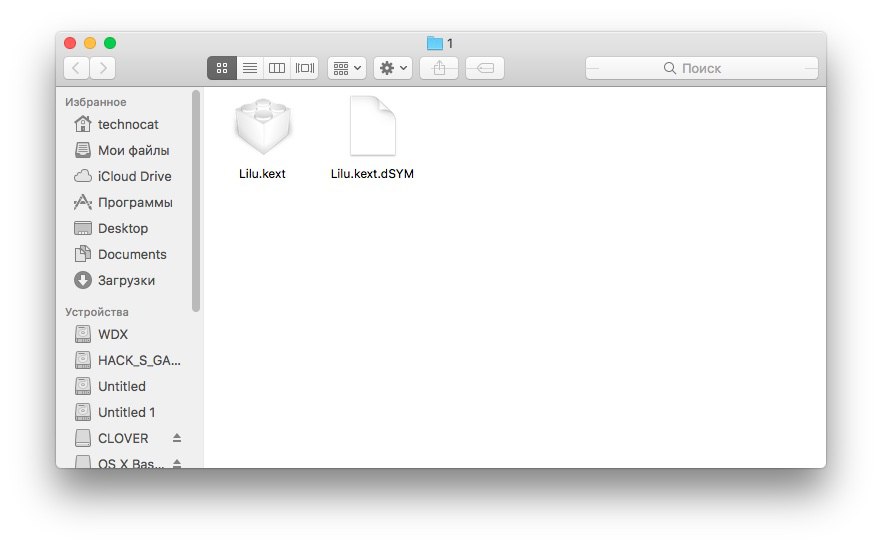
что это в архиве с лилу?
Alexander
/extra
PCLG
#extra nvidia-black-screen "Black Screen" issue, please read this post first: https://www.tonymacx86.com/threads/black-screen-with-macpro-6-1-or-imac-15-or-imac-17-system-definition.183113/
Anonymous
вот так юзать
Alexander
Не я хотел все экстры посмотреть
Anonymous
/extra #nvidia_fix nvidia-black-screen "Black Screen" issue, please read this post first: https://www.tonymacx86.com/threads/black-screen-with-macpro-6-1-or-imac-15-or-imac-17-system-definition.183113/
Anonymous
во
Anonymous
вот так
PCLG
/extra list
Anonymous
#nvidia_fix
Anonymous
#wifi
Alexander
#hcl
Alexander
Старье же
Anonymous
забываешь тег #
PCLG
точно
Anonymous
extra # *текст*
Anonymous
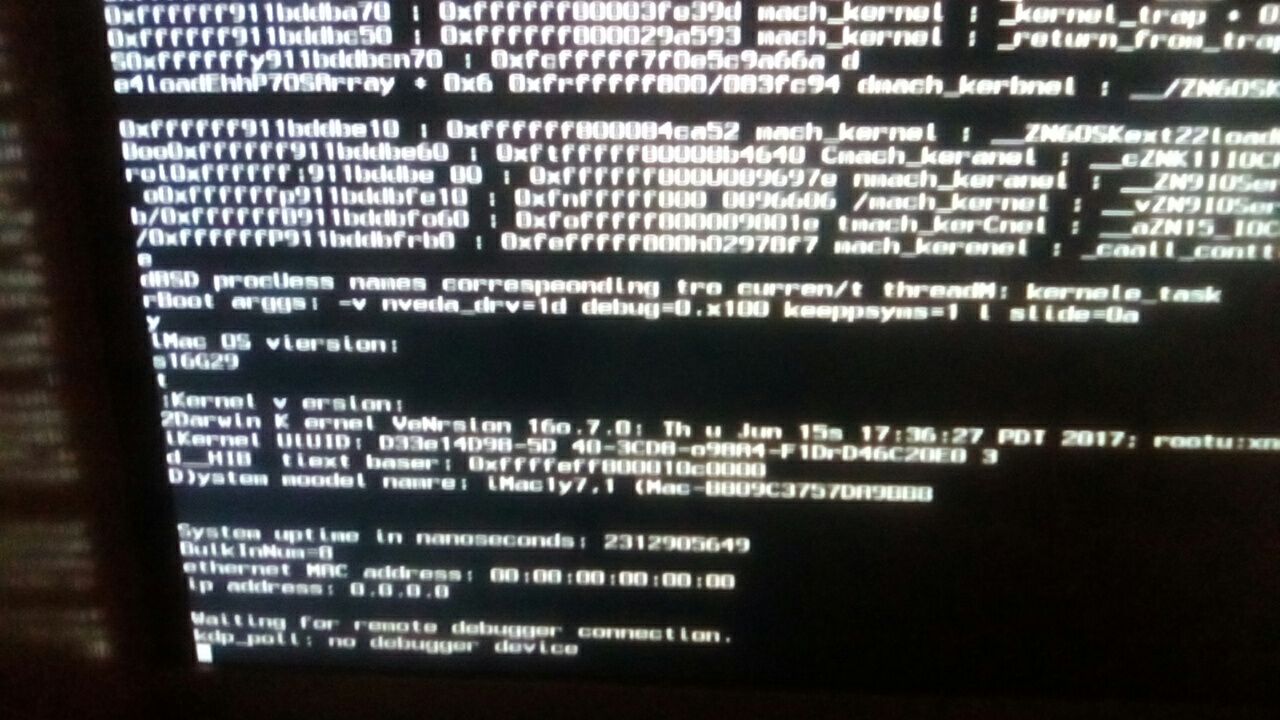
Положил прописал-запуская-система начинает запускаться, и потом комп перезагружается
Alexander
-v
Anonymous
Что то не так сделал?
Anonymous
Ptime in nanosec
Anonymous
Последняя строчка
Alexander
Фоткай
Alexander
Дебаг и кипсимс
Anonymous
debug=0x100 keepsyms=1
Anonymous
вот так
Anonymous
Это Бут аргументы?
Anonymous
да
PCLG
/extra #bdu_magnet_link http://xn--80agpnh5a.tk/#magnet:?dn=BDU_OSX_DISTR&xt=urn:btih:64125b9f1387632e1b35b8da27eba422f9821d43
Anonymous
 PCLG
PCLG
наверное, а как туда писать ? Акк регать ?
Anonymous
 Anonymous
Видно?
Anonymous
Или перефоткать?
PCLG
это после Lilu.kext & NvidiaGraphicsFixup.kext ?
Anonymous
Ну и сип выключил
Anonymous
Я думаю, стоит повешать лицензию на репу
Anonymous
GNU GPL или MIT
Alexander
Удали отнер
Alexander
Угадай