Antoshka
app.use(function (req, res, next) {
res.setHeader('Access-Control-Allow-Origin', 'https://clientside/');
res.setHeader('Access-Control-Allow-Methods', 'GET, POST, OPTIONS, PUT, PATCH, DELETE');
res.setHeader('Access-Control-Allow-Headers', 'X-Requested-With,content-type');
res.setHeader('Access-Control-Allow-Credentials', true);
/
next();
});
 Make
Вопрос по Linux Mint, мало ли кто знает ответ.
Всем привет. Коллеги, такой вопрос: PyCharm в Mint доступен только в виде Flatpack-пакета. Беда в том, что он имеет изолированную среду, это фишка данных пакетов, из-за чего установка того же zsh превращается в гребанный ад с атрибутом запуска --classic. Но не это самое страшное, а то, что тот же Black для форматирования кода просто напросто не работает, потому-что он не может обращаться к службе blackd вне изолированной среды.
Возможно ли установить pyCharm каким-то другим способом тут, кроме загрузки архива с ним из официального сайта и запуска pyCharm.sh в ручную? Спасибо.
 sunchela


#include <gl/glut.h>
GLint winWidth = 600, winHeight = 400;
GLint posX, posY = 20;
GLint letter = 0;
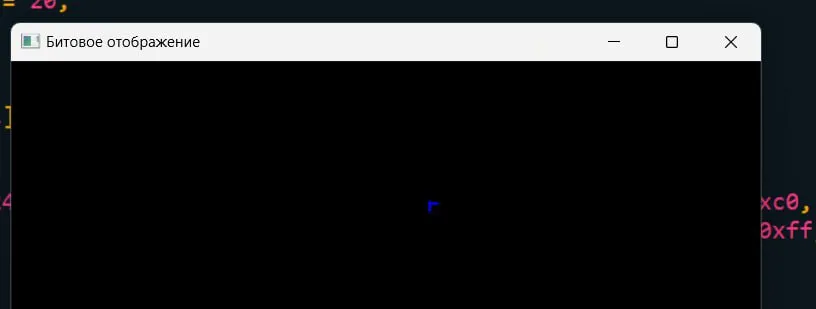
GLubyte bukva_A[1] = {0x41};
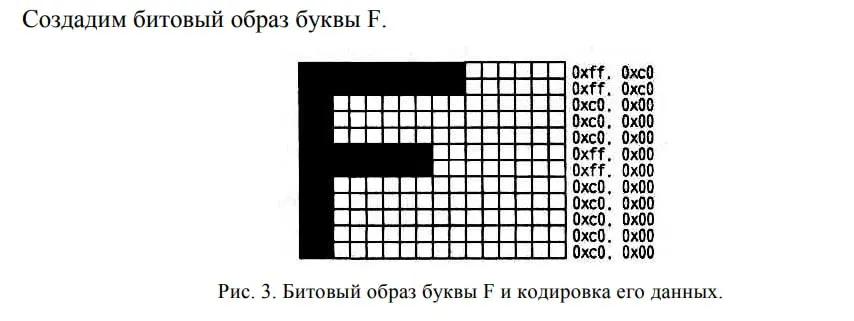
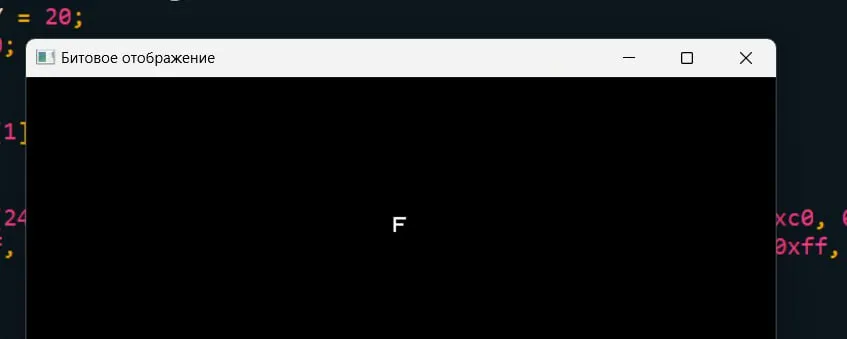
GLubyte bukva_F[24] = {0xc0, 0x00, 0xc0, 0x00, 0xc0, 0x00, 0xc0, 0x00, 0xc0, 0x00,
0xff, 0x00, 0xff, 0x00, 0xc0, 0x00, 0xc0, 0x00, 0xc0, 0x00, 0xff, 0xc0, 0xff, 0xc0};
void init(void)
{
glShadeModel(GL_FLAT);
glPixelStorei (GL_UNPACK_ALIGNMENT, 1);
glClearColor(0.0, 0.0, 0.0, 0.0);
}
void display(void)
{
glClear(GL_COLOR_BUFFER_BIT);
if(letter == 1)
{
glColor3f(0.0, 0.0, 1.0);
glRasterPos2i (posX, posY);
glBitmap (9, 10, 0.0, 0.0, 20.0, 0.0, bukva_A);
}
if(letter == 2)
{
glColor3f(1.0, 1.0, 1.0);
glRasterPos2i (posX, posY);
glBitmap(10, 12, 0.0, 0.0, 11.0, 0.0, bukva_F);
}
glColor3f(1.0, 1.0, 0.0);
int text1[] = {78, 65, 77, 69};
glRasterPos2i (20, 90);
for (int k = 0; k < 4; k++)
glutBitmapCharacter (GLUT_BITMAP_TIMES_ROMAN_24, text1 [k]);
glColor3f(1.0, 0.0, 0.0);
int text2[] = {78, 65, 77, 69};
glRasterPos2i (250, 90);
for (int k = 0; k < 4; k++)
glutBitmapCharacter (GLUT_BITMAP_HELVETICA_18, text2 [k]);
glColor3f(0.0, 1.0, 0.0);
int text3[] = {78, 65, 77, 69};
glRasterPos2i (400, 90);
for (int k = 0; k < 4; k++)
glutBitmapCharacter (GLUT_BITMAP_9_BY_15, text3 [k]);
glFlush();
}
void reshape(int w, int h)
{
glViewport(0, 0, w, h);
glMatrixMode(GL_PROJECTION);
glLoadIdentity();
gluOrtho2D(0.0, (GLfloat) w, 0.0, (GLfloat) h);
glMatrixMode(GL_MODELVIEW);
glLoadIdentity();
}
void keyboard(unsigned char key, int x, int y)
{
switch(key)
{
case 's':
letter = 1;
glutPostRedisplay();
break;
case 'S':
letter = 1;
glutPostRedisplay();
break;
case 'f':
letter = 2;
glutPostRedisplay();
break;
case 'F':
letter = 2;
glutPostRedisplay();
break;
default:
break;
}
}
void mouseboard(GLint button, GLint action, GLint xMouse, GLint yMouse)
{
if (button == GLUT_LEFT_BUTTON)
{
posX = xMouse;
posY = winHeight - yMouse;
glutPostRedisplay();
}
}
int main(int argc, char** argv)
{
glutInit(&argc, argv);
glutInitDisplayMode (GLUT_SINGLE | GLUT_RGB);
glutInitWindowSize (winWidth, winHeight);
glutInitWindowPosition (450, 200);
glutCreateWindow("Битовое отображение");
init();
glutDisplayFunc(display);
glutReshapeFunc(reshape);
glutKeyboardFunc(keyboard);
glutMouseFunc(mouseboard);
glutMainLoop();
return 0;
}
 Сидредин
 Дмитрий
 Igor
 Mikhail
 Максим
 Azamat
 misn
 undefined

 Chan
 Oleg


 Viktor