Or not 😂
😂😂😂
 linuxer


 Anonymous
RTFM 😂😂😂
linuxer
RTFM 😂😂😂
yup, will become another PEBCAK case, otherwise 😂😂😂
Anonymous
bleachbit for those ya can't read
Anonymous
@n0madcoder why are there two EFI binaries on the freebsd efi partition?
boot/bootx64.efi
freebsd/loader.efi
they even have the same hash
385c086baf9301294bd4033d819879ae5763dec2abcbecf4fc759c0fbb1b6207a7d84330dccf003d6eb4846845c55c5c03503c5d423175a49290f41990e76b3e boot/bootx64.efi
385c086baf9301294bd4033d819879ae5763dec2abcbecf4fc759c0fbb1b6207a7d84330dccf003d6eb4846845c55c5c03503c5d423175a49290f41990e76b3e freebsd/loader.efi
 ɴꙩᴍᴀᴅ
ɴꙩᴍᴀᴅ
@n0madcoder why are there two EFI binaries on the freebsd efi partition?
boot/bootx64.efi
freebsd/loader.efi
they even have the same hash
385c086baf9301294bd4033d819879ae5763dec2abcbecf4fc759c0fbb1b6207a7d84330dccf003d6eb4846845c55c5c03503c5d423175a49290f41990e76b3e boot/bootx64.efi
385c086baf9301294bd4033d819879ae5763dec2abcbecf4fc759c0fbb1b6207a7d84330dccf003d6eb4846845c55c5c03503c5d423175a49290f41990e76b3e freebsd/loader.efi
Take a look at uefi(8) description
https://www.freebsd.org/cgi/man.cgi?query=uefi&apropos=0&sektion=8&manpath=FreeBSD+13.0-RELEASE+and+Ports&arch=default&format=html
It may help solving the doubt. To be honest, these are the kind of things I didn't realize until someone asks about them (:
 AMIR
AMIR
Take a look at uefi(8) description
https://www.freebsd.org/cgi/man.cgi?query=uefi&apropos=0&sektion=8&manpath=FreeBSD+13.0-RELEASE+and+Ports&arch=default&format=html
It may help solving the doubt. To be honest, these are the kind of things I didn't realize until someone asks about them (:
still no supports for 32bit csm efi
 Candy
Candy
@n0madcoder why are there two EFI binaries on the freebsd efi partition?
boot/bootx64.efi
freebsd/loader.efi
they even have the same hash
385c086baf9301294bd4033d819879ae5763dec2abcbecf4fc759c0fbb1b6207a7d84330dccf003d6eb4846845c55c5c03503c5d423175a49290f41990e76b3e boot/bootx64.efi
385c086baf9301294bd4033d819879ae5763dec2abcbecf4fc759c0fbb1b6207a7d84330dccf003d6eb4846845c55c5c03503c5d423175a49290f41990e76b3e freebsd/loader.efi
You only really need one, but having bootx64 serves as a fallback that your motherboard will load from if its boot configuration gets reset and it will boot from that default path on the ESP on that disk.
For booting multiple operating systems, you could have multiple efi binaries like the windows loader, GRUB, a Linux efistub kernel, all in there own separate paths alongside FreeBSD's loader.efi, and switch between them with your motherboard's built in boot menu
Anonymous
You only really need one, but having bootx64 serves as a fallback that your motherboard will load from if its boot configuration gets reset and it will boot from that default path on the ESP on that disk.
For booting multiple operating systems, you could have multiple efi binaries like the windows loader, GRUB, a Linux efistub kernel, all in there own separate paths alongside FreeBSD's loader.efi, and switch between them with your motherboard's built in boot menu
yeah I suspected it was some sort of "backup plan".
so wait, you only need one efi partition? I thought every OS needed its own
 Pouria
 Krond
Krond
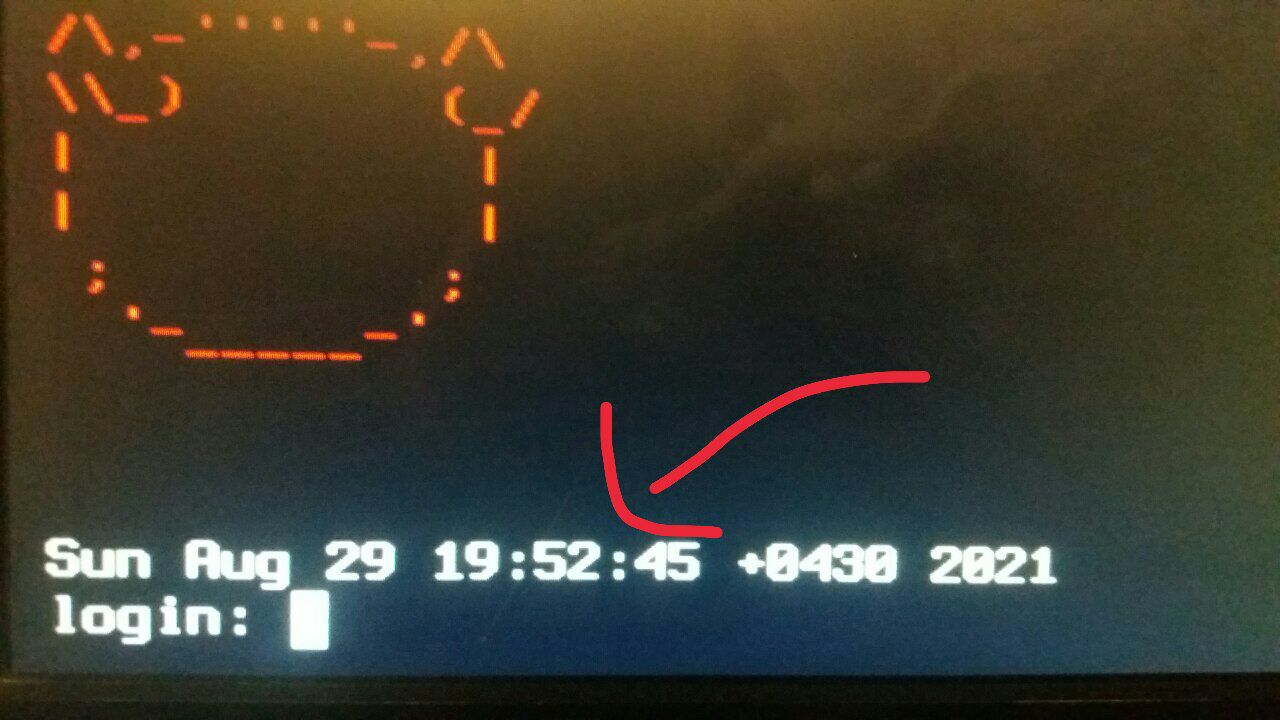
I guess it's part of RC.d
Krond
/etc/rc:151
Krond
End of file.
 Carl
Fabian
Carl
Fabian
Hello, freeBSD community.
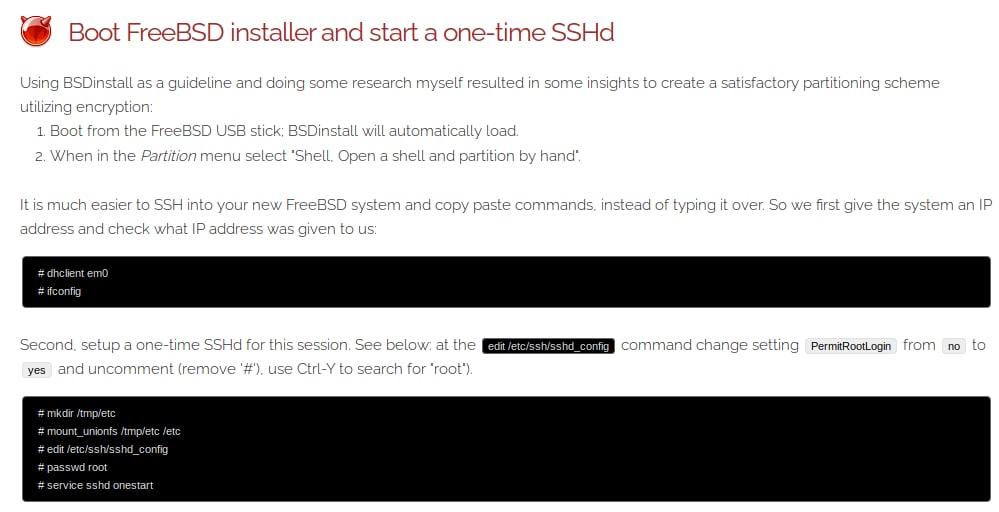
I got stuck with the installation. it concerns especially the LVM installation, maybe someone can give advice.
I have mounted a freeBSD USB stick on the computer and started the installation routine.
When setting up the partitions on the hard drive, I should use the shell command line sshd_config to change and save. Whenever I want to save it, I get the error ERROR ... red only file system. It doesn't matter whether with vi or edit.
Fabian
And with su or roor, same error.
 i686
i686
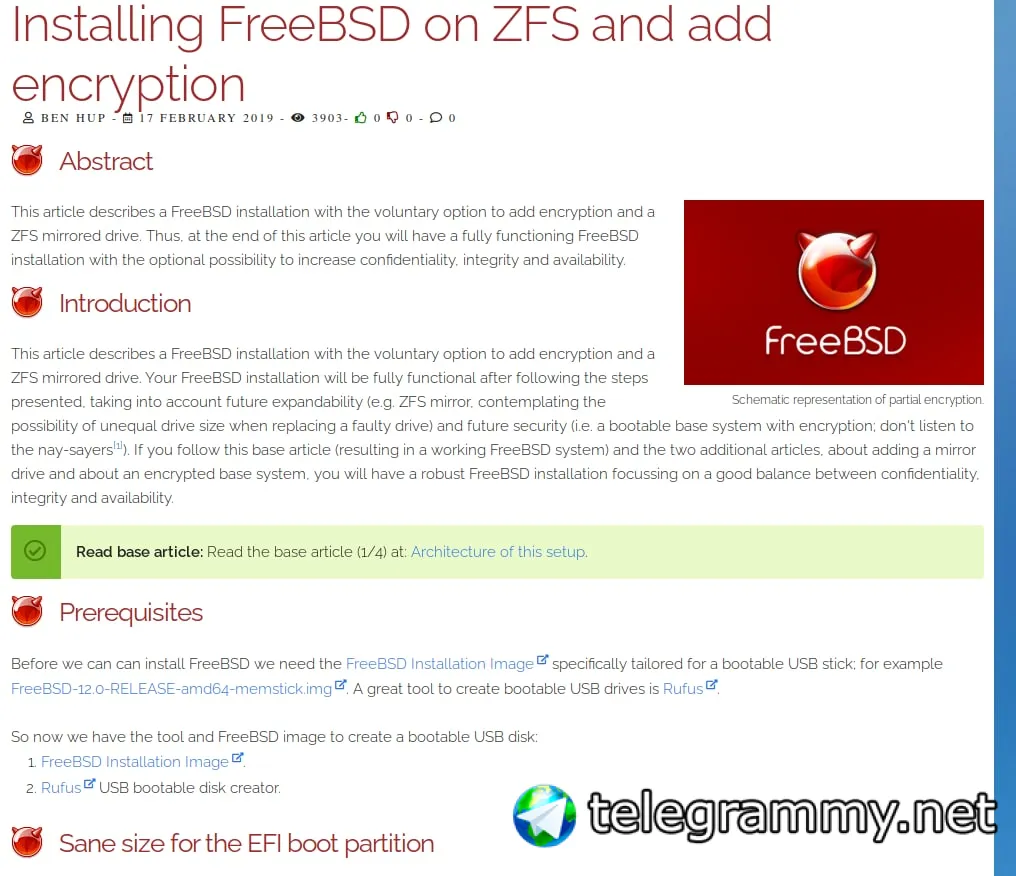
I don't see where you need to use ssh to perform disk partitioning... makes no sense, no partitions, no system, no services... would you be able to provide a screenshot?
Fabian
yes, wait. A screenshot from the installguide
Fabian
 Fabian
 ɴꙩᴍᴀᴅ
ɴꙩᴍᴀᴅ
But that's not the official handbook, is it?
Fabian
Ohh, i dont no
Fabian
know
ɴꙩᴍᴀᴅ
I mean, steps may be similar but often blogs get outdated through time
ɴꙩᴍᴀᴅ
https://docs.freebsd.org/en/books/handbook/bsdinstall/
Fabian
But no lvm encryption.
Fabian
I'm used to working with encryption because it feels more secure.
i686
Agreed, 99.9% of the time you'll just suspend your machine, so hot content is decrypted. 0.1% of the time you'll have your computer completely shutdown with cold data encrypted
i686
Anyhow, regarding the install, I don't think you're in the right path
i686
Go straight to official doc @n0madcoder pasted here
K
Native ZFS encryption does not AFAIK
K
Yes modern ones
AMIR
what's wrong?
ɴꙩᴍᴀᴅ
What happened?
ɴꙩᴍᴀᴅ
👌
 D.M
D.M
Hello, What is the correct way to mount the usb flash or hard disk? Always with the same system utilities
ɴꙩᴍᴀᴅ
Anonymous
Hi, I want to use FreeBSD but I have some questions in my mind.
1. Can a desktop environment be installed on FreeBSD? If GNOME and KDE can be installed, how does it perform compared to Linux distributions?
2. I read in some old articles that FreeBSD's kernel is better than Linux. How is the current situation? How do Linux and FreeBSD compare?
 вадим
вадим
Hi, I want to use FreeBSD but I have some questions in my mind.
1. Can a desktop environment be installed on FreeBSD? If GNOME and KDE can be installed, how does it perform compared to Linux distributions?
2. I read in some old articles that FreeBSD's kernel is better than Linux. How is the current situation? How do Linux and FreeBSD compare?
Question 1:
https://freebsdfoundation.org/freebsd-project/resources/installing-a-desktop-environment-on-freebsd/
2. I think it's better you install it and get your own opinion.
Anonymous
Hi, I want to use FreeBSD but I have some questions in my mind.
1. Can a desktop environment be installed on FreeBSD? If GNOME and KDE can be installed, how does it perform compared to Linux distributions?
2. I read in some old articles that FreeBSD's kernel is better than Linux. How is the current situation? How do Linux and FreeBSD compare?
1- yes, but how it will compare to Linux will depend on a lot of factors, mostly your own hardware
2- that's a tough question to answer, and I think only you can answer it yourself
To my knowledge both kernels are written in C, so the quality heavily depends on how good the kernel devs are
Also freebsd uses clang for kernel compilation, while Linux uses GCC as the default
Anonymous
1- yes, but how it will compare to Linux will depend on a lot of factors, mostly your own hardware
2- that's a tough question to answer, and I think only you can answer it yourself
To my knowledge both kernels are written in C, so the quality heavily depends on how good the kernel devs are
Also freebsd uses clang for kernel compilation, while Linux uses GCC as the default
They say clang is better than GCC, although I haven't actually seen it myself
On the other hand GCC has a lot of extensions built into it and has had many years of support and development behind it
Anonymous
Thank you for replies. 🙏🙏
 Joe
Joe
No
 Shri
Shri
FreeBSD is a full system from bootldr to editing files. just finance is a constraint otherwise bsd is on right path.
вадим
FreeBSD is a full system from bootldr to editing files. just finance is a constraint otherwise bsd is on right path.
U mean Linux has alot money than BSD, right?🤔
ɴꙩᴍᴀᴅ
Please move this to the OT room, thanks
Anonymous
What do you mean by "mess" ?
вадим
 Anonymous
вадим
Anonymous
вадим
kdevelop you can use pkg search to find coding apps
I firstly need to install desktop environment i think
i686
go straight to 'first steps' guide in the official website
Anonymous
is running periodic daily, weekly, monthly still a "thing" after a new install ?
Shri
вадим
go straight to 'first steps' guide in the official website
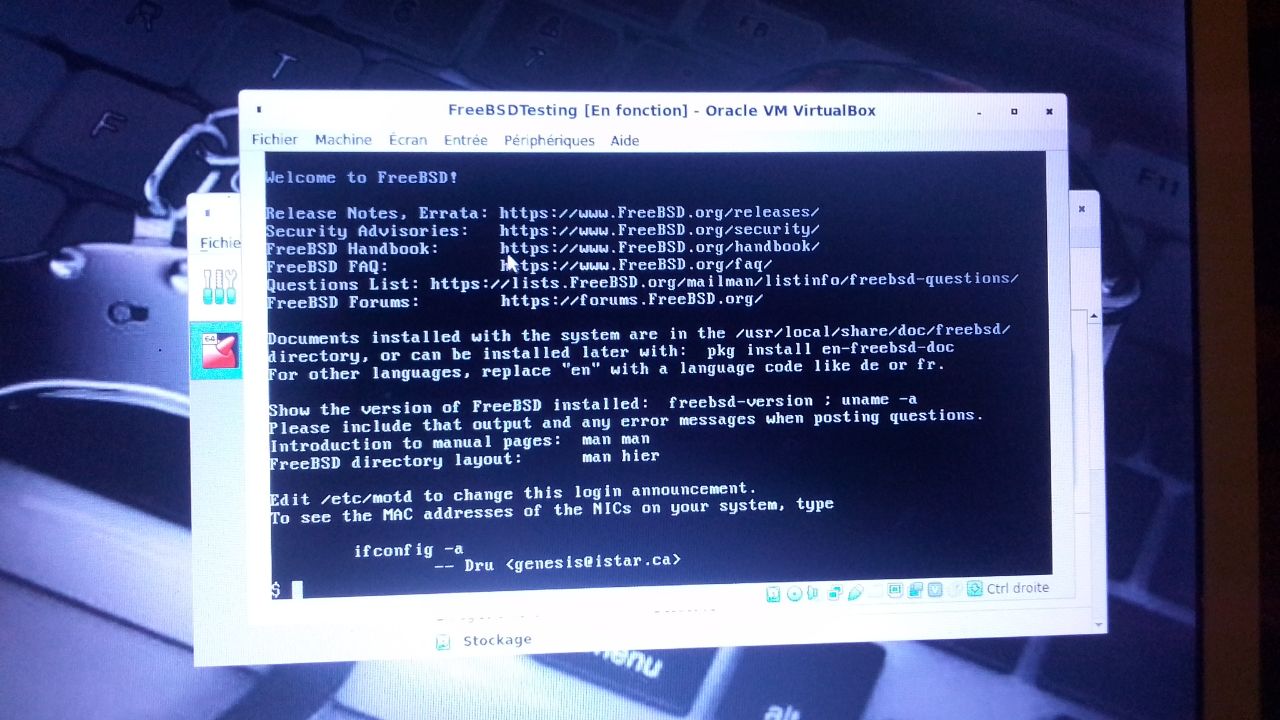
https://docs.freebsd.org/fr/books/handbook/x11/
вадим
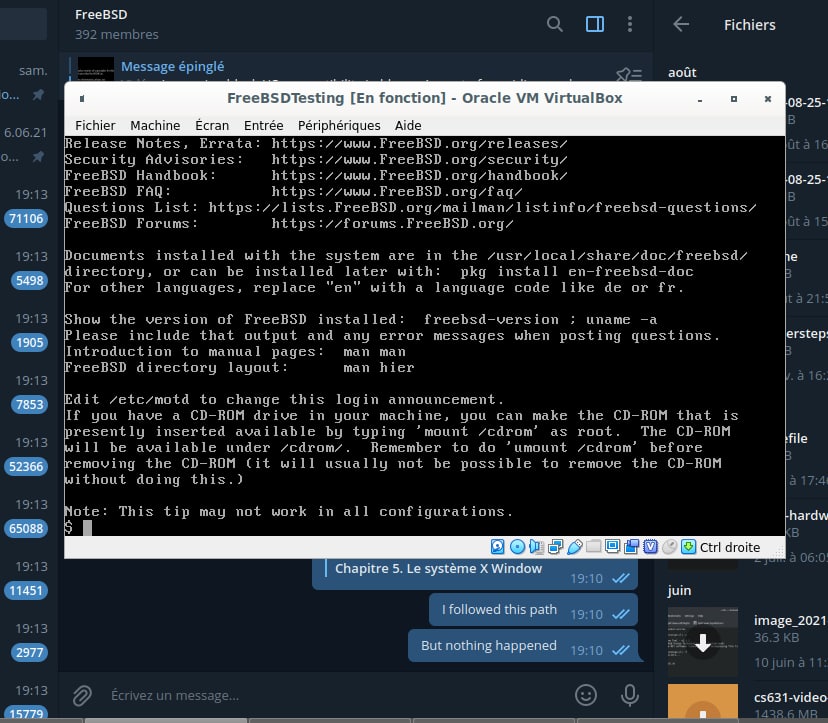
I followed this path
вадим
But nothing happened
вадим
go straight to 'first steps' guide in the official website
 ɴꙩᴍᴀᴅ
ɴꙩᴍᴀᴅ
 вадим
вадим
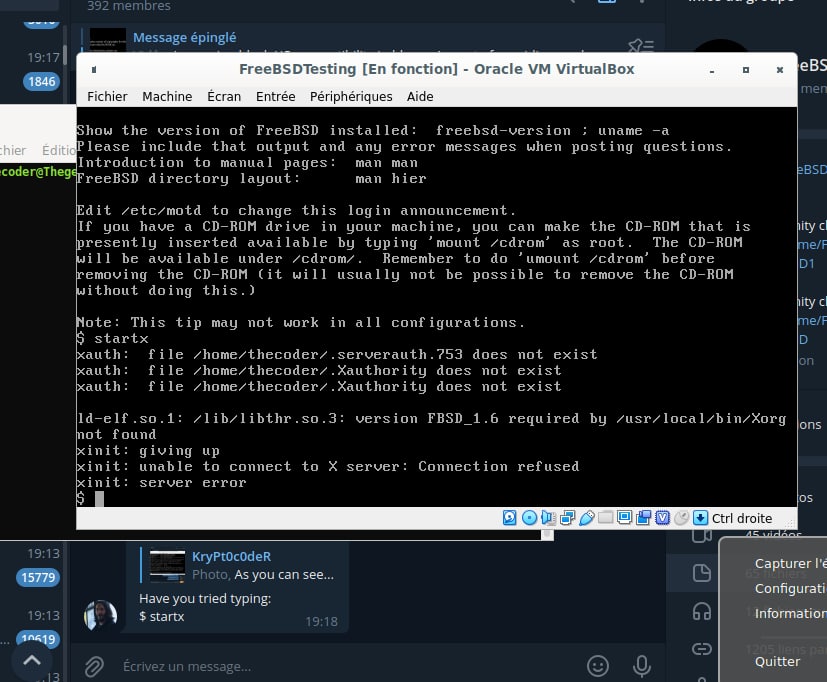
From the guide I shared:
X11 required pkgs
To get a minimal working X11 environment we need to install the following pkgs:
# pkg install doas xorg-minimal xrdb xsetroot xclip devcpu-data mesa-libs xrandr xfontsel mesa-dri xsetroot
Check those are installed (:
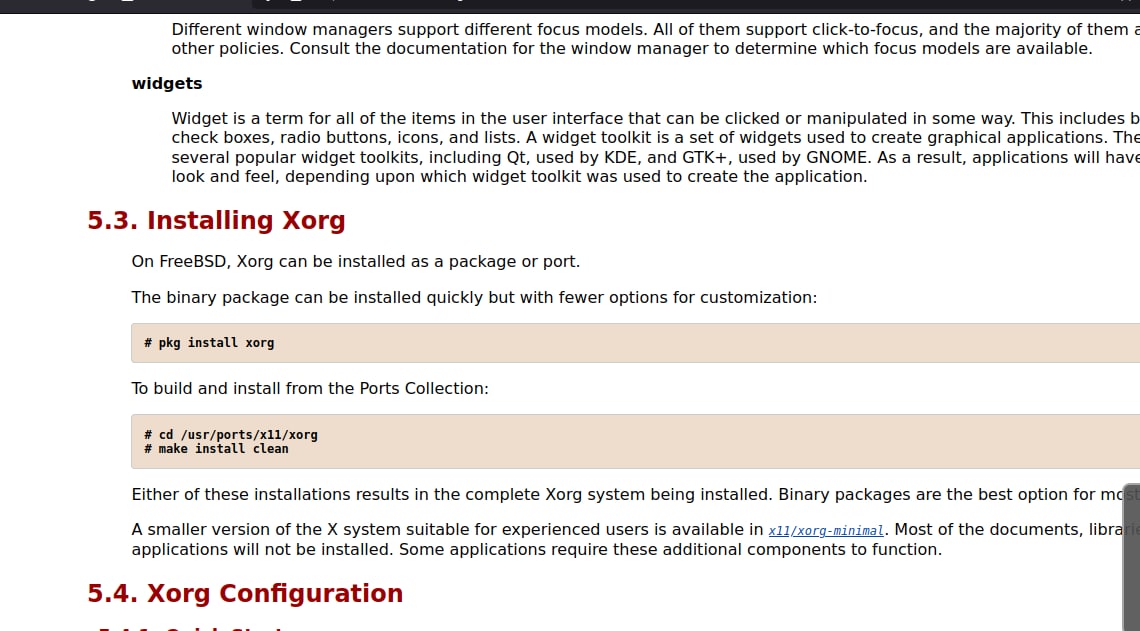
I used this instead and it took time to install many stuffs
вадим
 вадим
вадим
I meant this
ɴꙩᴍᴀᴅ
ɴꙩᴍᴀᴅ
Try installing xfce4 or kde
вадим
Try installing xfce4 or kde
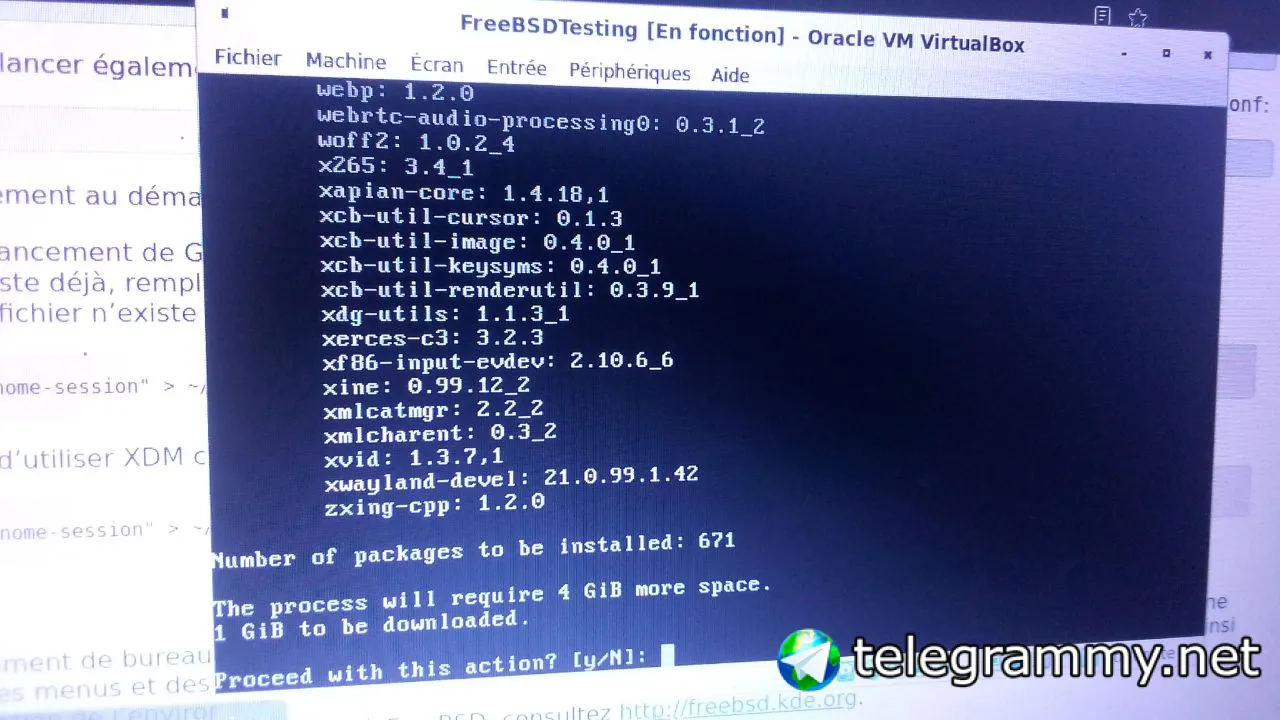 ɴꙩᴍᴀᴅ
ɴꙩᴍᴀᴅ
ɴꙩᴍᴀᴅ
ɴꙩᴍᴀᴅ
Although if you already have Gnome, try launching it
Pouria
From the guide I shared:
X11 required pkgs
To get a minimal working X11 environment we need to install the following pkgs:
# pkg install doas xorg-minimal xrdb xsetroot xclip devcpu-data mesa-libs xrandr xfontsel mesa-dri xsetroot
Check those are installed (:
How did you find these packages for a "minimal workin X11 environment" ?