 Alexander


Then someone will say "I accidentally turned off my computer and lost all my changes for the last 3 hours"
 Lucky
Lucky
a) That’s how computer worked since invention.
Lucky
b)
I think auto save isn’t a bad idea, for I.e. browser crashes.
But it should be stored separate.
Maybe when you open the diagram it coud be like
„Hey we found an unsaved version laying around, wanna load that instead? [Yes] [No] [No, Delete]“
Lucky
Basically like the snapshots are
https://editor.ponyorm.com/user/luckydonald/r2tg/snapshots/69/
It could be
https://editor.ponyorm.com/user/luckydonald/r2tg/autosave/
Lucky
That autosave would automatically be overwritten on changes, but not your primary version.
Lucky
 Lucky
Lucky
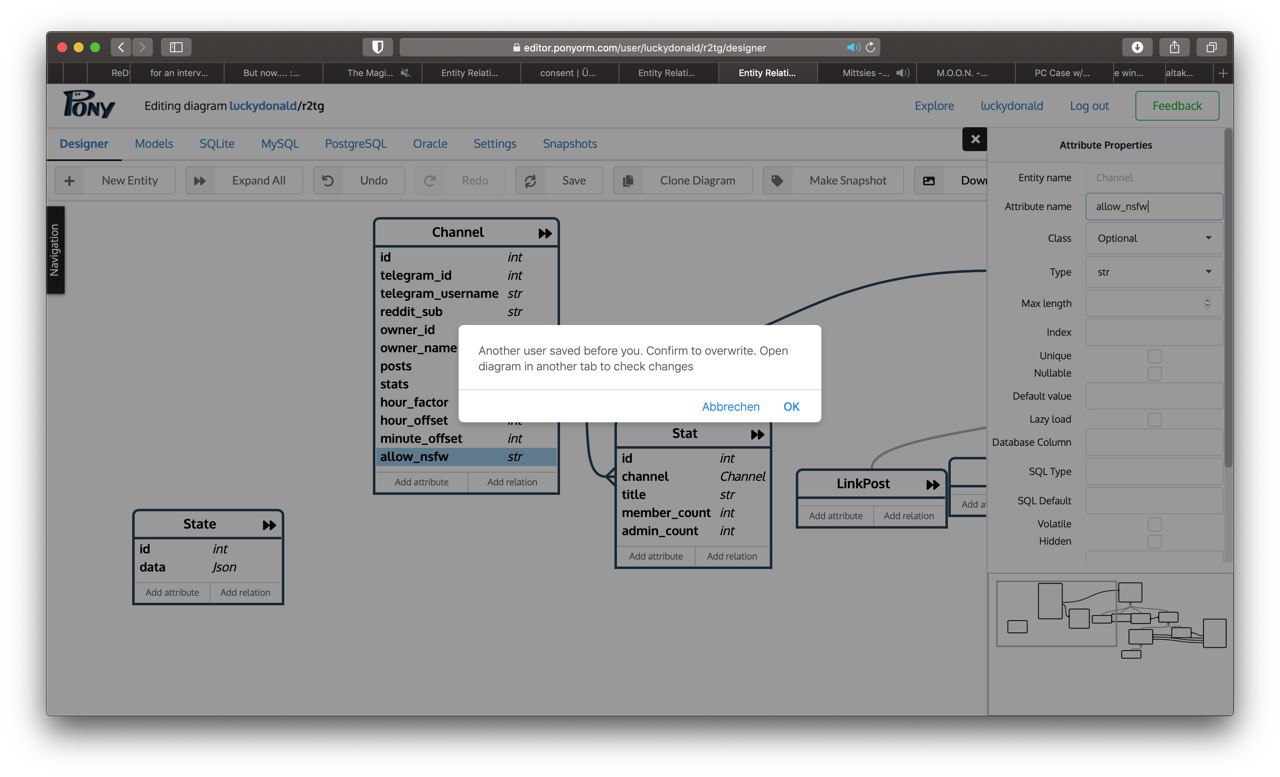
I didn’t noticed it saved that, does undo work when I closed the tab?
Alexander
Probably not, but maybe we should implement that
Alexander
> Also, this happens way to often.
Do you edit from two different tabs?
Lucky
But both could be prevented with an autosave file
Lucky
Also currently scrolling is broken in the side pannel
Alexander
Later we want to add collaborative editing, like in Google Docs, where two person can change the same diagram simultaneously. Because of this, I think we should autosave changes to the last version of the document by default. It would be confusing if single- and multi-user mode work differently.
But may we can add checkbox "autosave" in setings as you suggested so you can turn autosave off
Alexander
Also currently scrolling is broken in the side pannel
Can you explain what exactly is broken with scrolling?
Lucky
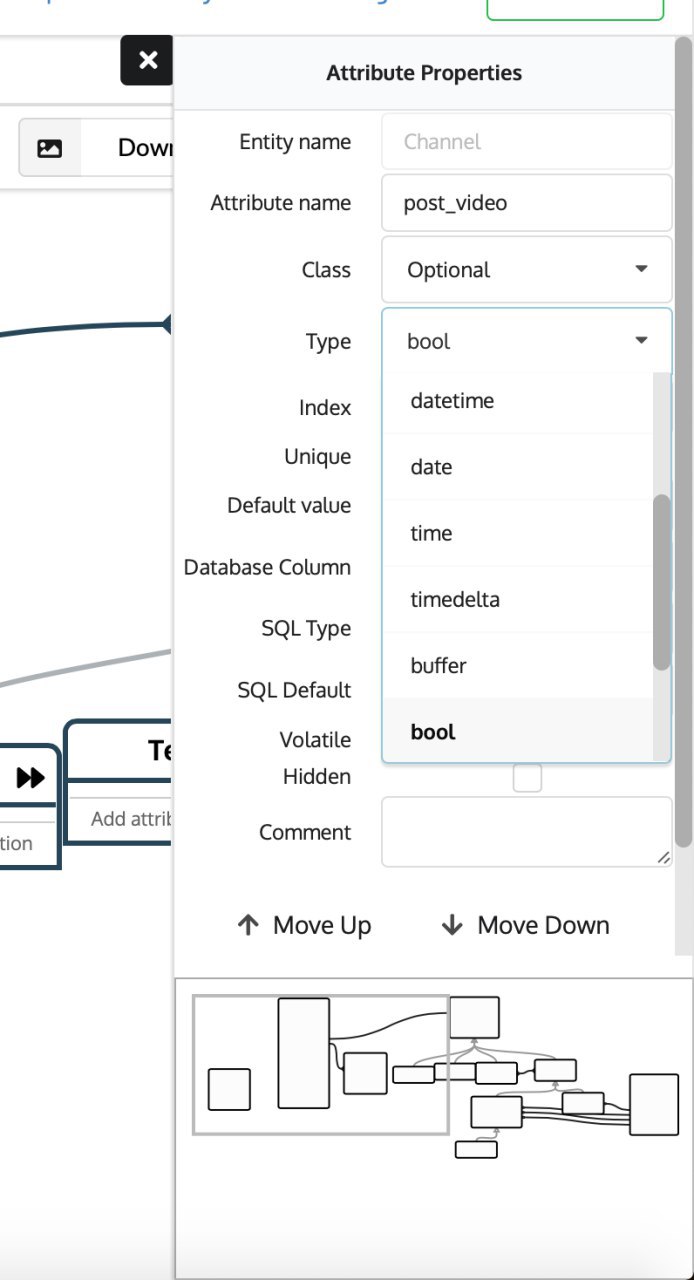
It simply doesn't scroll the content (right side stuff) if I move the scroll wheel
Lucky
 Lucky
Lucky
Maybe an onscroll handler blocking it?
Alexander
It works on my browser. Thanks for reporting, we'll look into it
Lucky
Later we want to add collaborative editing, like in Google Docs, where two person can change the same diagram simultaneously. Because of this, I think we should autosave changes to the last version of the document by default. It would be confusing if single- and multi-user mode work differently.
But may we can add checkbox "autosave" in setings as you suggested so you can turn autosave off
Also why is there an [Save] Button if it is doing it automatically?
 Roman
Roman
Also why is there an [Save] Button if it is doing it automatically?
autosave works by interval right now. I'll disable button(and autosave) if there aren't any unsaved data.
It's temporary solution till we change save mechanism for collaboration purpose.
Lucky
Lucky
Btw, macOS has enabled auto save in most editor tools (TextEdit, Preview, Keynote, Numbers, ...) but they also feature a easy version history.
That way if you are like going back, you can easy browse old versions.
Lucky
autosave works by interval right now. I'll disable button(and autosave) if there aren't any unsaved data.
It's temporary solution till we change save mechanism for collaboration purpose.
Btw, macOS has enabled auto save in most editor tools (TextEdit, Preview, Keynote, Numbers, ...) but they also feature a easy version history.
That way if you are like going back, you can easy browse old versions.
Alexander
I checked in Safari on Mojave and it works as expected
Alexander
I mean, scrolling
Lucky
I mean, scrolling
Strange it is working with my trackpad, but isn't working with my external mouse
Lucky
Roman
autosave in TextEdit
great example. We already have enough data to implement this. danke schön!
 Axel
Axel
hi ponies 🙂 . I finally have a question I could not solve on my own. I have this code:
query = select(a for a in Address if a.mail_username == user)
address_obj = query[0]
... and I am getting this error with it:
File "/Users/stuuuuuuff/core.py", line 6116, in __getitem__
throw(TypeError, 'If you want apply index to a query, convert it to list first')
While according to this page (https://is.gd/X3yKRd) this should definitely work IMO.
any help here? 🙂 Thanks!
Matthew
query = select(a for a in Address if a.mail_username == user)[:]
Matthew
Change it to that
Matthew
that converts the query object to a list of results
Matthew
But maybe you want query = select(a for a in Address if a.mail_username == user).first() if you only ever want the first result
Axel
yes, I got this workaround as well. so the error is actually true? then I really don't understand the docs which explicitly lists [index] as a method for the Query class 🙂 . all right, thanks for clarifying!
Matthew
The error is correct yeah.
Matthew
It seems like [index] in the docs is incorrect
Matthew
oh it probably means index being ":10" not something like "0"
Matthew
":10" being equivalent to "0:10"
Matthew
so it should be [:index]
Alexander
Hi! The docs is indeed looks incorrect. You can use slices like query[start:stop], but not indexing of individual elements to prevent antipattern of multiple query generation in code like:
for i in range(100):
obj = query[i]
Matthew
Axel, when using first(), take care to check if the resulting value is None
Alexander
Hi, I will be able to look into it in 4 hours
Lucky
:+1:
Alexander
Sorry, I don't understand what do you want here.
1) Required attribute is required. Tha means, it always has some non-empty value. Required attribute by definition can't be nullable. If you want nullable attribute, define it as Optional
2) Nullable attribute cannot be part of a primary key, it does not make sense and most databases does not allow it
Alexander
I think we should raise exception when someone writes orm.Required(int, nullable=True)
Lucky
I just tested sqlite, works without problems
Alexander
"In SQL-standard, the primary key column must not contain NULL values. It means that the primary key column has an implicit NOT NULL constraint.
However, to make the current version of SQLite compatible with the earlier versions, SQLite allows the primary key column to contain NULL values."
http://www.sqlitetutorial.net/sqlite-primary-key/
I don't think this is a good reason to allow nullable primary keys in Pony
Lucky
I still think it should be supported, though it isn't very portable
Lucky
"In SQL-standard, the primary key column must not contain NULL values. It means that the primary key column has an implicit NOT NULL constraint.
However, to make the current version of SQLite compatible with the earlier versions, SQLite allows the primary key column to contain NULL values."
http://www.sqlitetutorial.net/sqlite-primary-key/
I don't think this is a good reason to allow nullable primary keys in Pony
But that aside, what would be the best alternative approach to having a nullable primary key?
I store state for Telegram Chats (user_id + chat_id) but have the following two special cases:
a) Channels don't have a user, therefore it is null.
b) Inline queries (@bot <text>) only have a user, therefore the channel is null.
Lucky
I can't be certain that `0` will never be used in the feature, therefore null would really fit well.
What other options do I have?
Matthew
Don’t store them as IDs, have user and chat columns instead
Matthew
Optional(User)
Matthew
Add an index for that column
Matthew
Just have the primary key for the table as the normal default integer primary key
Matthew
I just mean the default pony primary key
Matthew
Optional(User, index=True)
Matthew
Should work
Matthew
I’m not on my computer so I can’t try it
Alexander
class User(db.Entity):
id = PrimaryKey(int)
state = Oprional("State")
class Chat(db.Entity):
id = PrimaryKey(int)
state = Optional("State")
class State(db.Entity):
id = PrimaryKey(int)
user = Optional("User", index=True)
chat = Optional("Chat", index=True)
or
class Object(db.Entity):
id = PrimaryKey(int)
state = Optional("State")
class User(Object):
...
class Chat(Object):
...
class State(db.Entity):
object = Required("Object", index=True)
or maybe
class ObjectWithState(db.Entity):
id = PrimaryKey(int)
state = Required(str)
data = Optional(Json)
class User(ObjectWithState):
...
class Chat(ObjectWithState):
...
Lucky
class User(db.Entity):
id = PrimaryKey(int)
state = Oprional("State")
class Chat(db.Entity):
id = PrimaryKey(int)
state = Optional("State")
class State(db.Entity):
id = PrimaryKey(int)
user = Optional("User", index=True)
chat = Optional("Chat", index=True)
or
class Object(db.Entity):
id = PrimaryKey(int)
state = Optional("State")
class User(Object):
...
class Chat(Object):
...
class State(db.Entity):
object = Required("Object", index=True)
or maybe
class ObjectWithState(db.Entity):
id = PrimaryKey(int)
state = Required(str)
data = Optional(Json)
class User(ObjectWithState):
...
class Chat(ObjectWithState):
...
I will always have lookup by user_id and chat_id.
It's a library so the programmer using it wouldn't benefit from having an otherwise empty User/Chat Entity (as he can't add his own attributes anyway)
The separate Tables are a really charming idea but requires additional complexity in the python code to use the right table i.e.
if user_id is None:
state = ChatOnlyState.get(chat_id=chat_id)
elif chat_id is None:
state = UserOnlyState.get(user_id=user_id)
else:
state = UserInChatState.get(user_id=user_id, chat_id=chat_id)
# end if
Also in storing, with upsert not being a thing it would really get annoying.
I guess I'll stick to Optional(int, index=True) which allows for some lookup speed enhancements while keeping it simple.
Thanks for the input though, on a more advanced setup that would have been the way to go.
It's still more elegant to my idea of having a chat_id_is_null = PrimaryKey(bool) idea..
Matthew
There is inherent complexity in the problem you are modelling I think
Matthew
By the way I doubt you will see any speed issues with Alexander’s solution
Matthew
I would do it with the first way Alexander did it
Lucky
Basically I'm modeling that we have either chat, or user or a user in a chat, and need to manage that.
Redis connector uses "{chat_id}_{user_id}" = "{state: "WHATEVER", data: null}"
MongoDB uses
{
Chat_id: chat_id,
user_id: user_id,
state: "WHATEVER",
Data: null
}
Matthew
And can’t you do using the first way State.get(user=user_id, chat=chat_id)
Matthew
Where the IDs can be null
Lucky
And can’t you do using the first way State.get(user=user_id, chat=chat_id)
Yeah gonna do that, but I will not create user and chat tables, as a table containing only a id column is pretty useless.
Matthew
where do the IDs come from?
Lucky
Yeah gonna do that, but I will not create user and chat tables, as a table containing only a id column is pretty useless.
You couldn't use those User/Chat anyway as if you try to reference it you'd need to add a reverse attribute to my sourcode lf the model
Matthew
I don't think they are useless as tables, as they allow efficient querying when they are treated as full entities
Matthew
It's not wasteful in my opinion
Matthew
and then you are not fighting the database